

Termly is one of the best-known single-site compliance tools. Its per-domain licensing and Pro+ feature gating turn expensive the moment you add a second site or need consent logs. The nine alternatives below are ranked by how directly they fix that problem. Each entry carries a Layer-1 review score from our scored evaluations, verified pricing, and migration steps.
Below: a quick list, why people switch from Termly, how to choose, a comparison table, and a detailed review of each option with migration steps.
Best Termly Alternatives at a Glance
These nine tools are ordered by switching-fit tier first, then by independent review score within each tier. Each entry names the specific Termly problem it solves.
-
Cookie Script: best for multi-domain owners escaping per-domain billing, with flat bundles from EUR 8 per month for two sites
-
Complianz: best free alternative for WordPress users tired of per-license cost, with a plugin that runs on unlimited sites
-
Enzuzo: best for SMBs who want policy generators alongside consent, with flat multi-domain pricing from the Growth plan
-
Consently: best for flat multi-domain pricing with no feature gating, $199 per year for 5 domains and every feature on every plan
-
Osano: best for mid-market teams replacing a full privacy program, with bundled DSAR and vendor risk
-
CookieYes: best free tier for a single site, with a more capable free plan than Termly and strong support
-
iubenda: best for legal document depth, with 2,400-plus lawyer-drafted clauses across 27 languages
-
Cookiebot: best scanning accuracy for a compliance-critical single site, with Gold-tier certification
-
CookieFirst: best for EU-focused single sites, with EU data residency and a 24-hour support SLA
Disclosure: This guide is written by the Consently team. Consently competes with Termly and every tool on this list. It appears in the ranking, scored by the same rubric as everyone else, and is not self-ranked first.
How we score: Every product carries the overall score from our published review methodology, which weights Compliance, Scanning, Banner, Setup, Pricing, Performance, and Support. The list is ordered by switching-fit tier, then by that score. Read the full method at how we review consent management software.
Why People Switch from Termly
Teams leave Termly mainly over per-domain licensing and Pro+ feature gating. Termly still earns its reputation for one site. It offers 10 attorney-crafted document generators, a genuine permanent free plan, and Gold-tier Google CMP certification. For a single site that needs policy documents alongside a banner, it remains a strong, well-built choice.
Our Termly review covers its scorecard in full.
The switching pressure comes from three specific friction points.
-
One license, one domain: Termly’s self-serve plans (Free, Starter, Pro+) each cover one website per license. Run three sites at Pro+ and you pay $45 per month, or $540 per year at annual billing. A mid-market marketing lead in our review described “confusion around adding a second domain.”
-
The features you need sit behind Pro+: Starter ($10 per month per site) lets you scan cookies and show a basic banner, nothing more. IAB TCF 2.3, consent logs, multi-language banners, regional rules, subdomain scanning, custom banner styles, and logo removal are all Pro+ only, at $15 per month per site.
-
The free plan is real but narrow: The free tier gives one policy, 10,000 banner views per month, quarterly scans, GDPR-only coverage, and a Termly watermark. A site that exceeds those limits hits the Starter paywall immediately.
Honest carve-out: Termly remains the right tool for a single site that needs a banner plus a broad document library in one place. That fits a US-focused SMB on one domain especially well. The alternatives below outperform it when you run two or more sites, or need IAB TCF and consent logs without a tier jump.
How to Choose a Termly Alternative
Match the alternative to the switching trigger that pushed you off Termly. The three criteria below map to the reasons teams actually leave.
Pricing model: flat vs. per-domain
Termly bills one license per site, so cost scales linearly with your portfolio. Flat multi-domain pricing (Consently, Cookie Script bundles, Complianz by site count) holds cost steady as you add sites. If a second or third domain is what drove you off Termly, this is the criterion that matters most.
Feature gating: IAB TCF and consent logs entry point
Termly locks IAB TCF 2.3, consent logs, and multi-language banners behind Pro+. The alternatives worth switching to either include those on every plan or separate their tiers cleanly. That keeps the upgrade decision proportional to what you actually need.
Policy generator depth
Termly's 10 document generators are a genuine strength. If you came for the documents and not just the banner, weigh how many policy types each alternative produces. Enzuzo (6 generators) and Consently (3 generators) come closest; pure consent tools like Cookiebot and Osano generate none.
Termly Alternatives Compared
The table below includes Termly as a reference row, so you can compare pricing structures and feature availability against what you are leaving. Products are listed in the canonical order: switching-fit tier first, then review score within each tier.
| Product | Layer-1 score | Domains | Pricing (best multi-domain entry) | Policy generators | Free tier | IAB TCF | Google CMP certified |
|---|---|---|---|---|---|---|---|
| Termly (current) | 3.8 | 1 per license | $15/mo per site (Pro+ annual) | 10 (attorney-crafted) | Yes (limited) | Pro+ only | Gold |
| Cookie Script | 4.0 | Bundles (2/5/10+) | EUR 8/mo for 2 domains | Privacy + Cookie only | Yes | PLUS only | Yes |
| Complianz | 3.9 | Unlimited (WP) | $59/yr flat (WP Personal) | Cookie policy only | Yes (WP plugin) | Yes (ID 332) | Yes |
| Enzuzo | 3.9 | Up to 20 | $22/mo for 4 domains (Growth) | 6 generators | Yes (1 domain, 5K visitors) | Yes | Yes |
| Consently | 3.7 | 5 (Premium) | $199/yr (5 domains) | 3 (cookie, privacy, T&C) | No (14-day trial) | Yes (all plans) | Pending |
| Osano | 3.9 | 3+ (bundled) | $199/mo (3 domains) | None | Yes (free plan, limited) | Yes | Yes |
| CookieYes | 3.8 | Per domain | $10/mo per domain | Privacy + Cookie only | Yes (5K views) | Pro only | Yes |
| iubenda | 3.6 | Per site | EUR 4.99/site/mo | 2,400+ clauses (deep) | Yes (under 1K views) | Yes (TCF 2.2) | Yes |
| Cookiebot | 4.0 | Per domain | $8/mo per domain | None | Yes (50 subpages) | Yes | Gold |
| CookieFirst | 3.8 | Per domain | EUR 9/mo per domain | Cookie only | Yes (thin) | Plus only (TCF 2.2) | Yes |
Layer-1 scores come from the same seven-dimensional methodology linked above. Pricing was verified against live pages on 2026-06-29. Termly data is sourced from Termly's pricing page. Visit each product's site for current rates.
1. Cookie Script: Best for Multi-Domain Flat Bundles (4.0/5)
Cookie Script is the cheapest way to run cookie compliance across multiple domains. At EUR 8 per month for two domains, its flat bundles undercut Termly's per-domain model for any operator running more than one site.
It scores 4.0 out of 5 in our Cookie Script review.
Best for: Multi-site operators (2 to 20 domains) who want predictable flat pricing. It suits teams that do not need a full privacy policy or T&C generator in the same tool.
Key Features
Cookie Script brings the following capabilities to the table.
-
Flat domain bundles (2, 5, 10, 20, 50, 100, 200 domains) with no per-domain billing for additional sites within the bundle
-
EUR 8 per month for 2 domains (LITE); EUR 14 per month for 5 domains (BUSINESS)
-
Google Consent Mode v2 on every plan, including the permanent free tier
-
100,000-plus cookie database with approximately 80% coverage
-
Self-hosted code option, which Termly does not offer on hosted-only banners
-
42 banner languages
Pros
These are the strengths Cookie Script offers a switching Termly user.
-
Flat bundles fix the cost problem multi-site Termly users face directly
-
Strong scanner: a headless browser matches results against a 100,000-entry database
-
Consent Mode v2 on the free tier, unlike Termly's GDPR-only free plan
-
Largest review base in this pool, which signals a mature, well-tested product
Cons
These are the trade-offs to weigh before committing to Cookie Script.
-
IAB TCF 2.3 is PLUS plan only, the same gating pattern as Termly's Pro+
-
Domain bundles are fixed sizes: three sites means buying the five-domain bundle
-
No T&C generator or full privacy policy generator
-
No live chat support, and mixed-tier agency accounts are not supported
Pricing
Cookie Script pricing breaks down across these tiers.
-
Free (permanent): 10-page scan limit, no geo-targeting, no auto-blocking, no IAB TCF
-
LITE: EUR 8 per month (2 domains), with auto-blocking, geo-targeting, Consent Mode v2
-
BUSINESS: EUR 14 per month (5 domains)
-
Scales to 200 domains; all pricing is ex-VAT; annual billing saves approximately 15%
What Users Say
Cookie Script holds the largest review base in this pool: Trustpilot 4.7 (391 reviews), G2 4.6 (505 reviews), and Capterra 4.8 (57 reviews). One COO on G2 calls the automatic scanning "reliable" and a real manual-work saver.
The recurring criticism is structural. An agency CEO flags the inability to mix plan tiers in one account as "unnecessary administrative overhead."
Migrating from Termly to Cookie Script
Plan the move from Termly with these steps.
-
Export consent records from Termly's dashboard if you are on Pro+ (Free and Starter have no consent log to export)
-
Sign up for Cookie Script and choose a bundle that matches your domain count
-
Install the snippet on each domain or use the WordPress plugin
-
Recreate any custom banner styles in the Cookie Script banner builder
-
Cookie Script does not generate privacy policies or T&C documents, so port your Termly policy documents or generate new ones separately
For more options in this class, see Cookie Script alternatives or Consently vs Cookie Script.
2. Complianz: Best Free Alternative for WordPress (3.9/5)
Complianz is the best free cookie-consent option for WordPress owners. The free plugin runs on unlimited WordPress sites with no pageview caps, and it is certified. The hard constraint: it runs on WordPress and Shopify only.
It scores 3.9 out of 5 in our Complianz review.
Best for: WordPress owners running two or more sites who want one certified, free-to-start tool instead of a per-license bill.
Key Features
Complianz brings the following capabilities to the table.
-
The free WordPress plugin runs on unlimited sites, unlike Termly's per-domain model
-
Self-hosted: consent data stays on your own server with no pageview or consent-record caps
-
Google CMP certified (July 2024); IAB TCF CMP ID 332
-
Generates legally compliant cookie policies from the site scan
-
Maintained by Really Simple Plugins, part of the iubenda Group since 2024
Pros
These are the strengths Complianz offers a switching Termly user.
-
Genuinely free on unlimited WordPress sites, which Termly never matches
-
Self-hosted consent data with no caps on records or pageviews
-
Certified for both IAB TCF and Google CMP
-
More than a million active installs, a strong maturity signal
Cons
These are the trade-offs to weigh before committing to Complianz.
-
WordPress and Shopify only; Webflow, Wix, and standalone HTML sites are excluded
-
Records of Consent, Consent Mode v2, and IAB TCF begin at $59 per year, so it is not entirely free for compliance-critical use
-
Paid tiers are site-capped: Personal covers 1 site, Professional 5, Agency 25
-
Cookie policy from the generator only; no full privacy policy or T&C generator, unlike Termly's 10-document library
Pricing
Complianz pricing breaks down across these tiers.
-
Free (WordPress plugin): cookie consent banner, basic scanning, unlimited sites, no consent records
-
Personal ($59 per year): Records of Consent, Consent Mode v2, IAB TCF, 1 WordPress site
-
Professional ($179 per year): same features, 5 WordPress sites, multisite plugin
-
Agency ($399 per year): same features, 25 WordPress sites
-
Shopify: separate app, free to start
What Users Say
Complianz holds a 4.7 out of 5 rating from 1,639 reviews on WordPress.org. It also scores 4.4 on the Shopify App Store (267 reviews) and 4.3 on Trustpilot (167 reviews). Praise centers on value and capability.
The most common complaint is that initial configuration requires reading documentation rather than a quick-start flow. Trustpilot reviewers also cite "slow response times" on support.
Migrating from Termly to Complianz
Plan the move from Termly with these steps.
-
Export your policy documents from Termly before cancelling (save as PDF or plain text)
-
Install the Complianz plugin from the WordPress plugin directory and run the setup wizard (allow approximately 30 minutes)
-
Configure Consent Mode, IAB TCF, and geo-targeting in the wizard
-
Complianz generates a new cookie policy from the scan; it does not import Termly policy content
-
You will need a separate tool for your privacy policy and T&C documents
For broader options, see Complianz alternatives or Consently vs Complianz.
3. Enzuzo: Best for SMBs Who Want Policies Plus Consent (3.9/5)
Enzuzo is one of the few alternatives that matches Termly's breadth. It bundles cookie consent, DSAR management, and six legal document generators in one subscription, with flat multi-domain pricing from the Growth plan up.
It scores 3.9 out of 5 in our Enzuzo review.
Best for: US and Canadian SMBs who want policy generators plus consent in one subscription, scaling to 4 or 10 domains on Growth or Pro.
Key Features
Enzuzo brings the following capabilities to the table.
-
Flat multi-domain pricing: 4 domains on Growth ($22 per month), 10 on Pro ($59 per month), 20 on Agency ($99 per month), with no per-domain stacking
-
Six legal generators: privacy policy, T&C, cookie policy, DSAR response, acceptable use, and more
-
Google-certified CMP, headquartered in Kitchener-Waterloo, Canada
-
DSAR automation module included, which is rare at SMB price points
-
A free plan that is genuinely usable for one small site (1 domain, up to 5,000 monthly visitors)
Pros
These are the strengths Enzuzo offers a switching Termly user.
-
Six generators come closest to Termly's document breadth among flat-priced tools
-
Flat multi-domain tiers replace Termly's per-license cost
-
DSAR automation bundled in, which Termly does not offer at this price
-
A usable free plan for a single small site
Cons
These are the trade-offs to weigh before committing to Enzuzo.
-
Visitor caps at every tier: 5,000 on free and Starter, 10,000 on Growth, 30,000 on the $59 Pro tier
-
True multi-domain coverage begins at Growth ($22 per month); free and Starter cover one domain
-
Limited language support relative to Termly's 10-plus policy languages
-
Smaller review base than Termly, and support responsiveness is uneven at entry tiers
Pricing
Enzuzo pricing breaks down across these tiers.
-
Free: 1 domain, 5,000 visitors per month, basic consent and one policy generator
-
Starter ($7 per month): 1 domain, 5,000 visitors, all policy generators
-
Growth ($22 per month): 4 domains, 10,000 visitors
-
Pro ($59 per month): 10 domains, 30,000 visitors, full DSAR, priority support
-
Agency ($99 per month): 20 domains, white-label
-
Enterprise: custom pricing
What Users Say
Enzuzo is rated 4.6 out of 5 on G2 across 18 reviews. The Shopify App Store is split between 4.7 (95 reviews) and 3.6 (33 reviews on the reviews tab). Reviewers value the one-click depth. On G2, users note that unlimited DSARs and dedicated support stay locked to higher-tier plans.
One Shopify reviewer reports that support takes several days to reply below the top tiers.
Migrating from Termly to Enzuzo
Plan the move from Termly with these steps.
-
Export policy documents from Termly (PDF or plain text) before your subscription lapses
-
Sign up for Enzuzo and add each domain in the dashboard
-
Run the cookie scanner per domain and configure geo-targeting and Consent Mode
-
Use Enzuzo's policy generators to create new privacy policy, T&C, and cookie policy documents
-
Termly Pro+ users can export consent logs as CSV; check enzuzo.com/help to confirm whether Enzuzo accepts a CSV import for historical records
If the visitor caps concern you, see Enzuzo alternatives or Consently vs Enzuzo.
4. Consently: Best for Flat Multi-Domain Pricing With Every Feature (3.7/5)
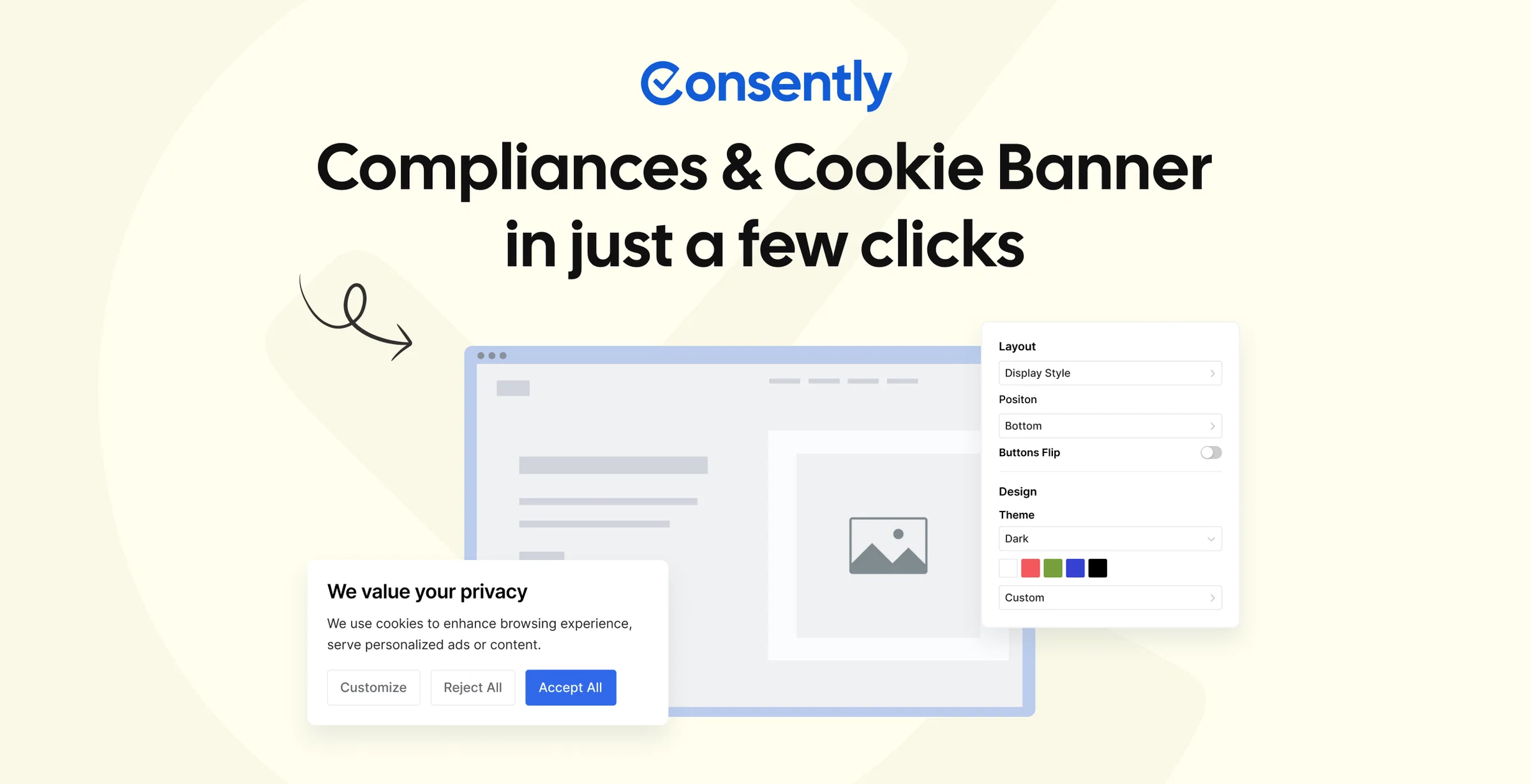
Consently addresses both Termly switching triggers at once. Premium gives you five domains on one flat plan ($199 per year). Every feature is included on every plan, with no Pro+ tier and no per-domain upcharge. It scores 3.7 out of 5 on the same methodology, the lowest in this Tier 1 group, and we flag genuine limitations below.
See our Consently review for the full scorecard.
Best for: Multi-site owners (2 to 10 sites) on Termly Pro+ who want flat annual billing plus all three policy generators from one tool.
Key Features
Consently brings the following capabilities to the table.
-
Five domains on Premium ($199 per year); 10 on Enterprise ($499 per year) with no per-domain uplift
-
All core features on all plans: IAB TCF, Google Consent Mode v2, weekly scans, geotargeting, policy generators, consent logs, and live chat support, with nothing gated
-
Three policy generators (cookie policy, privacy policy, and T&C)
-
35 banner languages and 10-plus policy generation languages
-
14-day free trial with no credit card required
Pros
These are the strengths Consently offers a switching Termly user.
-
Both Termly triggers fixed at once: flat domain count and no feature gate
-
All three policy types from one tool, matching the Termly document expectation
-
Live chat support on every plan
-
Adding a second or third domain to Premium adds nothing to the bill
Cons
These are the trade-offs to weigh before committing to Consently.
-
No native mobile SDK
-
Google CMP Partner certification is pending; do not treat it as equivalent to Termly's Gold tier
-
No A/B banner testing, and the multi-site dashboard is Premium and Enterprise only
-
Newer brand with fewer user reviews and lower domain authority than Termly or CookieYes
Multi-domain cost comparison versus Termly Pro+:
| Domains | Termly Pro+ (annual) | Consently Premium |
|---|---|---|
| 1 | $180 per year | $99 per year (Basic) |
| 2 | $360 per year | $199 per year (Premium) |
| 3 | $540 per year | $199 per year (Premium) |
| 5 | $900 per year | $199 per year (Premium) |
Pricing
Consently pricing breaks down across these tiers.
-
Basic: $99 per year (1 domain, 100,000 page views)
-
Premium: $199 per year (5 domains, 1,000,000 page views)
-
Enterprise: $499 per year (10 domains, 3,000,000 page views)
-
All plans include all core features; 14-day free trial, no credit card required
See Consently pricing for the full tier breakdown.
What Users Say
Consently's AppSumo launch generated 27 reviews averaging 4.0 out of 5. Praise focuses on the flat all-inclusive pricing and setup simplicity. Matching the banner to a brand was a recurring point of praise.
Criticism covers scanner queue times during peak load. One review cited a scan still queued after 12 hours, and another flagged the absence of a CSV export for the cookie list.
AppSumo buyers are deal-motivated, so their feedback skews toward price-value impressions.
Migrating from Termly to Consently
Plan the move from Termly with these steps.
-
Export policy documents from Termly before cancelling (PDF or plain text)
-
Start a free Consently trial (no credit card required); all features are active from day one
-
Add each domain under the Premium or Enterprise multi-site dashboard
-
Re-run the cookie scanner per domain and configure banner language and geo-targeting
-
Use Consently's policy generators (on all plans) to recreate your privacy policy, cookie policy, and T&C
-
Termly Pro+ consent logs export as CSV; verify whether Consently accepts historical import at help.consently.net
Start a 14-day free Consently trial, no credit card required, and add every domain to one plan.
For a detailed side-by-side, see Consently vs Termly.
5. Osano: Best for Teams That Need a Full Privacy Program (3.9/5)
Osano moves privacy compliance beyond a cookie banner. Its Plus plan bundles consent across three domains with DSAR automation and vendor risk management. The price is $199 per month, far above Termly and appropriate for teams replacing a privacy program, not just a banner.
It scores 3.9 out of 5 in our Osano review.
Best for: Mid-market teams replacing a full privacy compliance stack with active CCPA/CPRA DSAR handling needs.
Key Features
Osano brings the following capabilities to the table.
-
Multi-domain bundled: Plus covers 3 domains with no per-domain stacking within the plan
-
DSAR automation, data mapping, and vendor risk modules included
-
Public Benefit Corporation status (privacy-first governance model)
-
"No Fines, No Penalties" guarantee up to $500,000 (enterprise plans only)
-
Banner localizes automatically across more than 40 languages
Pros
These are the strengths Osano offers a switching Termly user.
-
Full privacy program in one platform, well beyond Termly's banner-plus-documents scope
-
Bundled DSAR, data mapping, and vendor risk, which Termly does not offer
-
Established, well-funded vendor with a Series B behind it
-
Strong, frequently praised support
Cons
These are the trade-offs to weigh before committing to Osano.
-
Price floor: $199 per month on self-serve Plus, roughly 13 times Termly Pro+ for 3 domains
-
The $500,000 guarantee does NOT apply to Plus; it covers enterprise tiers only
-
Only 30,000 monthly visitors on Plus; custom pricing is required beyond that
-
No policy generators of any kind, and no free trial on the Plus plan
Pricing
Osano pricing breaks down across these tiers.
-
Free: basic consent banner, very limited
-
Plus: $199 per month (3 domains, 2 users, 30,000 visitors)
-
Enterprise Start, Trust, Scale: custom, sales-led
What Users Say
Osano holds 4.5 out of 5 across 172 G2 reviews and appears on Gartner Peer Insights. "Exceptional customer support" is one of the most-repeated themes. One GTM user picked Osano specifically "for its ease of automatically addressing the correct defaults for localities."
The recurring limit is customization depth. "Limited Customization" is among the most-cited cons.
Migrating from Termly to Osano
Plan the move from Termly with these steps.
-
Export your Termly policy documents before cancelling, since Osano generates none
-
Sign up for the Plus plan and add your three domains in the dashboard
-
Configure the banner, geo-defaults, and DSAR workflow
-
Map your historical consent records; confirm CSV import support with Osano before relying on it
If the Plus price is too high, see Osano alternatives or Consently vs Osano.
6. CookieYes: Best Free Tier for a Single Site (3.8/5)
CookieYes is the easiest single-site Termly alternative and offers a more capable free tier. The trade-off: it uses the same per-domain pricing model as Termly, so multi-site costs scale identically. It solves the feature-gating problem but not the licensing one.
It scores 3.8 out of 5 in our CookieYes review.
Best for: Single-site owners switching from Termly's free plan to a more capable free alternative, especially on WordPress or Shopify.
Key Features
CookieYes brings the following capabilities to the table.
-
Free plan: 5,000 page views per month, permanent (versus Termly's more restricted free tier)
-
1.5 million-plus WordPress active installs via the Cookie Law Info plugin; also a Shopify app and Wix app
-
Google Consent Mode v2 certified
-
The strongest support score in this pool
Pros
These are the strengths CookieYes offers a switching Termly user.
-
A more capable free plan than Termly for a single site
-
Native WordPress, Shopify, and Wix experiences
-
Standout support, the most-praised attribute in its reviews
-
Easy setup for non-technical users
Cons
These are the trade-offs to weigh before committing to CookieYes.
-
Per-domain pricing at $10 to $55 per month per domain, the same structural model as Termly
-
Three sites cost $30 to $165 per month, the same scaling problem that drives Termly switchers
-
No T&C generator (privacy policy and cookie policy only)
-
IAB TCF v2.3 and GPC are Pro plan only ($25 per month per domain), with $0.30 per 1,000 pageview overage
Pricing
CookieYes pricing breaks down across these tiers.
-
Free: 5,000 views per month, basic consent
-
Basic: $10 per month per domain
-
Pro: $25 per month per domain (IAB TCF, GPC, advanced geo-targeting)
-
Enterprise: $55 per month per domain
What Users Say
CookieYes earns the highest G2 rating in this pool at 4.8 out of 5 (296 reviews) and 4.8 on Trustpilot. Support is its single most-praised attribute, with around 51 G2 mentions. Capterra reviewers call it "really easy to set up."
The recurring criticism is cost. "Expensive" appears repeatedly on G2, usually tied to needing a higher tier for one feature.
Migrating from Termly to CookieYes
Plan the move from Termly with these steps.
-
Export your Termly policy documents before cancelling
-
Sign up and install the plugin or app for your platform
-
Run the scanner and configure the banner per domain
-
Enable IAB TCF and GPC if needed (Pro plan), and recreate any custom styles
If per-domain pricing is the sticking point, see CookieYes alternatives or Consently vs CookieYes.
7. iubenda: Best for Legal Document Depth (3.6/5)
iubenda is the alternative for Termly users whose primary concern is legal document quality rather than pricing. Its 2,400-plus lawyer-drafted clauses across 27 languages far exceed Termly's 10 generators. The trade-off: per-site billing and a notoriously steep setup curve.
It scores 3.6 out of 5 in our iubenda review.
Best for: Multi-language international sites and established businesses that prioritize legal defensibility and clause depth over UI simplicity.
Key Features
iubenda brings the following capabilities to the table.
-
2,400-plus lawyer-drafted clauses versus Termly's 10 attorney-crafted generators
-
27 languages for legal documents versus Termly's 10-plus policy languages
-
Auto-updating policies when compliance laws change
-
15-year track record; ISO 27001, Google CMP, and IAB TCF 2.2 certified
Pros
These are the strengths iubenda offers a switching Termly user.
-
The deepest legal document library of any tool here, well beyond Termly
-
Documents in 27 languages for international sites
-
Auto-updating policies as laws change
-
Long, established track record with full certification stack
Cons
These are the trade-offs to weigh before committing to iubenda.
-
Per-site pricing at EUR 4.99/$5.99 to EUR 79.99/$99.99 per site per month, the same model as Termly
-
Steepest setup curve in this pool (G2 Ease of Setup 5.0 out of 10)
-
Full banner branding removal requires the top plan, with EUR 0.05 per 1,000 pageview overage
-
Cookie scanner accuracy of 3.5 out of 5, below Cookie Script and Cookiebot here
Pricing
iubenda pricing breaks down across these tiers.
-
Free: under 1,000 pageviews per month, limited document access
-
EUR 4.99/$5.99 per month per site: basic privacy policy
-
EUR 14.99/$19.99 per month per site: adds cookie consent banner
-
EUR 49.99/$69.99 per month per site: full banner customization
-
EUR 79.99/$99.99 per month per site: all features and branding removal
What Users Say
iubenda scores 9.0 for Ease of Use but just 5.0 out of 10 for Ease of Setup on G2.
Reviewers consistently list complexity, difficult navigation, and a steep learning curve among the top dislikes. Our own hands-on test through Google Tag Manager hit the same wall. The process turned chaotic, and the practical fix was following third-party videos rather than the official docs alone.
Migrating from Termly to iubenda
Plan the move from Termly with these steps.
-
Export your Termly documents before cancelling
-
Sign up, scan your site, and answer the guided wizard
-
Upgrade to a paid plan to publish or embed any document
-
Recreate banner styles and configure languages per site
If per-site billing is the issue, see iubenda alternatives or Consently vs iubenda.
8. Cookiebot: Best for Scanning Accuracy (4.0/5)
Cookiebot earns the highest compliance and scanning scores in this pool. It is a genuine upgrade from Termly in scan depth and certification. The caveat: it is also per-domain, and its price starts higher than Termly's Starter plan.
It scores 4.0 out of 5 in our Cookiebot review.
Best for: Single-site operators and ad-tech publishers who need the deepest scanning accuracy and the strongest certification stack.
Key Features
Cookiebot brings the following capabilities to the table.
-
Compliance: 5.0 out of 5 (highest in the pool), covering GDPR, CCPA, LGPD, IAB TCF 2.3, and Consent Mode v2
-
Scanning: 4.5 out of 5, with 13,000-plus known cookie entries scanned monthly to weekly by tier
-
Gold Tier Google CMP Partner; ISO 27001 and ISO 27701 certified
-
Backed by Usercentrics, with 600,000-plus customers across 2.4 million websites
Pros
These are the strengths Cookiebot offers a switching Termly user.
-
Best-in-pool scanning and compliance scores, a real upgrade from Termly
-
Gold-tier certification with ISO 27001 and 27701
-
47-plus banner languages, rising to 60-plus on enterprise tiers
-
Established, financially stable vendor
Cons
These are the trade-offs to weigh before committing to Cookiebot.
-
Per-domain pricing at $8 to $96 per month per domain, the same per-domain model as Termly
-
Subdomains bill as separate domains, which can produce a cost surprise as a site grows
-
No policy generators of any kind (banner and consent management only)
-
Auto-upgrade risk: the scanner can push you into a higher tier if your subpage count grows
Pricing
Cookiebot pricing breaks down across these tiers.
-
Free: 1 domain, up to 50 subpages, GDPR only, manual blocking, Cookiebot branding
-
From $8 per month: up to 500 subpages per domain
-
Scales to $96 per month for larger sites; each subdomain billed separately
What Users Say
One G2 user wrote that after deploying it, they "no longer have to worry about compliance." Ease of use splits by background. GTM-comfortable buyers move through setup quickly.
A WordPress.org reviewer described stumbling around for 15 to 20 minutes before realizing the system was complex. Adding payment details to a free account quietly upgrades it to a paid "Small" subscription. One reviewer felt "forced into" that change.
Migrating from Termly to Cookiebot
Plan the move from Termly with these steps.
-
Export your Termly policy documents before cancelling, since Cookiebot generates none
-
Sign up and add each domain (note subdomains bill separately)
-
Run the scanner and configure the banner and geo-targeting
-
Plan your tier around subpage count to avoid an auto-upgrade
If per-domain billing is the sticking point, see Cookiebot alternatives or Consently vs Cookiebot.
9. CookieFirst: Best for EU-Focused Single-Site Compliance (3.8/5)
CookieFirst is a polished, EU-hosted alternative for single-site owners who prioritize EU data residency, fast setup, and a 24-hour support SLA on the Plus tier. Like Termly, it bills per domain and offers only a cookie-policy generator.
It scores 3.8 out of 5 in our CookieFirst review.
Best for: Single EU-based site owners who want EU data residency and a fast, certified banner without the setup complexity of Cookiebot.
Key Features
CookieFirst brings the following capabilities to the table.
-
EU-hosted in Amsterdam (DigitalOcean AMS3) on an ISO 27001, SOC 2 Type II, and PCI-DSS certified datacenter
-
4.5 out of 5 on ease of setup, the fastest to configure in this pool
-
24-hour support SLA on the Plus plan
-
Google Consent Mode v2 and IAB TCF 2.2 on Plus
Pros
These are the strengths CookieFirst offers a switching Termly user.
-
EU data residency and certified hosting, a clear fit for EU-first buyers
-
Fastest setup in this pool, with roughly 30 minutes to live
-
24-hour support SLA on Plus
-
Lightweight consent script
Cons
These are the trade-offs to weigh before committing to CookieFirst.
-
Per-domain billing at EUR 9 per month per domain (EUR 99 per year), the same model as Termly
-
Cookie policy only from the generator; no privacy policy or T&C generator
-
IAB TCF 2.2 on the Plus plan only, the same gating pattern as Termly's Pro+
-
CookieFirst supports TCF 2.2 while Termly Pro+ supports TCF 2.3; for publishers requiring the newer version, this is a real gap
Pricing
CookieFirst pricing breaks down across these tiers.
-
Free: thin (limited banners and scans)
-
Basic: EUR 9 per month per domain (EUR 99 per year)
-
Plus: EUR 19 per month per domain (EUR 209 per year), with IAB TCF 2.2, a white-label panel, 24-hour SLA, and audit trails
What Users Say
CookieFirst's Capterra Ease-of-Use sub-score is 4.5 out of 5, its highest sub-rating. A Capterra reviewer reports roughly 30 minutes to live. A Shopify App Store reviewer calls deploying and customizing the app "very easy," with "responsive devs too."
One calibrated caveat applies. A Capterra reviewer found the dashboard overstated their consent rate at "a 80% consent rate" against 50% in their server analytics. CookieFirst was acquired by iubenda (team.blue) in January 2025.
Migrating from Termly to CookieFirst
Plan the move from Termly with these steps.
-
Export your Termly policy documents before cancelling
-
Create a site, customize the banner, and add languages
-
Drop the one-line script (or GTM tag) into the page head
-
The cookie policy finalizes after the first scan; source privacy and T&C documents separately
If the per-domain model is a problem, see CookieFirst alternatives or Consently vs CookieFirst.
Verdict: Which Termly Alternative Should You Pick?
The right choice comes down to two questions: how many sites do you run, and do you need policy generators alongside the cookie banner?
-
If you run 2 to 10 sites and need policy generators: Consently (Premium $199 per year, 5 domains, 3 generators, all features included) or Enzuzo ($22 to $99 per month, 6 generators, 4 to 20 domains).
-
If you run WordPress only and want free: Complianz (free plugin on unlimited WordPress sites; paid tiers from $59 per year).
-
If you run multiple sites and need no policy generator: Cookie Script (flat bundles from EUR 8 per month for 2 domains).
-
If you want the best free tier for a single site: CookieYes (5,000 views per month free; $10 per month Basic).
-
If you want EU data residency for a single site: CookieFirst (EUR 9 per month, EU-hosted, 4.5 out of 5 on setup).
-
If you need a full privacy program: Osano ($199 per month, 3 domains bundled, DSAR and vendor risk). Osano ($199 per month, 3 domains bundled, DSAR and vendor risk).
-
If you need the deepest scanning for a compliance-critical single site: Cookiebot ($8 per month per domain, scanning 4.5 out of 5, compliance 5.0 out of 5).
-
If you need the best legal document depth across languages: iubenda (2,400-plus clauses, 27 languages, per-site billing).
Termly may still be the right choice for a single site that needs a broad document library in one tool. The alternatives above outperform it when you run two or more sites, or need IAB TCF and consent logs without a tier jump.
For the full market ranking by overall score, see the best consent management platforms guide.
Need flat multi-domain pricing and all three policy generators?
Start a free 14-day Consently trial, no credit card required- and add every domain from day one.
FAQs
Is there a free Termly alternative?
Yes. CookieYes has a permanent free plan covering 5,000 page views per month, and Complianz is free on WordPress with no pageview caps. Cookie Script's permanent free plan handles GDPR basics up to 10 scanned pages, and Consently offers a 14-day free trial with all features active. Termly's free plan allows 10,000 banner views but limits you to one policy and quarterly scans.
Which Termly alternative works for multiple websites?
Three tools directly fix Termly's per-domain licensing. Cookie Script offers flat bundles from EUR 8 per month for 2 domains, and Consently covers 5 domains for $199 per year. Enzuzo covers 4 domains on Growth ($22 per month) and up to 20 on Agency. Complianz runs free on unlimited WordPress sites via its plugin, with paid tiers from $59 per year.
What are the best Termly alternatives?
The strongest Termly alternatives are Cookie Script, Complianz, Enzuzo, and Consently, depending on which Termly limitation you are escaping. Cookie Script wins on flat multi-domain bundles, Complianz on free WordPress coverage, Enzuzo and Consently on bundling policy generators with consent. Each fixes per-domain licensing, feature gating, or both.
Does Termly include a privacy policy and T&C generator?
Yes. Termly generates 10 document types, including a privacy policy, T&C, cookie policy, Impressum, and EULA. Among the alternatives here, Enzuzo (6 generators) and Consently (3 generators: cookie policy, privacy policy, and T&C) come closest to that breadth. CookieYes, Cookiebot, Osano, and CookieFirst do not generate T&C or full privacy policies.
Is CookieYes better than Termly?
For a single site, CookieYes is easier to set up and earns a higher G2 rating (4.8 versus 4.3 for Termly). For multi-site operators, CookieYes uses the same per-domain pricing model as Termly, so it is not a structural fix for the licensing problem. For legal document depth, Termly's 10 generators win. The CookieYes section above covers the full comparison.
What are the main cons of Termly?
Three cons appear consistently. First, per-domain licensing means a second or third site adds a full $10 to $15 per month per license. Second, IAB TCF, consent logs, multi-language banners, regional rules, and custom banner styles are all gated to Pro+ at $15 per month per site. Third, the free plan is limited to one policy, quarterly scans, 10,000 banner views, and a Termly watermark.
Is there a free, GDPR-compliant alternative to Termly?
Complianz's free WordPress plugin is GDPR-compliant and Google CMP certified. CookieYes's free plan covers GDPR basics, and Cookie Script's permanent free plan handles GDPR with a 10-page scan limit. All carry some free-tier restriction, and none is fully unlimited on the free tier.
How long does it take to migrate from Termly?
Migrating from Termly to most alternatives takes a single working session. Export your Termly policy documents and any Pro+ consent logs first. Then install the new tool's script or plugin, run a fresh scan per domain, and recreate banner styles. Document-heavy moves to Complianz or iubenda add setup time for the wizard.
Does Cookiebot have a privacy policy generator?
No. Cookiebot handles cookie scanning and consent management only, and it generates no legal documents. If a policy generator is part of why you chose Termly, Cookiebot is not a replacement in that respect. Enzuzo and Consently are the closest document-generating alternatives in this list.
What is cheaper than Termly for 3 or more websites?
For 3 sites at Termly Pro+ (annual), you pay $540 per year. Cookie Script covers 5 domains for EUR 14 per month (approximately $170 per year), and Consently's Premium covers 5 domains for $199 per year. Complianz runs free on unlimited WordPress sites, or $179 per year (Professional, 5 sites) for consent records and IAB TCF. All three are significantly cheaper at scale.

