
Complianz is the best free cookie-consent plugin for WordPress and Shopify owners who will invest some setup time. For everyone else it is a non-starter. It is certified, self-hosted, and trusted by more than a million sites. The catch is reach: it runs on those two platforms only, and it asks for real configuration work. The plugin is free to start. The compliance essentials a publisher needs, Records of Consent, Google Consent Mode v2, and IAB TCF, begin at $59 per year on WordPress.
The key caveat is reliability, because plugin conflicts can break the banner or the site.
Verdict: capable and certified on its home turf, and the wrong tool the moment you leave WordPress or Shopify.
Below: what Complianz does, its pricing, a hands-on look at setup, evidenced pros and cons, and who should run it.
Complianz Review Scorecard
We score Complianz 3.9 out of 5. It is a capable, certified, self-hosted plugin that rewards WordPress and Shopify owners who invest setup time. It stops hard at those two platforms.
| Dimension | Score |
|---|---|
| Compliance and framework coverage | 4.5/5 |
| Cookie scanning and auto-blocking | 3.5/5 |
| Banner and consent experience | 4.0/5 |
| Ease of setup and integrations | 3.5/5 |
| Pricing and value | 4.0/5 |
| Performance and reliability | 3.0/5 |
| Support and reputation | 4.0/5 |
| Overall | 3.9/5 |
Verdict: the most capable free WordPress consent plugin you can run, and a non-starter off WordPress and Shopify.
How we review: We score every consent platform across seven weighted dimensions. The evidence is current documentation, the live pricing page, certification records, and verified user reviews on WordPress.org, G2, Capterra, and Trustpilot. See our full methodology.
Disclosure: this review is written by the team at Consently, which builds a consent management platform that competes with Complianz. We researched Complianz independently. We used the same method we apply to every review.
What Is Complianz?
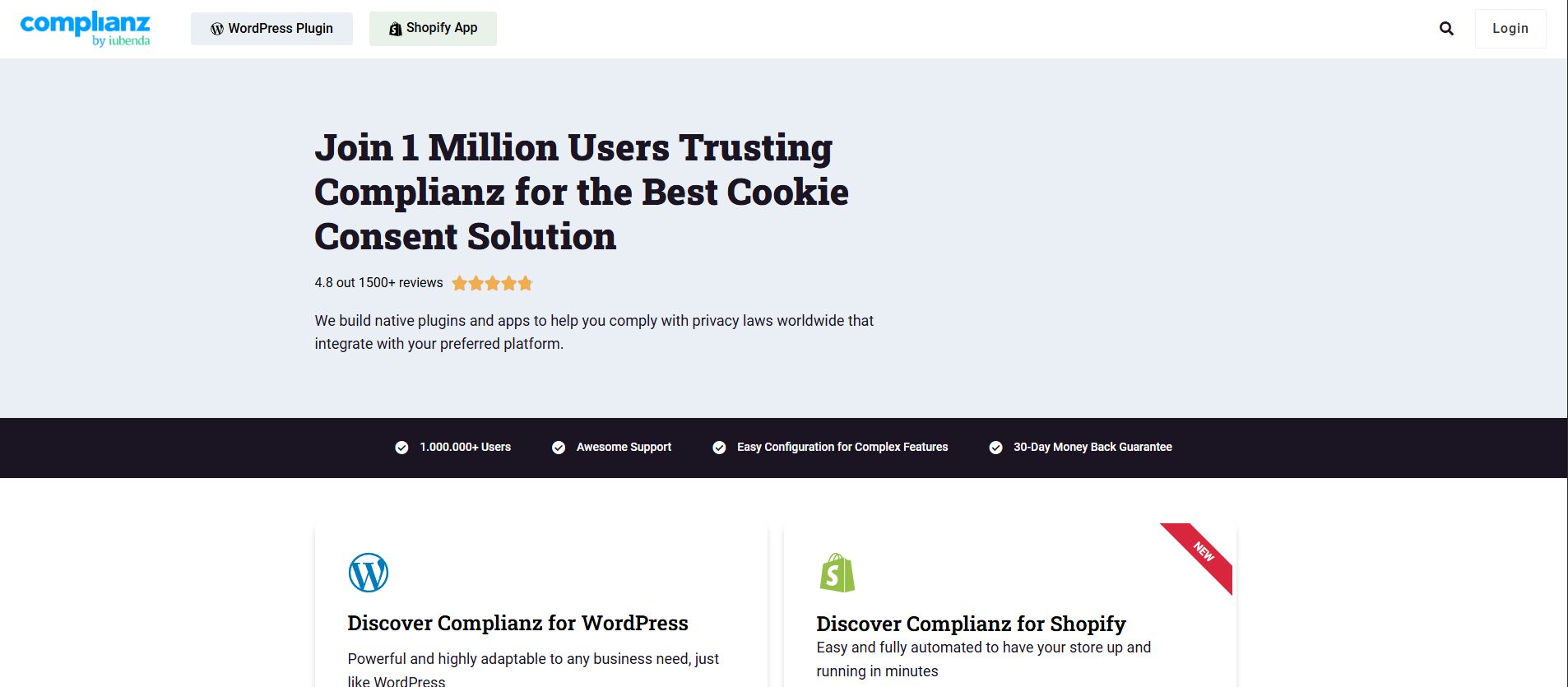
Complianz is a self-hosted cookie-consent plugin for WordPress. It has a separate native app for Shopify. It scans cookies, blocks scripts until consent, generates legal documents, and records consent. More than one million sites run the free version.
Really Simple Plugins builds Complianz, and the plugin joined the iubenda Group in 2024. It bills itself as "the Privacy Suite for WordPress," and the install numbers back the label. The free plugin shows more than a million active installations and a 4.7 out of 5 rating from 1,639 reviews on WordPress.org.
Architecture sets it apart from hosted consent platforms. Complianz runs natively inside WordPress, and consent data stays on the site owner's own server instead of passing through a vendor cloud. No pageview or consent-record caps apply on any plan, including the free one.
The constraint is reach. Complianz runs on WordPress and Shopify only, and those are two separate products with separate licenses.
Who Complianz Is For
Complianz fits five groups best, all of them anchored to WordPress or Shopify.
-
WordPress site owners and bloggers on a budget
-
WordPress and Shopify agencies and freelancers
-
Shopify merchants
-
Publishers running Google Ads or AdSense
-
Privacy-conscious owners
Who Complianz Is NOT For
Four situations make Complianz the wrong choice, and most of them come down to platform reach.
-
Anyone on Wix, Squarespace, Webflow, Framer, or a custom non-WordPress, non-Shopify site.
-
Teams running a mix of platforms
-
Non-technical owners who want a "set and forget" banner.
-
Anyone who needs the compliance essentials on a free plan.
What Are the Key Features of Complianz?
Complianz bundles five things. The first three are a conditional, region-aware consent banner, a hybrid front-end and back-end cookie scan, and a Script Center that blocks scripts per service. The last two are a legal-document wizard and Records of Consent. The cookie scan syncs to cookiedatabase.org, and the ad-tech stack adds Google Consent Mode v2 and IAB TCF.
Each feature below is assessed, not just listed: what it does, how well it does it, and where it stops.
Conditional, Region-Aware Consent Banner
The banner is the core of the plugin, and its strength is conditional logic. Complianz auto-detects the visitor's region and serves the correct model. EU visitors get an opt-in notice, and US states get an opt-out notice.
It ships banner templates, custom CSS, a soft cookie wall, WCAG and ADA accessibility, AMP support, and runs without jQuery. The friction starts at the appearance. Styling past the built-in templates means Custom CSS. WP Mayor's tutorial calls that a "developer level tool."
One r/Wordpress user moved a monetized site from CookieYes to Complianz. He was unhappy with the banner's default look. The defaults are functional; matching them precisely to a brand is a developer task.
Hybrid Cookie Scan and cookiedatabase.org Sync
The scanner reads both the front end and the back end of the site. That catches server-level cookies that a client-side-only scan misses, a genuine architectural advantage. It then pulls plain-language descriptions from cookiedatabase.org, an open cookie database that Complianz B.V. operates.
The depth, though, is capped. Per TermsFeed's review, the Radar scan covers the homepage only, and the local scan processes five pages per load. A large or multi-funnel site whose trackers fire on checkout, account, or landing pages can end up with an incomplete inventory.
Testing the plugin against a real content library, I hit that ceiling quickly and had to verify results by hand. BlogVault reached the same conclusion, noting the scan "wasn't flawless" and still required manual checking. One recent change is worth flagging. Since version 7.4.7 (June 2026) the scanner and the cookiedatabase sync require Website Scan authentication.
An unauthenticated install now sees a locked scanner state until it is verified. For a small brochure site, the auto-scan is usually enough; for anything larger, plan to verify.
Script Center and CookieShredder (Blocking)
The Script Center is where consent actually gets enforced. It blocks JavaScript, iframes, and plugins per consent category. It ships more than 250 service and plugin templates, and shows placeholders where an embed is held back. CookieShredder, its companion, removes cookies that get set without consent in real time. That matters because some PHP-level cookies are written server-side and slip past standard script blocking, and only CookieShredder catches those.
On the free plan, the blocking is basic, and granular per-service control sits behind the Premium license. Set up carefully, the blocking is strong. It is not automatic, though, and a clean result on a tracker-heavy site takes deliberate configuration.
Legal-Document Wizard
Complianz generates a full legal document set through its wizard. That covers a privacy statement, cookie policy, processing agreement, Impressum, disclaimer, a children's privacy statement, a data-leak inventory, and opt-out preferences. The documents are drafted by an IT law firm, a real credibility point over generic template generators.
One caveat the marketing glosses over: Terms and Conditions are not part of this wizard. They ship as a separate companion plugin, Complianz Terms and Conditions, so a site that needs T&C installs and configures a second plugin.
The core document set is Premium-gated, and the free plugin covers a narrower slice. Having the privacy and cookie documents drafted in the same flow as the banner is still a meaningful convenience.
Records of Consent and Ad-Tech Frameworks (Consent Mode v2, IAB TCF)
This is where Complianz punches above its price. Records of Consent (Premium, with no record cap) store proof of every consent choice on the site's own server. The plugin supports Google Consent Mode v2 and Microsoft consent (Clarity and Ads UET), and it carries an IAB TCF registration as CMP ID 332.
It received Google CMP certification in July 2024. Holding the IAB TCF registration and Google CMP certification at once is an ad-tech stack that publishers usually pay far more for. It is the single strongest reason a Google Ads or AdSense publisher on WordPress would choose Complianz.
One gating note matters here. On the free plan, these ad-tech frameworks and Records of Consent are absent, so the publisher case requires a paid license.
How Easy Is Complianz to Use? Getting Started
After installing the plugin, a guided wizard with four sections (General, Consent, Documents, Finish) walks you from a cookie scan to a published banner. On a simple site that takes roughly 15 minutes. Advanced setup is much harder, and several common plugins can break the banner.
The Setup Wizard, Step by Step
Getting from install to a published, region-aware banner is a documented sequence. It is longer than a two-click affair. TermsFeed and WP Mayor lay out the flow below, and it is the one I followed.
-
Install the plugin in the WordPress admin (two to three steps from the plugin directory).
-
Open the configuration wizard and run the hybrid cookie scan first, because its results feed both the Script Center and the legal documents.
-
Answer the wizard's questions about business type, the services the site uses, and the regions to cover.
-
Review the auto-generated banner that the wizard proposes.
-
Publish the legal documents the wizard drafts.
-
Enable Geo-IP so the right regional notice shows to the right visitor.
-
Confirm each detected script's consent category in the Script Center.
After that, the documentation has you verify the result by VPN-testing each region and checking the Records of Consent dashboard. On a simple site with the scanner results pre-filled, the basic pass took about 15 minutes, matching WP Mayor's timing.
Two prerequisites are worth stating plainly. Every step happens inside the WordPress admin, and the plugin needs a self-hosted WordPress install. A free WordPress.com or starter site cannot run it.
Where the Complexity Starts
The wizard handles the basics cleanly. The difficulty is everything past them. Advanced work covers custom script blocking, Google Tag Manager, and multilingual setups. TermsFeed says these can "require navigating multiple menus" and sometimes custom PHP code. BlogVault notes the dashboard "can overwhelm beginners."
The reliability failures matter more. Behind a caching plugin such as WP Rocket or LiteSpeed Cache, the site can serve a cached page with no banner at all. Visitors then browse without ever seeing a consent prompt.
The fix is a manual script and CSS exclusion that Complianz documents but does not automate. SEO plugins like Rank Math and SEOPress can intercept the banner's dynamic CSS and leave it looking broken. Importing a Google Tag Manager container can overwrite existing tags if the merge option is missed. The Geo-IP feature relies on a MaxMind database download that fails on low-memory hosts.
These are not hypothetical. Recent r/Wordpress threads describe a site whose content became unclickable after installing Complianz.
Another describes an admin panel that locked up and reloaded only to the plugins page. The plugin's own changelog also shows a run of 2026 security fixes, including stored and DOM-based cross-site-scripting patches, so keeping it updated is not optional.
How Much Does Complianz Cost?
Complianz starts free. Paid WordPress plans run $59/year (Personal, 1 site), $179/year (Professional, 5 sites), and $399/year (Agency, 25 sites). The Shopify app is also free to start, then $2.99 to $14.99 per month. No pageview or consent-record caps apply on any tier.
| Plan | Price | Sites | Key inclusions |
|---|---|---|---|
| Free (WordPress.org) | $0 | 1 | Region-aware banner, cookie scan, basic script and iframe blocking, limited legal-document generation |
| Personal | $59/yr | 1 | All Premium features: Records of Consent, hybrid scan, Consent Mode v2, IAB TCF, A/B testing, full legal-document set |
| Professional | $179/yr | 5 | Same Premium feature set as Personal, multisite plugin not included |
| Agency | $399/yr | 25 | Same feature set, plus the bundled multisite plugin (cross-domain consent, automatic subsite config) |
| Shopify (separate product) | Free, or $2.99 to $14.99/mo | 1 store | Native Shopify app: scan, banner, geolocation, autoblocking, Customer Privacy API sync, policy generator (Premium) |
WordPress pricing on the Complianz pricing page is fair to affordable, and every paid tier carries the same feature set. The genuine plus is metering. There is no per-domain or per-pageview charge, and unlimited consent records keep costs predictable, so $399 for 25 sites is cheap for an agency.
The Shopify app is billed separately and differently. It has a free plan, then a paid price that auto-matches the store's Shopify plan. That runs $2.99 per month on Shopify Basic up to $14.99 per month on Shopify Plus, billed monthly through Shopify with a 7-day trial. The honest catches are real. There is no lifetime option, only yearly renewals.
WordPress renewals are billed annually, and the site-count tiers jump from 1 to 5 to 25. A WordPress license never covers Shopify. The free WordPress tier also excludes the compliance essentials: Records of Consent, Consent Mode v2, IAB TCF, Geo-IP, A/B testing, and the Privacy Statement generator.
The 30% partnership discount code expired on January 1, 2026. Complianz now states plainly, "We don't offer any discounts at this time."
What Are the Pros of Complianz?
Complianz has real strengths. It is a free, genuinely capable WordPress plugin trusted by more than a million sites. It is self-hosted with no pageview or consent-record caps, and its compliance is deep and certified across more than 20 regional frameworks.
-
Free and genuinely capable on WordPress.
-
Self-hosted with no usage limits.
-
Certified, broad compliance.
-
Genuine WordPress-native depth.
-
Fast basic setup.
What Are the Cons of Complianz?
The limits are equally real. Complianz runs on WordPress and Shopify only. Configuration and plugin conflicts can break the banner or the site. The cookie scanner reads only part of large sites, and the free tier misses the compliance essentials.
-
WordPress and Shopify only, sold separately.
-
Reliability and plugin conflicts.
-
Cookie-scan depth limits.
-
The free tier excludes the essentials.
-
Support and complexity.
What Do Users Say About Complianz?
Complianz holds strong ratings. It scores 4.7 out of 5 on WordPress.org (1,639 reviews) and 4.4 out of 5 on the Shopify App Store (267 reviews). Trustpilot puts it at 4.3 out of 5 (167 reviews). Praise centers on value and capability, criticism on support and reliability.
A positive G2 reviewer captures the certification appeal.
"What I like most about Complianz is that it provides a fully certified CMP solution that is incredibly versatile." (G2)
The Shopify side leans favorable on performance.
"Merchants recommend this app for GDPR compliance and customization of cookie banners, praising its minimal impact on page load times." (Shopify App Store summary)
The mixed reviews tend to surface on the upgrade path and support.
"I have used the free version of Complianz on a number of sites and been happy with the results. A move to the Pro version was a little trickier." (Trustpilot)
The clearest negative is reliability. A long-time user titled a WordPress.org review "Unfortunately no longer a good solution."
"I was satisfied with Complianz for a long time. Now I have to replace it... In some situations, the banner is not displayed." (WordPress.org)
The ratings gap itself is telling. Complianz sits at 4.7 out of 5 across 1,639 WordPress.org reviews, and its own site markets a 4.8, yet it lands at 4.3 on Trustpilot. Users who go out of their way to a review platform skew toward support and complexity complaints. Most-praised: value, capability, and certification. Most-criticized: support responsiveness and banner reliability.
Is Complianz Worth It? Our Verdict
Complianz is worth it for WordPress or Shopify owners who want a free or low-cost, self-hosted, deeply integrated plugin and can tolerate some setup work. It is not worth it for anyone off those two platforms or wanting a hands-off banner.
Choose Complianz if:
-
Your whole site lives on WordPress or Shopify and you want a native, self-hosted plugin.
-
You want consent data kept on your own server, with no pageview or consent-record caps.
-
You need certified ad-tech consent (IAB TCF, Google Consent Mode v2) at a low price.
-
You are comfortable doing some configuration and caching-exclusion work to get it running cleanly.
Look elsewhere if:
-
You run any non-WordPress, non-Shopify site, or a mix of platforms. In that case
-
You want one dashboard to manage many client sites instead of logging into each WordPress admin.
-
You want a banner that simply works without plugin-conflict troubleshooting.
-
You need the compliance essentials (consent records, Consent Mode v2) on a free plan.
Complianz remains the strongest free option for WordPress and Shopify owners who value native control. The condition is that they will invest the setup time. Owners on other platforms, agencies wanting central management, and anyone prioritizing speed-to-launch should weigh a hosted alternative.
Considering an Alternative to Complianz?
If Complianz's platform ceiling or plugin conflicts are your sticking point, Consently is a hosted, cross-platform alternative. It runs from one dashboard on any platform, installs with a single script, and includes every feature on every plan.
Each of those answers a specific limitation above. Where Complianz is WordPress and Shopify only, Consently runs on WordPress, Shopify, Wix, Squarespace, Webflow, Framer, and any head-script platform, all from one hosted account.
Complianz can clash with WP Rocket, Rank Math, or Google Tag Manager. A hosted one-line script means no plugin can conflict with your caching or SEO stack. And where Complianz gates Records of Consent and Consent Mode v2 behind Premium and jumps through site-count tiers, Consently includes them on every plan.
That covers consent logs, Consent Mode v2, IAB TCF, weekly scanning, and three policy generators (including Terms and Conditions) across Consently's complete feature set.
Its flat multi-domain pricing runs 5 domains for $199 per year and 10 for $499 per year.
To be fair, the trade runs the other way, too. For a single WordPress-only site on a tight budget, the free Complianz plugin is genuinely hard to beat. Its self-hosted, data-stays-on-your-server model is a real strength Consently does not match.
Complianz also detects Global Privacy Control signals, which Consently currently does not. Consently wins when you are cross-platform, multi-site, or simply want hosted simplicity without a plugin to maintain.
For the full head-to-head, see how Consently and Complianz compare, or read where Consently sits among the best cookie consent platform options.
Ready to skip the plugin conflicts? Start your free 14-day trial, no credit card.
FAQs
Is Complianz free?
Yes. Complianz offers a capable free WordPress plugin and a free Shopify plan. Both cover a region-aware banner, cookie scanning, and basic blocking. The compliance essentials, Records of Consent, Google Consent Mode v2, IAB TCF, and Geo-IP, are Premium, starting at $59 per year on WordPress.
Is the free Complianz plugin enough for GDPR compliance?
For a simple EU site, the free plugin can cover the basics: a region-aware opt-in banner and script blocking. It falls short for sites running Google Ads or AdSense. Records of Consent and Google Consent Mode v2 are Premium-only, and defensible compliance generally needs both.
Is Complianz better than CookieYes?
Neither is strictly better; they fit different setups. Complianz goes deeper on WordPress with native, self-hosted control. CookieYes and other hosted CMPs cover more platforms from a cloud dashboard. Choose Complianz for a WordPress-only stack, and a hosted tool for mixed platforms or central multi-site management.
Does Complianz work on non-WordPress sites like Wix or Squarespace?
No. Complianz is available only for WordPress and Shopify, and those are two separate products. There is no generic script for Wix, Squarespace, Webflow, Framer, or custom sites. A cross-platform site needs a hosted consent management platform that installs with a single head script.
Why is my Complianz banner not showing or breaking my site?
The usual cause is a caching-plugin conflict, because WP Rocket or LiteSpeed can serve a cached page with no banner. SEO plugins like Rank Math or SEOPress can also break the banner's dynamic CSS. The fixes are manual script and CSS exclusions that Complianz documents but does not apply automatically.
Does Complianz slow down your website?
Not meaningfully. Complianz is built without jQuery, and Shopify reviewers praise its light page-load footprint. A Google Analytics traffic drop right after installing it is compliant cookie blocking working as intended. Fewer visitors are being tracked, not served slower.
Is Complianz hard to set up for beginners?
Basic setup is easy, and the guided four-section wizard takes a simple site live in about 15 minutes. Advanced work is not. Custom script blocking, Google Tag Manager, and multilingual configuration can require navigating multiple menus and sometimes custom PHP, which overwhelms non-technical users.
What are the best alternatives to Complianz?
The best alternative depends on why you are leaving. Cross-platform or multi-site teams should look at hosted consent management platforms that run from one dashboard on any builder. WordPress loyalists who find Complianz too complex can try lighter plugins such as WPConsent or Real Cookie Banner. Match the alternative to the limitation you hit.

