
Complianz is the best cookie consent plugin for WordPress in 2026, scoring 4.1 on our WordPress-fit evaluation. It earns the top spot with a native WordPress.org plugin, full WPML and Polylang support, and a self-hosted cookie scan. Cookiebot scores 4.0 globally but ranks fifth here, because it installs as a plugin wrapper rather than a directory-native plugin.
We scored 10 plugins by reweighting our methodology for WordPress, with a native WordPress.org listing and WPML or Polylang compatibility as the two decisive factors.
Below: a score-ranked quick list, a comparison table, and a scored section per plugin.
Disclosure: Consently publishes this guide and appears at rank 6 of 10 by its WordPress-fit score of 3.7.
What are the best cookie consent plugins for WordPress?
Complianz is the best WordPress cookie consent plugin overall, with a WordPress-fit score of 4.1 out of 5. It is a directory-native, self-hosted plugin with full WPML and Polylang support. Its free version is trusted by more than a million sites, and it carries IAB TCF plus Google Consent Mode v2 certification.
The full ranked list follows in WordPress-fit order.
-
Complianz (WordPress-fit 4.1, global 3.9) - Best WordPress-native plugin overall: self-hosted, certified, region-aware
-
CookieYes (WordPress-fit 4.0, global 3.8) - Best for beginners: easiest setup, largest install base, outstanding support
-
WPConsent (WordPress-fit 3.8, global 3.6) - Best free-tier WordPress newcomer: self-hosted, lightweight, WPBeginner-built
-
Real Cookie Banner (WordPress-fit 3.8, global 3.4) - Best free WordPress-native plugin for EU and German sites: 19 EU languages, deep content blocker
-
Cookiebot (WordPress-fit 3.8, global 4.0) - Best for automated, hands-off scanning and Google Ads measurement
-
Consently (WordPress-fit 3.7, global 4.0) - Best for multi-platform agencies who also run non-WordPress sites: official plugin now on WordPress.org
-
Borlabs Cookie (WordPress-fit 3.7, global 3.3) - Best for German and DACH WordPress sites: premium content-blocker depth, self-hosted control
-
CookieHub (WordPress-fit 3.7, global 3.9) - Best certified single-site option: ISO-27001 and Google CMP Partner
-
Termly (WordPress-fit 3.6, global 3.8) - Best if you also need attorney-backed legal policies alongside the banner
-
iubenda (WordPress-fit 3.5, global 3.6) - Best for consent plus tailored legal documents in one suite
How we score: This list is ranked by the WordPress-fit score. That score is each tool’s seven-dimension score re-weighted for WordPress, plus two decisive factors a generic score misses. Those two factors are whether the tool is a native WordPress.org plugin and how it handles WPML and Polylang. We show each tool’s global overall score alongside.
Cookiebot and Consently share the highest global score here (4.0). Yet both rank lower on WordPress fit, because each is a cloud-hosted plugin wrapper, not a self-hosted directory-native plugin. Cookiebot ranks fifth. Consently ranks sixth. Its plugin is now on the WordPress.org directory, but it is a brand-new cloud-backed wrapper (v1.0.9, fewer than 10 installs). It therefore scores with the other wrapper tools.
WPConsent (3.8), Borlabs Cookie (3.7), and Real Cookie Banner (3.8) are scored from public evidence. We have not published full Consently reviews of those three yet.
See how we score every platform for the full methodology.
What makes a good WordPress cookie consent plugin?
A WordPress cookie consent plugin shows a compliant consent banner, scans and categorizes cookies, and blocks non-essential scripts before consent. It also records consent choices and signals Google Consent Mode v2 to keep analytics and ads measurable. A good one does all that without slowing the site or conflicting with caching plugins.
On WordPress specifically, "good" means more than on other platforms. A native install from the WordPress.org directory means the plugin updates through wp-admin, no separate account needed. Self-hosted storage keeps consent records on your own server. WPML and Polylang support keeps the banner consistent on multilingual sites. These are not premium extras; they are the baseline WordPress owners expect.
The free-vs-paid reality is worth stating plainly. Several genuinely useful free plugins exist (Complianz, WPConsent, Real Cookie Banner). "Free" does not always cover everything. Complianz gates Records of Consent and Google Consent Mode v2 to paid tiers, and CookieYes recently narrowed its free plan. To make WordPress GDPR compliant, you often need at least a paid entry tier for the essentials.
What should you look for in a WordPress cookie consent plugin?
The six criteria below define what separates a good WordPress plugin from a generic CMP dropped onto a WordPress site.
The criteria below mirror how to choose a consent platform in general, but with the WordPress context foregrounded.
Native plugin vs a hosted script
A native WordPress.org plugin installs and updates inside wp-admin, and self-hosted options keep consent data on your own server without usage caps. A hosted script (a one-line snippet or GTM) works fine on WordPress but is not a plugin you manage in WordPress.
This distinction is the single heaviest factor on this list. The native-plugin sub-factor is weighted 18 out of 100 in the WordPress-fit score. Three groups exist:
-
Self-hosted directory-native plugins (Complianz, CookieYes, WPConsent, Real Cookie Banner, Borlabs Cookie): official WordPress.org listings, installable from wp-admin, keeping consent data on your own server, so they score full marks on the native sub-factor
-
Official plugin wrappers around a hosted service (Cookiebot, CookieHub, Termly, iubenda, Consently): a WordPress plugin exists and installs from wp-admin, but the tool itself is cloud-hosted, so it scores partial. Consently’s plugin joined the WordPress.org directory recently (v1.0.9, fewer than 10 installs); it connects to Consently’s cloud via an API key, which places it in this wrapper class, not the self-hosted tier
Consently now installs from wp-admin like the wrapper CMPs, which lifts it off the bottom of the list. For a single WordPress blog that wants a self-hosted plugin, the five self-hosted options (Complianz, CookieYes, WPConsent, Real Cookie Banner, Borlabs) serve it better.
Automatic scanning and blocking before consent
The compliance engine. Prior blocking holds non-essential scripts until a visitor consents. Every CMP here claims to do it. The differences are in depth and cadence.
WordPress-specific failure mode: auto-blocking can break behind caching or optimizer plugins. WP Rocket, LiteSpeed, and Cloudflare Rocket Loader can serve a cached page with no banner at all. They can also intercept the blocking scripts and make them fail silently. Complianz, CookieHub, and Borlabs all document manual exclusion steps needed to fix this. Borlabs' scanner is also criticized as weak and not continuously automatic. Any plugin you install should be tested against your specific caching stack.
Google Consent Mode v2 for WordPress ads and analytics
Google Consent Mode v2 keeps GA4 and Google Ads measurable after a visitor declines cookies. On WordPress it matters for anyone running ads or analytics. All ten tools on this list signal Consent Mode v2. The difference is certification tier.
Five tools here are Google CMP Partners. They are Complianz (certified July 2024), CookieYes, Cookiebot (Gold Tier), CookieHub, and Termly (Gold Tier). Real Cookie Banner advertises Google-certified TCF compliance in PRO. Borlabs, WPConsent, and iubenda support Consent Mode v2 without the Google CMP Partner badge.
For a site running Google Ads or AdSense, a certified CMP is the safer pick.
Performance and Core Web Vitals
A consent banner script can affect Interaction to Next Paint (INP), especially on ad-heavy pages. This is a real WordPress worry, and whether a banner will slow down your site is a fair question to investigate before installing.
Complianz runs without jQuery, which reduces its footprint. WPConsent is built with performance as a stated priority. Cookiebot has a documented INP hit on ad-heavy pages (noted in our Cookiebot review). A drop in Google Analytics traffic after install is often just the blocking working, not a genuine slowdown. Scripts that were firing without consent are now properly blocked.
Multilingual support (WPML and Polylang)
WordPress multilingual sites need a banner that plays with WPML and Polylang. This is the second WordPress decisive sub-factor, weighted 5 out of 100.
Three levels exist:
-
Documented WPML and Polylang integration (Complianz, Real Cookie Banner, Borlabs Cookie): score full marks; recommended for multilingual EU sites
-
Auto-translate but not WPML-integration-led (CookieYes 40-plus languages, Cookiebot 47-plus, Consently 35, all others): score partial
-
Real Cookie Banner covers 19 EU languages and integrates with WPML, Polylang, TranslatePress, and Weglot, making it the strongest multilingual stack on this list for EU sites
Borlabs supports 7 banner languages with documented WPML handling but also documented multilingual friction. Factor that in for large multilingual WordPress sites.
Pricing model and the free-tier reality
WordPress owners disproportionately prefer plugins with no monthly SaaS cost. That preference is real and widespread in r/Wordpress threads.
The pricing models here split cleanly:
-
Genuinely free, self-hosted: Complianz (free WP plugin), WPConsent (free WP plugin), Real Cookie Banner (free WP plugin)
-
Per-domain SaaS with pageview caps: CookieYes ($10 to $55/domain/month), Cookiebot ($8 to $96/domain/month; watch the auto-upgrade clause and the per-subdomain billing)
-
Per-website annual licensing: Termly ($10 to $15/website/month)
-
Session-metered: CookieHub (EUR 6 to 30/month plus overage)
-
Premium per-site annual, no free tier: Borlabs Cookie (EUR 49 to 499/year, no free option)
-
Flat multi-domain: Consently ($99 to $499 per year for 1-10 domains)
If budget is the priority, see the best free cookie consent options. For agencies managing many client sites, the per-domain models stack up fast. Cookiebot's auto-upgrade clause is the billing trap most owners encounter first. A scan that finds more subpages than your plan covers triggers an automatic tier jump, which can surprise you on the next invoice.
How do the best WordPress cookie consent plugins compare?
Directory-native plugins lead the WordPress-fit ranking. The right pick then depends on whether you want free self-hosting, scanning depth, multilingual coverage, or legal documents alongside the banner.
Here is the full comparison, ranked by WordPress-fit score.
| Product | Score | WordPress-fit score | Native WP plugin | Free tier | Starting paid price | Pricing model | Auto-scan + blocking | Consent Mode v2 | IAB TCF | Policy generators | Self-hosted |
|---|---|---|---|---|---|---|---|---|---|---|---|
| Complianz | 3.9 | 4.1 | Yes (directory-native) | Yes (free WP plugin) | $59/yr | Per site (1/5/25), no usage caps | Yes (hybrid front+back-end) | Yes (certified) | CMP ID 332 | Privacy + cookie (T&C separate plugin) | Yes |
| CookieYes | 3.8 | 4.0 | Yes (directory-native) | Yes (5,000 pageviews/mo) | $10/mo per domain | Per domain (plus overage) | Yes (100k+ cookie DB) | Yes (certified) | v2.3 (Pro+) | Privacy + cookie only | No (cloud) |
| WPConsent | 3.6 | 3.8 | Yes (directory-native) | Yes (best free tier) | $99/yr | Flat per tier (1/5/25/100 sites), unlimited pageviews | Yes (auto blocking + scanner) | Yes | v2.2 | None | Yes |
| Real Cookie Banner | 3.4 | 3.8 | Yes (directory-native) | Yes (free WP plugin, core features) | EUR 59/yr | Per site (1/3/5/10/25 sites) | Yes (scanner + content blocker) | Yes (PRO) | v2.x (PRO, Google-certified) | None | Yes |
| Cookiebot | 4.0 | 3.8 | Yes (plugin wrapper) | Yes (1 domain, 50 subpages) | $8/mo per domain | Per domain (subpage tiers; auto-upgrades) | Yes (13,000+ cookie DB) | Yes (Gold Tier) | v2.3 | Privacy + cookie declaration only | No (cloud) |
| Consently | 4.0 | 3.7 | Yes (WordPress.org plugin, cloud wrapper) | No (14-day trial) | $99/yr (5 domains $199) | Flat capacity | Yes (auto + weekly + on-demand) | Yes | Yes (v2.3 | 3 generators (incl. Terms) | No (cloud, EU-hosted) |
| Borlabs Cookie | 3.3 | 3.7 | Yes (directory-native) | No | EUR 49/yr | Per site (1/5/25/99) | Partial (strong blocker, weak scanner) | Yes | v2.2/2.3 | None | Yes |
| CookieHub | 3.9 | 3.7 | Yes (plugin wrapper) | Yes (1,000 sessions/mo) | EUR 6/mo | Session-metered (plus overage) | Yes (monthly, page-capped) | Yes (Partner) | v2.3 (Business) | Privacy only | No (cloud) |
| Termly | 3.8 | 3.6 | Yes (plugin wrapper) | Yes (1 policy, watermark) | $10/mo per website | Per website | Yes (quarterly to weekly) | Yes (Gold Tier) | v2.3 (Pro+) | 10 attorney-crafted docs | No (cloud) |
| iubenda | 3.6 | 3.5 | Yes (plugin wrapper) | Limited free (under 1,000 pageviews) | EUR 4.99/$5.99/mo per site | Per site, tiered | Yes | Yes | Yes (v2.2) | Privacy, cookie, terms | No (cloud) |
Both the "Score" (global overall) and "WordPress-fit score" columns are shown. The list is ranked by WordPress-fit score, not by global score. That is why Cookiebot's global 4.0 sits at WordPress-fit rank 5: it is a plugin wrapper.
Prices were verified from each vendor's live pricing page as of 2026-06-23. CookieHub, Borlabs Cookie, and Real Cookie Banner prices are in EUR.
1. Complianz: best WordPress-native plugin overall
Complianz is the best WordPress cookie consent plugin overall. It scores 3.9 globally and 4.1 on WordPress fit, the highest composite here. It earns that top spot as a directory-native plugin (native sub-factor 5.0) with full WPML and Polylang integration (5.0).
Its data is self-hosted with no pageview or record caps. Its certification stack covers IAB TCF CMP ID 332 and Google CMP certification (July 2024). It runs on more than 1 million sites and is the recurring community recommendation in r/Wordpress free-plugin discussions.
Its 3.9 global rating becomes 4.1 on WordPress fit because the re-weighting rewards exactly what Complianz does best.
Our Complianz review documents the full setup, the caching conflicts, and the exact feature gating. One platform limit matters for mixed-platform owners: Complianz covers only WordPress and Shopify, sold separately.
For a direct comparison against our own tool, see Consently vs Complianz.
Key features
Complianz pairs a self-hosted, region-aware banner with a documentation-grade scanner and a legal-document wizard.
-
Directory-native self-hosted WordPress plugin (plus a separate Shopify app): consent data stays on your own server, no pageview or record caps
-
Region-aware conditional banner: auto-detects visitor region and serves EU opt-in or US opt-out model
-
Hybrid front-end and back-end cookie scan synced to cookiedatabase.org, catching server-side PHP cookies client-side scanners miss
-
Script Center with 250-plus service templates, blocking per consent category, with CookieShredder to catch server-side cookies
-
Legal-document wizard drafting a privacy statement, cookie policy, processing agreement, Impressum, and more (Terms and Conditions is a separate companion plugin)
-
IAB TCF CMP ID 332 and Google CMP certified, supporting Google Consent Mode v2 and Microsoft Consent (Clarity and Ads UET)
-
WPML and Polylang multilingual integration
-
GPC (Global Privacy Control) detection
Pros
Complianz earns its rank on a genuinely capable free tier, self-hosting with no caps, and broad certification.
-
Free and genuinely capable: The free plugin covers a region-aware banner, cookie scanning, and basic script blocking. WordPress.org rates it 4.7 out of 5 across 1,639 reviews with 1 million-plus active installs.
-
Self-hosted with no usage limits: No pageview or consent-record caps on any plan, including free. A genuine cost-predictability and data-residency edge.
-
Certified broad compliance: IAB TCF CMP ID 332, Google CMP certification, and support for GDPR, CCPA, LGPD, PIPEDA, POPIA, and 20-plus frameworks.
-
WPML and Polylang depth: Full documented integration, not just auto-translate, making it the strongest native-plugin multilingual pick.
-
Fast basic setup: A guided four-section wizard takes most simple sites to a live banner in about 15 minutes.
Cons
The trade-offs are platform lock-in, caching conflicts, a shallow scan depth, and essentials gated to paid.
-
WordPress and Shopify only, sold separately: No support for Wix, Squarespace, Webflow, or custom sites. A WordPress license never covers Shopify.
-
Reliability and plugin conflicts: Banners can fail to display behind WP Rocket or LiteSpeed Cache, which can serve a cached page with no banner at all. SEO plugins (Rank Math, SEOPress) can break the banner CSS.
-
Cookie-scan depth limits: The Radar scan covers the homepage only; the local scan processes five pages per load. Large sites get an incomplete inventory and have to verify manually.
-
Free tier excludes the essentials: Records of Consent, Google Consent Mode v2, IAB TCF, and Geo-IP are all Premium features. A free EU site running Google Ads is not fully covered.
-
Support complaints: Trustpilot shows 4.3 out of 5 from 167 reviews, with recurring slow-response-time reports.
Pricing
Complianz starts free on WordPress.org. Paid WordPress plans: Personal $59/year (1 site), Professional $179/year (5 sites), Agency $399/year (25 sites). No pageview or consent-record caps on any tier. The Shopify app is a separate product: free, then $2.99 to $14.99/month matching your Shopify plan.
Prices verified from Complianz pricing.
What users say
Complianz draws strong ratings and a consistent minority of complaints about support and reliability. WordPress.org: 4.7 out of 5 (1,639 reviews). Trustpilot: 4.3 out of 5 (167 reviews).
"What I like most about Complianz is that it provides a fully certified CMP solution that is incredibly versatile." Positive review on G2.
"I was satisfied with Complianz for a long time. Now I have to replace it. In some situations, the banner is not displayed." Constructive-negative on WordPress.org.
2. CookieYes: best for beginners and the largest install base
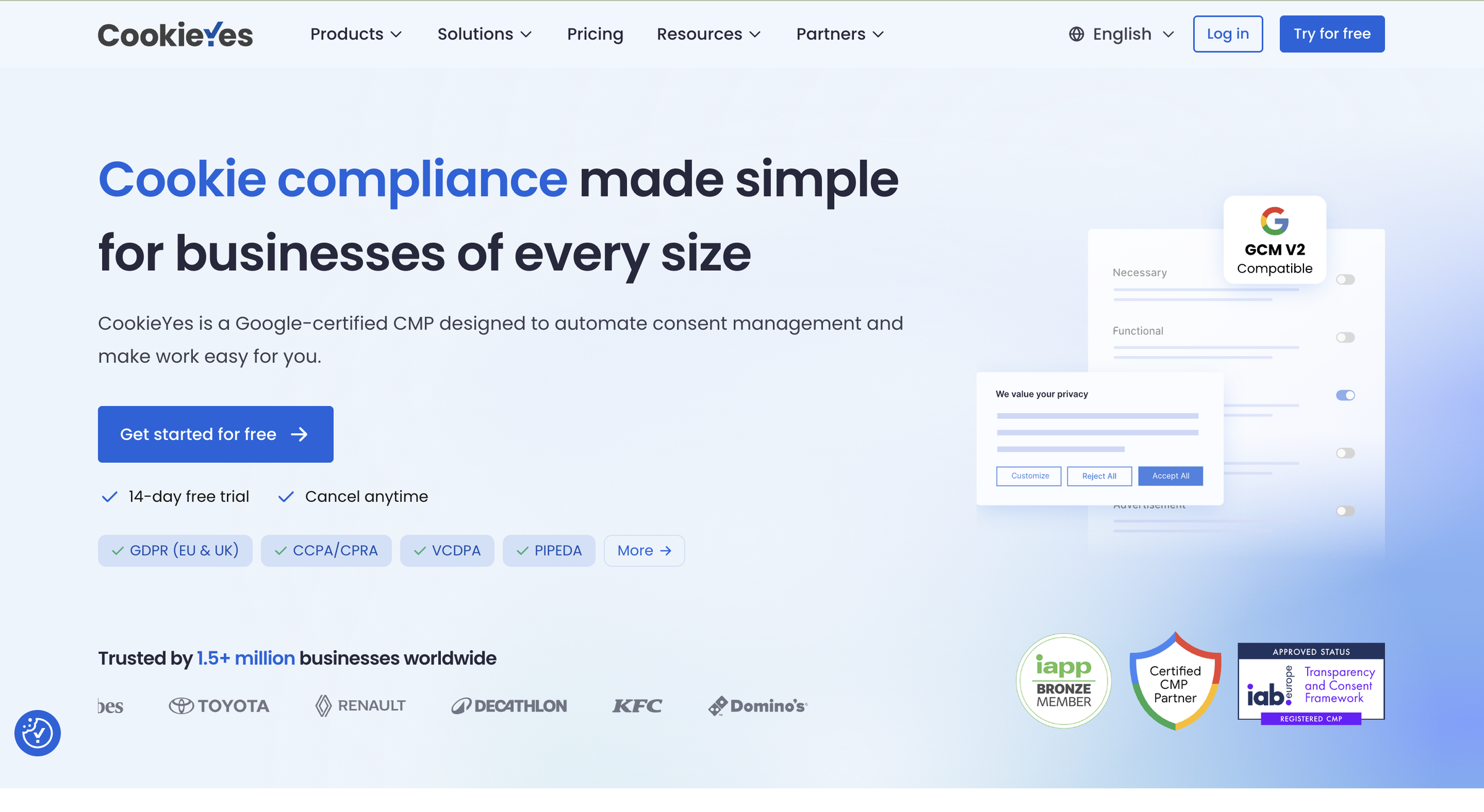
CookieYes scores 3.8 out of 5 globally and 4.0 out of 5 on WordPress fit. It is the easiest WordPress cookie consent plugin to set up and carries the largest install base of any tool here. CookieYes cites 1.5 million sites served, and the WordPress.org directory bands it at 1 million-plus active installs.
Born as the "Cookie Law Info" plugin, it grew into a full CMP while keeping its WordPress roots.
It ranks 2nd on WordPress fit because it is a directory-native plugin (native 5.0) with outstanding support and a clean setup. Its WPML and Polylang handling is auto-translate-led (score 3.0), which is the gap behind Complianz.
Read our CookieYes review for the full feature-by-feature breakdown. For the scanning head-to-head, see CookieYes vs Cookiebot.
Key features
CookieYes leads with an approachable banner builder, a large cookie database, and a full certification stack.
-
Directory-native WordPress plugin showing 1 million-plus active installs on the directory (
-
Customizable banner with two layouts on free and Basic; popup on Pro
-
Auto scanner backed by 100,000-plus cookie database, with scheduled scans (monthly on Pro, weekly on Ultimate)
-
Auto and manual blocking on every plan, including free
-
Consent log with CSV export
-
Certified Google Consent Mode v2 (Google CMP Partner, ISO 27001, SOC 2)
-
IAB TCF v2.3 and Global Privacy Control gated to Pro and above
-
Privacy policy and cookie policy generators (no terms and conditions generator)
Pros
CookieYes wins on responsive support, a near-frictionless setup, and certification at a scale rivals cannot match.
-
Outstanding customer support: The single most-praised attribute across 298 G2 reviews. Trustpilot rates it 4.8 out of 5. Support response times are consistently described as fast.
-
Genuinely easy setup: BlogVault’s hands-on test calls it “very easy to use” with a “clean, intuitive dashboard.”
-
Distribution and certification at scale: 1.5 million-plus installs, Google CMP Partner, ISO 27001, SOC 2, WCAG, and PCI DSS.
-
Useful free plan: Banner, auto-blocking, both policy generators, Consent Mode v2, and 5,000 pageviews/month.
Cons
The weak spots are per-domain pricing at scale, heavy feature gating, a narrowed free tier, and scan accuracy.
-
Per-domain pricing balloons at scale: Five domains on Ultimate costs $3,300/year at list. Pageview overage adds $0.30 per 1,000 on Basic and Pro.
-
Core features are gated: Custom colors and CSS require Basic ($10/mo). IAB TCF, GPC, and geo-targeting require Pro ($25/mo). Branding removal waits for Ultimate.
-
Free tier was recently narrowed: Color customization moved from free to paid in 2026, prompting fresh complaints. One agency user on WordPress.org described the free tier as “useless now” and began removing CookieYes from client sites.
-
Scanner misses cookies: Inaccurate detection is the top con in CookieYes’s own G2 summary (around 8 mentions). Always verify scan results manually.
-
No terms and conditions generator: Privacy and cookie policies only.
Pricing
Prices verified from CookieYes pricing.
Free: 5,000 pageviews/month. Basic: $10/month per domain. Pro: $25/month per domain. Ultimate: $55/month per domain. Basic and Pro add $0.30 per 1,000 pageviews over their caps.
What users say
CookieYes holds strong aggregate ratings. G2: 4.8 out of 5 (298 reviews). Trustpilot: 4.8 out of 5 (330 reviews). WordPress.org: 4.8 out of 5.
"CookieYes is a really easy tool to set-up, customise, and deploy." Positive review on Capterra.
"The free tier is useless now." Constructive-negative from a WordPress.org agency user (February 2026), after color customization moved to paid.
3. WPConsent: best free-tier WordPress newcomer
WPConsent scores 3.6 out of 5 globally and 3.8 out of 5 on WordPress fit. It ranks 3rd, edging Real Cookie Banner and Cookiebot within the 3.8 tie by raw composite.
It is a directory-native, self-hosted plugin built by WPBeginner and Awesome Motive, the team behind Monsterinsights, OptinMonster, and WPForms. It is the current SERP favorite for "best WordPress cookie consent plugin," appearing first in multiple competitor roundups.
We scored WPConsent against our methodology from public evidence and our own research because we have not published a full review of it yet.
Key features
WPConsent keeps the feature set lean and self-hosted, built around fast script blocking and a WordPress scanner.
-
Directory-native self-hosted WordPress plugin (by WPBeginner/Awesome Motive)
-
Customizable banners with multiple layouts
-
Auto script blocking with WordPress cookie scanner and auto-detection
-
Geolocation banners for region-specific consent models
-
Consent logging with downloadable records
-
Google Consent Mode v2 and IAB TCF v2.2
-
Automatic translations
Pros
WPConsent's strengths are the most generous free tier here, self-hosting, and the Awesome Motive support pedigree.
-
Best free tier of the WordPress plugins: Unlimited pageviews and scans on the free plugin, no pageview cap.
-
Self-hosted: Consent data stays on your own server.
-
WPBeginner pedigree and support reputation: The team behind WPBeginner has a track record of maintaining popular WordPress plugins.
-
WP.org 4.8 and 100,000-plus active sites: One independent reviewer described it as “hands down, the best WordPress cookie consent plugin I have used.”
Cons
The caveats are a short track record, no certifications or policy generators, and an unproven scanner depth.
-
Young product with a short track record: WPConsent launched relatively recently and lacks the independent multi-year track record of Complianz or CookieYes.
-
No Google CMP Partner certification, ISO certification, or GPC support (not documented at time of research).
-
No policy generators: You need a separate tool for privacy, cookie, and terms documents.
-
Intro pricing renews at full price: The launch-price tiers are intro pricing; renewal is at the higher full price.
-
Scanner depth unproven vs. Cookiebot and Complianz: Depth claims are marketing-led; no independent comparative benchmark available.
Pricing
Prices verified from WPConsent pricing.
Free plugin available from WordPress.org. Basic: $99/year (1 site). Plus: $199/year (5 sites). Pro: $399/year (25 sites). Elite: $599/year (100 sites). All tiers include unlimited pageviews and scans.
What users say
WPConsent holds a 4.8 rating on WordPress.org across its growing install base of 100,000-plus sites. Independent third-party reviews outside the WordPress.org directory are still limited. The install base and rating are strong signals for a newer product.
4. Real Cookie Banner: best free WordPress-native plugin for EU and German sites
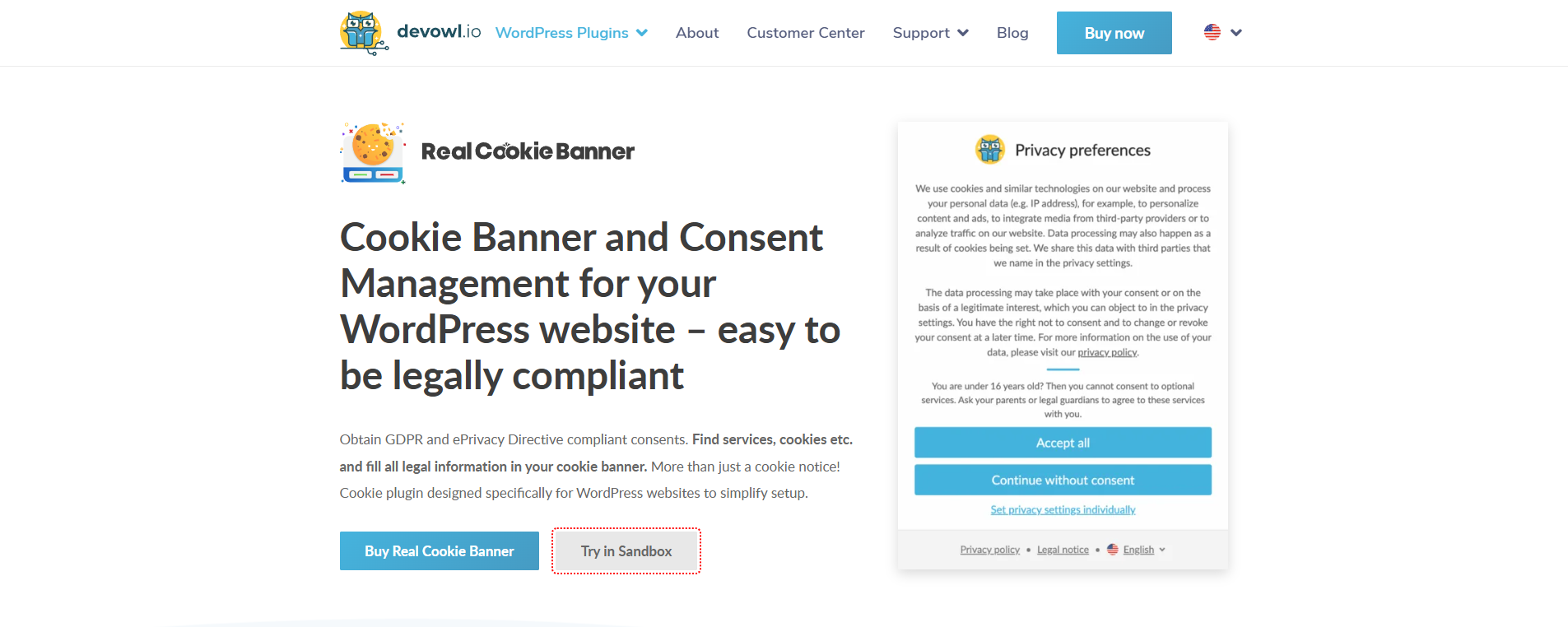
Real Cookie Banner by devowl.io scores 3.4 out of 5 globally and 3.8 out of 5 on WordPress fit. It ranks 4th, just behind WPConsent within the 3.8 tie (raw composite 3.770 vs. 3.805), and ahead of Cookiebot (3.755).
It is the strongest multilingual option on this list, with documented WPML, Polylang, TranslatePress, and Weglot support across 19 EU languages. That makes it the decisive pick for multilingual EU and German WordPress sites.
It has 100,000-plus installs and a 4.9 out of 5 rating from 487 reviews on WordPress.org, the highest rating of any plugin here.
We scored Real Cookie Banner against our methodology from public evidence, its WordPress.org page and devowl.io documentation. We have not published a full review of it yet.
Key features
Real Cookie Banner centers on a deep content blocker and the broadest multilingual stack on this list.
-
Directory-native self-hosted WordPress plugin (devowl.io GmbH)
-
Service scanner that detects used services and recommends configuration (note: devowl.io describes it as "not a cookie scanner" in the strict automatic-scanning sense; it is recommendation-led)
-
Content Blocker that holds scripts and embeds (YouTube, Google Maps) until consent via a placeholder, with 160-plus service templates and 130-plus content-blocker templates (PRO)
-
19 EU languages with documented WPML, Polylang, TranslatePress, and Weglot integration
-
Consent documentation and logging for GDPR Article 6 traceability
-
Google Consent Mode v2 and IAB TCF with Google-certified compliance (both PRO features)
-
Geo-restriction, design presets, consent statistics, Google Tag Manager, and Matomo support (all PRO)
Pros
Real Cookie Banner stands out for EU multilingual depth, a strong reputation, and a genuinely useful free tier.
-
Directory-native and self-hosted: Consent data stays on your server, no pageview caps on the free plugin.
-
Strongest multilingual stack on this list: 19 EU languages plus documented WPML, Polylang, TranslatePress, and Weglot integration. No other plugin here matches it for EU multilingual sites.
-
Excellent reputation: WordPress.org shows 4.9 out of 5 across 487 reviews (465 five-star), 100,000-plus installs.
-
Genuine free tier with unlimited services and content blockers.
-
Deep Content Blocker for embeds: YouTube, Google Maps, and similar embeds are held behind a consent placeholder automatically. Strong for media-heavy sites.
Cons
The limits are PRO-gated compliance features, a recommendation-led scanner, no policy tools, and a German-market skew.
-
Core compliance features are PRO-only: Consent Mode v2, IAB TCF, geo-restriction, GTM/Matomo support, design presets, and most service templates are locked to the paid PRO tier. The free tier is genuinely limited for publishers running ads.
-
Not a traditional cookie scanner: devowl.io describes it as recommendation-led, not a continuous automatic scanner. You confirm which services apply rather than discovering unknown ones.
-
No Google CMP Partner certification or ISO certification (Google-certified TCF is in PRO only).
-
No policy generators: No privacy policy, cookie policy, or terms document generation.
-
Smaller English-market footprint than CookieYes or Cookiebot.
Pricing
The free plugin on WordPress.org covers core features (basic banner, blocking, consent logging) but omits design presets and most service templates.
PRO plans from devowl.io all include VAT with no cancellation fees. The tiers are:
-
Single: EUR 59/year (1 site)
-
Starter: EUR 89/year (3 sites)
-
Professional: EUR 129/year (5 sites)
-
Business: EUR 229/year (10 sites)
-
Agency: EUR 299/year (25 sites)
Prices live-verified 2026-06-23.
What users say
WordPress.org: 4.9 out of 5 (487 reviews), 100,000-plus installs. Real Cookie Banner is a strong favorite for German and EU WordPress users. The review base is WordPress.org-centric and German-market-skewed. We have not published a full independent Consently review of it yet. Do not treat the 4.9 rating as a broad cross-market endorsement.
5. Cookiebot: best for automated, hands-off scanning
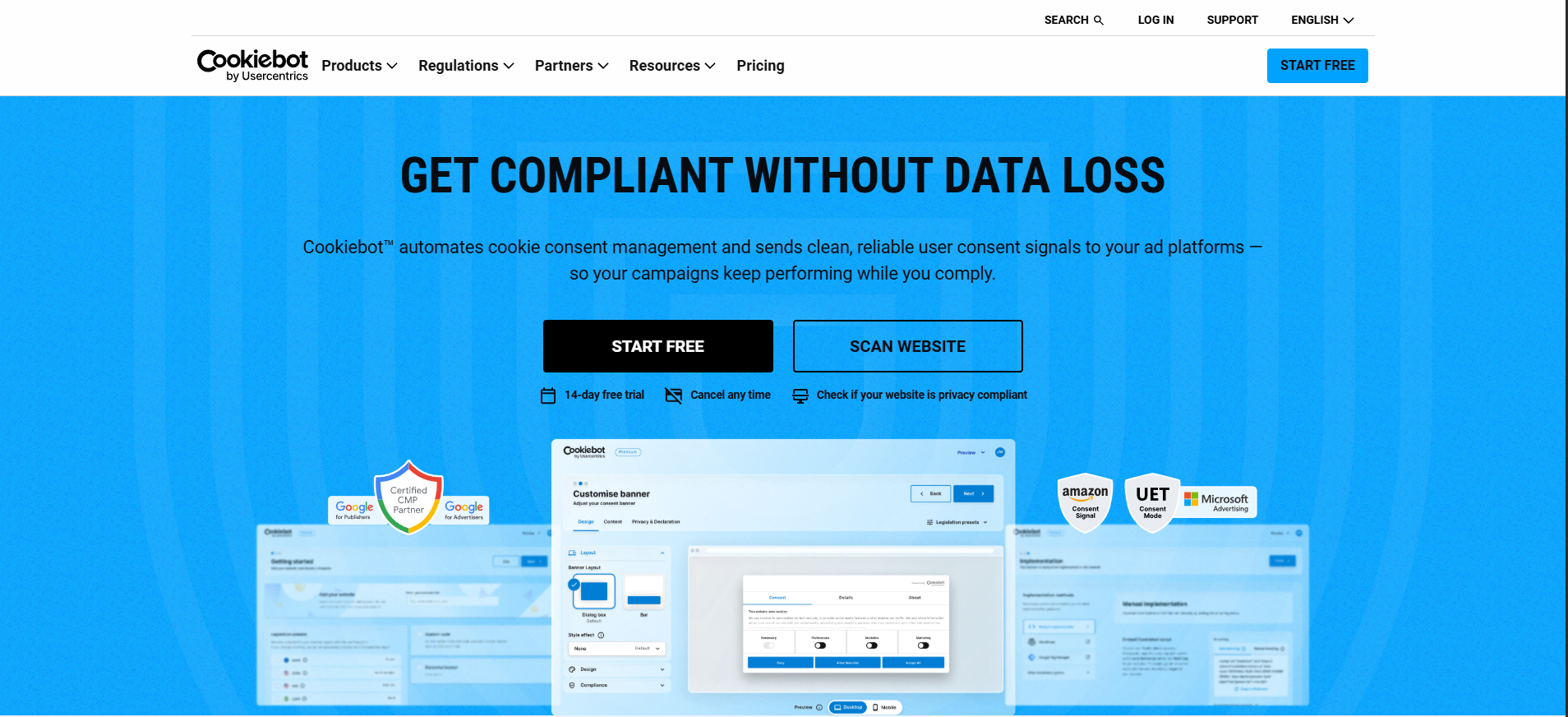
Cookiebot by Usercentrics scores 4.0 out of 5 globally, among the highest overall scores of any tool on this list. On WordPress fit it ranks 5th at 3.8.
That gap is the honest math. Cookiebot is a plugin wrapper around a cloud-hosted service, not a directory-native self-hosted plugin, so the re-weighting places the directory-native leaders above it. The WordPress plugin installs cleanly and delegates to the Cookiebot cloud.
It is best for a single site that needs automated, certified, hands-off scanning and keeps Google Ads measurement running.
Our Cookiebot review covers its scanning depth, the auto-upgrade billing trap, and performance findings.
Key features
Cookiebot's feature set is built for hands-off automation: deep scanning, Gold Tier certification, and broad languages.
-
Official Usercentrics Cookiebot WordPress plugin (a wrapper, not a self-hosted directory-native plugin)
-
13,000-plus cookie repository, monthly automated scanning
-
Behind-login scanning (on paid plans)
-
Auto-blocking before consent
-
Google Gold Tier Consent Mode v2 certification
-
47-plus banner languages
-
Automatic Global Privacy Control (GPC) honoring
-
Cookie declaration auto-generated from each scan
-
IAB TCF v2.3
Pros
Cookiebot's strengths are the deepest automated scanning here, Gold Tier ad-tech credentials, and long-standing brand trust.
-
Deep automated scanning: The 13,000-plus cookie repository and automated monthly scan with behind-login capability cover more than most competitors.
-
Gold Tier ad-tech pedigree: The only Gold Tier Google CMP Partner on this list, alongside Google Consent Mode v2, IAB TCF, ISO 27001, and 27701.
-
14-year brand trust: Usercentrics has operated Cookiebot since 2012. One G2 reviewer notes, “After deploying it, I no longer have to worry about compliance.”
-
Broad language support: 47-plus banner languages, more than any other tool here.
-
Automatic GPC honoring on all plans.
Cons
Cookiebot's drawbacks cluster around billing: per-subdomain charges, an auto-upgrade clause, and a thin free tier.
-
Per-domain and per-subdomain billing stacks fast: Each subdomain counts as a separate domain. A site with three subdomains pays for four plans. Compare this with flat-priced rivals for multi-domain setups.
-
Auto-upgrade clause causes billing surprises: When a scan detects more subpages than your current plan allows, the plan upgrades automatically to the next tier. Users have reported unexpected invoice jumps (TrustRadius: “bogus variances of monthly charges”).
-
The free tier converts to paid: Free covers 1 domain and 50 subpages only. A medium-sized site quickly exits the free tier after the first scan.
-
No terms generator: Privacy policy and cookie declaration only.
-
Two-interface dashboard: New accounts span both the legacy Cookiebot interface and the Usercentrics Admin Console, adding friction before your banner is live.
-
Documented INP hit on ad-heavy pages: Our Cookiebot review recorded an Interaction to Next Paint regression on pages running multiple ad scripts.
Pricing
Prices verified from Cookiebot pricing.
Free: 1 domain, 50 subpages, 1 language, manual blocking. Paid per domain by subpage count: $8/month (up to 500 subpages), scaling to $96/month (up to 5,000 subpages). Daily re-scan is a separate EUR 99/month add-on. Each subdomain is billed separately.
What users say
G2: 4.2 out of 5 (178 reviews). Trustpilot: 3.4 out of 5 (290 reviews). The Trustpilot number is notably lower, driven by billing-related complaints.
"The automatic scanning feature is super helpful, finding all cookies without manual effort." Positive review on G2.
"Bogus variances of monthly charges." Constructive-negative on TrustRadius, about the auto-upgrade billing.
6. Consently: best for multi-platform agencies
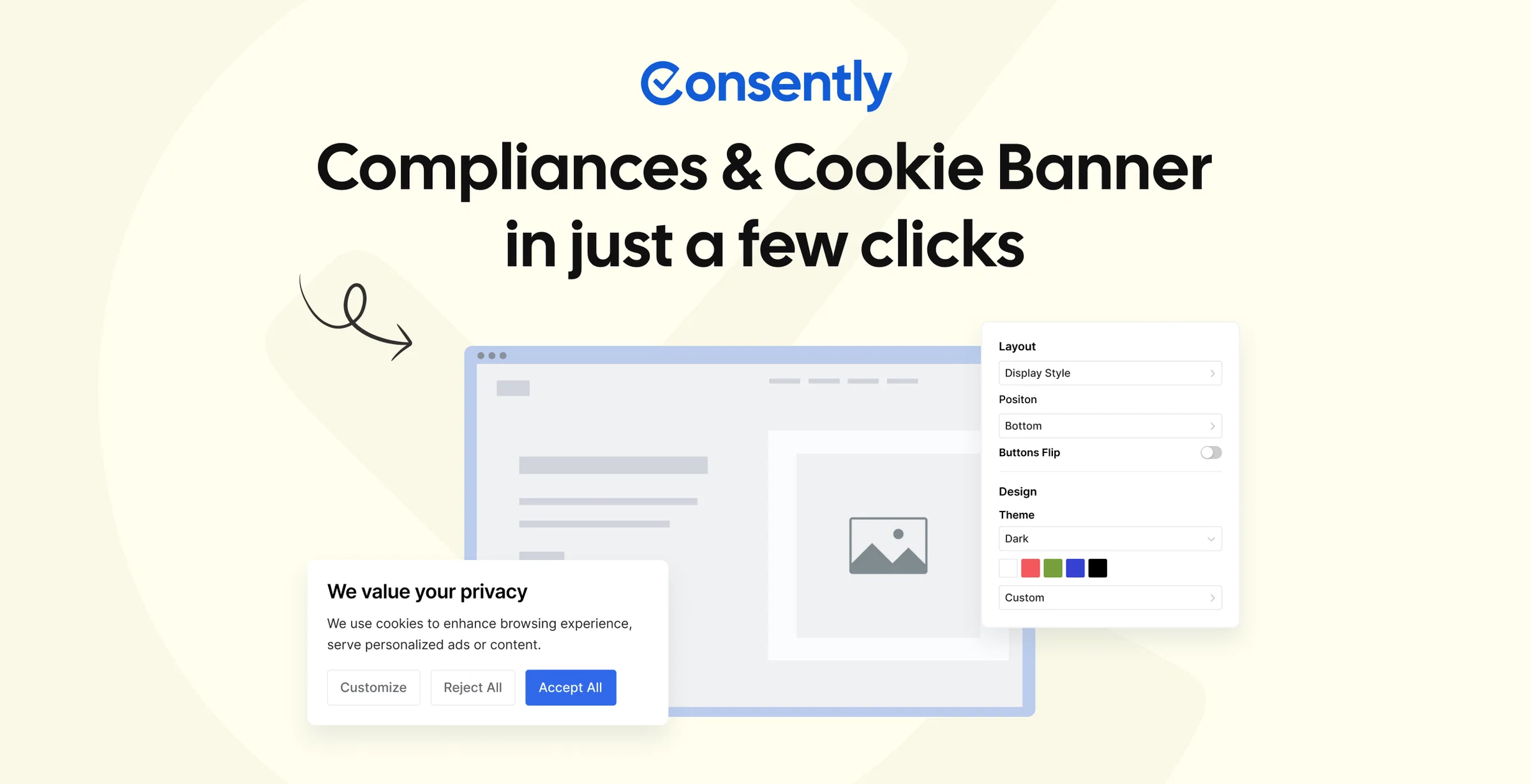
Consently scores 4.0 out of 5 globally and 3.7 out of 5 on WordPress fit. It ranks sixth on this list, in the cloud-hosted-wrapper group alongside Cookiebot, CookieHub, Termly, and iubenda.
Consently now ships an official WordPress plugin, live and free on the WordPress.org directory (v1.0.9), and you install it from the wp-admin plugin search. That lifts it off the bottom of the list. But the plugin is a cloud-backed wrapper. It connects to Consently's service via an API key and bridges the WP Consent API. So it scores 3.0 on the native sub-factor, the same as the other wrapper CMPs.
It is not a self-hosted directory-native plugin like Complianz or WPConsent, and the listing is brand-new (fewer than 10 installs, no reviews yet).
We include Consently in full because it is our product and an honest comparison requires it. It is the right tool for one specific WordPress audience: agencies and owners who also run non-WordPress sites.
Read our full Consently review for the complete scorecard.
Consently is the platform we build. For a single WordPress-only blog that wants a self-hosted directory-native plugin, Complianz, CookieYes, or WPConsent serve it better. Even the cloud-native Cookiebot outranks Consently here on scanning depth and track record. Consently's honest fit is narrower and more specific.
Why Consently fits multi-platform agencies
Consently’s flat multi-domain pricing is engineered for teams managing mixed-platform portfolios. At $199/year for 5 domains and $499/year for 10 domains, it undercuts per-domain rivals dramatically on a portfolio. CookieYes Ultimate for five domains costs $3,300/year at list; Consently Premium covers five domains for $199/year, with every feature included.
For a mixed portfolio, the one-line script is often the simplest deploy, and the official plugin is there when a client prefers it. The same script deploys on WordPress, Shopify, Wix, Squarespace, Webflow, Framer, and any head-script platform from one account.
WordPress-only client sites can install the official plugin from wp-admin instead. For an agency managing diverse client platforms from one dashboard, one account across all of them is a genuine operational advantage.
A single WordPress-only site is better served by a self-hosted directory-native plugin, or by Cookiebot for deeper scanning. Consently ranks eighth here precisely because those tools do what this list measures better than a brand-new wrapper does.
For the agency-specific shortlist, see the best CMP for agencies.
Key features
Consently's feature set is platform-agnostic, built around one script that deploys the same banner anywhere.
-
Cookie banner: 4 layouts, custom CSS, 35 languages, WCAG 2.2 AA
-
Auto scanning plus weekly and on-demand scanning, with auto-blocking
-
Consent logs, analytics, and consent-log export, plus cookie scan-result export
-
Three policy generators: cookie policy, privacy policy, and terms and conditions
-
Google Consent Mode v2 (automatic), IAB TCF 2.3, Google Additional Consent (AC) v2 certified
-
Official WordPress.org plugin installable from wp-admin, plus a native Shopify app, one-line script, GTM, or Cloudflare Zaraz install across any platform
-
EU (Frankfurt) data hosting
Best use cases
Consently fits teams that run more than one platform and want a single consent dashboard across all of them.
-
An agency managing 5 to 10 client sites across mixed platforms (WordPress, Shopify, Wix, Webflow) from one account
-
A business running a WordPress site and a Shopify store that wants a single consent dashboard
-
A team that wants a banner, scanning, consent logs, and cookie, privacy, and terms policies in one tool without enterprise pricing
Pros
Consently's strengths are no feature gating, flat multi-domain pricing, three policy generators, and live chat on every plan.
-
All features on every plan: Basic ($99/yr) includes the same feature set as Enterprise ($499/yr). No feature-gating.
-
Flat multi-domain economics: 5 domains for $199/yr versus per-domain rivals that bill per site every year. The savings compound at scale.
-
Three policy generators including Terms: Cookie policy, privacy policy, and terms and conditions in one tool. Most competitors here offer at most two.
-
Live chat on all plans: Not reserved for business tiers.
-
Install any way you like: Official WordPress.org plugin from wp-admin, or a one-line script or GTM that works on any platform.
-
EU hosting: Data hosted in Frankfurt (MongoDB Atlas, AWS).
Cons
Consently's limits on a WordPress list are real: a brand-new plugin listing, possible blocking leaks, no free tier, and a thin track record.
-
The WordPress.org plugin is brand-new: The listing is version 1.0.9 with fewer than 10 installs and no reviews yet, so it is less proven than Complianz or CookieYes. It installs and updates from wp-admin, but it lacks their multi-year track record.
-
Auto-blocking can leak: Some scripts can execute before consent unless manually wrapped in the Consently dashboard (reported on Consently's own feedback board).
-
No free-forever tier: 14-day trial only. The plugin is free to install, but core CMP features need a paid plan after the trial.
-
Young product with a thin independent track record: AppSumo: 4.04 out of 5 from 28 reviews. Almost no organic G2, Capterra, Reddit, or Trustpilot reviews outside the AppSumo campaign.
-
No client sub-accounts, no white-label, no A/B testing, no GPC.
Pricing
14-day free trial, no credit card required. After the trial:
| Plan | Price (per year) | Domains | Monthly Pageviews | Multi-site Dashboard |
|---|---|---|---|---|
| Basic | $99 | 1 | 100,000 | No |
| Premium | $199 | 5 | 1,000,000 | Yes (includes priority support) |
| Enterprise | $499 | 10 | 3,000,000 | Yes (includes priority support) |
All features on every plan. Pageviews are shared across the account.
See Consently pricing for the full breakdown.
What users say
The review base is small and young. AppSumo: 4.04 out of 5 from 28 reviews. G2 and Capterra carry auto-generated Consently profiles with effectively zero organic reviews. No Trustpilot presence.
"A very practical and well-structured solution. The interface is clean, easy to use." A 5-star positive review on AppSumo.
"The auto-scanning feature saves me so much time, and customizing the cookie banner was super easy." Positive AppSumo review on scanning and the banner.
We are transparent about the thin review base. Independent third-party validation is still limited. If you want more before deciding, the free trial is the most direct test.
7. Borlabs Cookie: best for German and DACH WordPress sites
Borlabs Cookie scores 3.3 out of 5 globally and 3.7 out of 5 on WordPress fit. That upward gap is the WordPress lift. Borlabs is a directory-native plugin (native sub-factor 5.0) with full WPML and Polylang support (5.0). The two decisive WordPress factors reward it where the general rubric did not, since its base scores on compliance and scanning held the global score down.
It is the German and DACH market leader, running on 250,000 WordPress sites. Agencies and developers in that market trust it for its Content Blocker depth and premium self-hosted control.
We scored Borlabs Cookie against our methodology from public evidence and the Borlabs competitor foundation; we have not published a full review of it yet.
Key features
Borlabs is built for developers, pairing its signature Content Blocker with deep design control and WP-CLI hooks.
-
Premium self-hosted WordPress plugin (directory-native)
-
Signature Content Blocker: blocks embeds (YouTube, Google Maps, social media) behind a consent placeholder until the visitor consents
-
9 banner layouts, 150-plus design settings, WCAG 2.1 AA accessibility
-
Cookie scanner with 250-plus service package library
-
Consent logs with versioning
-
IAB TCF v2.2 and v2.3 support, Google Consent Mode v2
-
WPML and Polylang multilingual integration
-
PHP API, WP-CLI, and developer hooks
Pros
Borlabs's strengths are German-market leadership, content-blocker depth, and developer-grade extensibility.
-
German and DACH market leadership: 250,000 installs, strong G2 and OMR ratings among German-speaking users.
-
Content Blocker depth: The signature feature blocks embeds (YouTube, Google Maps, social media) with a placeholder until consent. One of the strongest content-blocking implementations on this list.
-
Deep WordPress and developer control: PHP API, WP-CLI, and developer hooks make it extensible for custom WordPress setups.
-
Self-hosted: Consent data stays on your own server.
Cons
Borlabs's weaknesses are no free tier, a weak scanner, missing certifications, caching breakage, and few languages.
-
No free tier, no trial, no refund policy: You commit immediately at EUR 49/year with no free option.
-
WordPress-only: No support for Shopify, Wix, Webflow, or any non-WordPress platform.
-
Per-site annual licensing climbs at scale: EUR 49/year for 1 site, EUR 499/year for 99 sites.
-
Scanner is weak and not continuously automatic: Borlabs’ scanner is criticized in community reviews as basic relative to Cookiebot or Complianz.
-
Cache and plugin compatibility breakage: Autoptimize and WP Rocket can break the banner. One WordPress.org reviewer reports the banner stops working when Autoptimize merges JS files.
-
No policy generators: No privacy, cookie, or terms document generation.
-
No Google CMP Partner certification, no ISO certification, no GPC support (not listed in Borlabs’ public documentation).
-
Only 7 banner languages: The lowest language count among the self-hosted options here.
-
Trust concern from retiring old licenses: The transition from Borlabs Cookie 2 to 3 required paid upgrades for existing license holders, which damaged trust among long-time users.
Pricing
Prices verified from Borlabs Cookie.
No free version or trial. EUR 49/year (1 site), EUR 109/year (5 sites), EUR 229/year (25 sites), EUR 499/year (99 sites). All prices include VAT.
What users say
G2: 4.3 to 4.4 out of 5 (13 to 14 reviews). OMR: 4.3 out of 5 (75 reviews). The review base is modest and German-skewed.
"Das beste Cookie Compliance Plugin, das mir bekannt ist" translates to "the best cookie compliance plugin I know of." Positive German review on borlabs.io.
"When merging JS files with Autoptimize, the cookie banner no longer works." Constructive-negative on WordPress.org, about caching compatibility.
8. CookieHub: best certified single-site option
CookieHub scores 3.9 out of 5 globally and 3.7 out of 5 on WordPress fit. Its strong 3.9 global is held to 3.7 here because it is an official plugin wrapper (native sub-factor 3.0), not a directory-native self-hosted plugin. The directory-native tools therefore rank above it.
For a single site wanting Google CMP Partner and ISO-27001 credentials with a real DSAR module, CookieHub is the cleanest pick at this price.
Our CookieHub review details the DSAR module, the scan cadence, and the session-overage billing.
Key features
CookieHub's feature set leans on certifications and compliance tooling, including a DSAR module rare at its price.
-
Official WordPress plugin (wrapper around the CookieHub cloud service)
-
Monthly auto scan with cookie declaration
-
Pre-consent blocking
-
Geo-targeted banner
-
Google Consent Mode v2 on every plan including free
-
IAB TCF 2.3, IAB GPP, and GPC on Business and above
-
ISO-27001 certification and Google CMP Partner status
-
DSAR (data subject access request) module on Business
Pros
CookieHub's strengths are rare certifications, top setup ratings, free-plan Consent Mode v2, and a real DSAR module.
-
Top-tier certifications: ISO-27001 is rare at this price point. Combined with Google CMP Partner, it covers risk-averse buyers and regulated-industry sites.
-
Outstanding setup ratings: Every one of its 12 G2 reviews is a perfect 5 stars, with praise focused on setup and support.
-
Consent Mode v2 on every plan: Including the free plan, which not every competitor offers.
-
Real DSAR module: Available on Business (EUR 30/month), CookieHub includes a data-subject-request workflow most competitors reserve for enterprise tiers.
Cons
CookieHub's drawbacks are per-domain reconfiguration, caching breakage, Business-gated frameworks, and split ratings.
-
Per-domain configuration with no clone or template on standard plans: Multi-domain agencies have to reconfigure each site individually. One G2 reviewer from a 16-plus-site agency reports having to “require cloning settings for each domain individually.”
-
Auto-blocking can break behind caching stacks: CookieHub’s own documentation warns that auto-blocking may malfunction under WP Rocket, LiteSpeed, and Cloudflare Rocket Loader.
-
Monthly page-capped scanning with session overage: Scans run monthly with a page cap, and paid plans charge EUR 0.10 per 1,000 additional sessions.
-
Key frameworks gated to Business: GPC, IAB TCF 2.3, IAB GPP, and DSAR require the EUR 30/month Business tier.
-
No terms generator: Privacy policy only (not cookie policy on lower tiers).
-
Ticketing-only support: No live chat on any plan.
-
Trustpilot: 1.9 out of 5 (26 reviews): This splits from G2’s 5.0. The Trustpilot cohort skews heavily toward billing complaints, while the G2 cohort skews toward technical users who set it up cleanly.
Pricing
Prices verified from CookieHub pricing.
Free: 1,000 sessions/month. Starter: EUR 6/month. Basic: EUR 10/month. Business: EUR 30/month plus EUR 0.10 per 1,000-session overage.
What users say
G2: 5.0 out of 5 (12 reviews). Trustpilot: 1.9 out of 5 (26 reviews). The split is meaningful and explained above.
"Straightforward to setup and easy to implement using Google Tag Manager." Positive review on G2.
"Require cloning settings for each domain individually." Constructive-negative on G2 from a 16-site agency.
9. Termly: best if you also need attorney-backed legal policies
Termly scores 3.8 out of 5 globally and 3.6 out of 5 on WordPress fit. It is an official plugin wrapper (native sub-factor 3.0), not a directory-native plugin, which places the directory-native tools above it in this WordPress ranking. Termly’s distinct value is its library of 10 attorney-crafted legal document generators.
If you need a cookie banner and a full compliance document set from one tool for one site, Termly is the simplest path.
Our Termly review covers the full Pro-plus gating, the per-website licensing math, and the free-tier limits.
Key features
Termly's feature set pairs a standard banner with the broadest legal-document library on this list.
-
Official WordPress plugin (wrapper around the Termly cloud service)
-
10 attorney-crafted document generators: privacy policy, terms, cookie policy, and 7 more
-
Customizable banner with auto scanner and blocking
-
Consent logs (Pro-plus only)
-
Google Consent Mode v2 (Google CMP Partner, Gold Tier)
-
IAB TCF 2.3 (Pro-plus only)
-
Embeddable DSAR form on free
Pros
Termly's strengths are fast onboarding, the broadest free-to-start policy library, and a strong support reputation.
-
Genuinely easy and fast onboarding: Reviewers consistently call the embed-code, policy-generation, and scan flow intuitive.
-
The broadest free-to-start policy library: Ten document generators, more than any other tool here, including attorney-crafted terms and conditions.
-
Strong support reputation: Trustpilot: 4.7 out of 5 (571 reviews). Support responsiveness is the most praised attribute.
-
Real ad-tech credentials: Gold Tier Google CMP Partner and IAB TCF 2.3 (Pro-plus).
Cons
Termly's weak spots are Pro-plus gating, per-website licensing, a thin free tier, and policy lock-in.
-
Essentials gated to Pro-plus ($15/month per website): Consent logs, multilingual banners, custom CSS, regional rules, IAB TCF, and DSAR require Pro-plus.
-
Per-website licensing punishes multi-site owners: Each site requires its own license. Five sites on Pro-plus costs $900/year at list.
-
Free tier is thin: One policy, quarterly scans, 10,000 banner views/month, and a Termly watermark.
-
Subscription lock-in on hosted policies: Your published policies live on Termly’s infrastructure; switching tools means regenerating and re-publishing them.
-
Scanner misses cookies on complex sites; some users report quarterly-scan lag leaving outdated cookie declarations.
Pricing
Prices verified from Termly pricing.
Free: 1 policy, watermark, 10,000 banner views/month, quarterly scans. Starter: $10/month per website. Pro-plus: $15/month per website (both billed annually). Agency: custom pricing.
What users say
G2: 4.3 out of 5 (45 reviews). Trustpilot: 4.7 out of 5 (571 reviews).
"Getting the embed codes, generating the policies, and doing the scans is very intuitive." Positive review on G2.
"Confusion around adding a second domain." Constructive-negative on Capterra, about per-website licensing.
10. iubenda: best for consent plus tailored legal documents
iubenda scores 3.6 out of 5 globally and 3.5 out of 5 on WordPress fit. It sits at the bottom of the plugin-wrapper tier (native sub-factor 3.0, and its base setup score is the weakest of this group at 3.0). It places tenth, at the bottom of this list.
Its differentiation is the breadth and legal credibility of its document generators. An in-house legal team maintains 2,400-plus lawyer-drafted clauses for privacy and cookie policies, 100-plus for terms, across 27 languages and 100-plus jurisdictions.
Our iubenda review covers its full document depth, pricing structure, and setup complexity. For a document-vs-document breakdown with Termly, see the iubenda vs Termly comparison.
Key features
iubenda's feature set is document-led, built on the deepest lawyer-drafted clause library on this list.
-
Official WordPress plugin ("All-in-one Compliance for GDPR/CCPA Cookie Consent + more")
-
Privacy policy and cookie policy generators built from 2,400-plus lawyer-drafted clauses (100-plus for terms)
-
Cookie Solution: consent banner, auto-blocking, and consent database
-
Google Consent Mode v2 on every plan, IAB TCF 2.2, ISO 27001:2017
-
27 languages and 100-plus jurisdictions
-
Accessibility widget (WayWidget) available as a separate add-on
-
Six Advanced Solutions (consent database, whistleblowing, data-subject rights, and more), mostly Ultimate-gated
Pros
iubenda's strengths are its lawyer-drafted document depth, genuine all-in-one breadth, and a certified ad-tech stack.
-
Lawyer-drafted, auto-updating legal documents: The 2,400-plus clause library is the deepest legal-document offering on this list. One Capterra reviewer credited it with saving “thousands of dollars in attorney fees.”
-
Genuine all-in-one breadth: Documents, CMP, accessibility widget, and six Advanced Solutions in one account.
-
Certified ad-tech stack: Google-certified CMP, IAB TCF 2.2 across 800-plus ad partners, and ISO 27001:2017.
-
Strong for single low-traffic sites: For one small site wanting lawyer-grade documents plus consent from one trusted 15-year vendor, iubenda is the most credible all-in-one.
Cons
iubenda's drawbacks are compounding per-site pricing, unpredictable overage costs, heavy gating, and a steep learning curve.
-
Per-site pricing compounds for multi-site owners: Every distinct website is its own subscription. Five sites means five bills. This is the top complaint across G2, Capterra, and Software Advice.
-
Costs are unpredictable: Pageview-cap overages at EUR 0.05 per 1,000 and per-1,000-consent add-ons at EUR 5/month layer on top of the per-site base.
-
Heavy tier-gating: Terms and conditions are absent from Essentials. Full banner branding removal requires the EUR 79.99 per month Ultimate tier. Geo-targeting and all-language support require Advanced (EUR 19.99/month per site).
-
Steep learning curve: G2 scores iubenda 5.0 out of 10 for Ease of Setup. Reviewers list complexity, difficult navigation, and scattered documentation as top dislikes.
Pricing
All figures live-verified from iubenda pricing, 2026-06-23.
iubenda’s 2026 pricing runs from a limited Free plan to Ultimate at EUR 79.99 / $99.99 per month. Paid tiers add more pageviews, monthly or hourly scans, Terms, languages, geo-targeting, branding removal, mobile SDK, and analytics.
Every tier adds EUR 0.05 per 1,000 pageviews over its cap.
What users say
G2: 4.6 out of 5 (44 reviews). Capterra: 4.7 out of 5 (190 reviews). Trustpilot: 4.5 out of 5 (588 reviews).
"By far, Iubenda is the best and most cost-effective solution compared to its competitors." Positive review on Capterra, about single-site value.
"5 cons or disadvantages: complexity, difficult navigation, expensive, learning curve." Constructive-negative on G2, about usability.
Other WordPress cookie plugins you will see (and what they actually do)
A few plugins appear in "best WordPress cookie plugin" roundups but belong in separate categories or have notably lower ratings than the tools above.
-
GDPR Cookie Compliance by Moove: rated 4.6 out of 5 from 204 reviews, 1 million-plus installs. A solid free plugin with fewer certifications than the top 10 here.
-
Cookie Notice and Compliance: a lightweight free option with a simpler feature set; lower scanning depth.
-
WebToffee / WPLP Cookie Consent: rated 4.7 out of 5 (49 reviews); a smaller install base than the top options here.
One important correction: MonsterInsights, OptinMonster, and WPForms appear in some "best WordPress cookie plugin" roundups. They are analytics, opt-in, and form tools, respectively, not consent management platforms. They do not block cookies before consent or generate a consent record. They do not belong in a like-for-like consent-plugin comparison.
What is the best cookie consent plugin for WordPress?
The best WordPress cookie consent plugin is Complianz (WordPress-fit 4.1 out of 5). It is a directory-native, self-hosted plugin with full WPML and Polylang support and both IAB TCF and Google CMP certification. Its free version is trusted by 1 million-plus sites. The WordPress re-weighting earns Complianz the top spot because it does best exactly what WordPress sites need.
For other use cases, the evidence points clearly.
-
Best for multi-platform agencies: Consently (WordPress-fit 3.7), a brand-new cloud-hosted plugin now on the WordPress.org directory that ranks with the wrapper CMPs, but still the strongest pick for agencies managing mixed-platform portfolios at flat, multi-domain pricing
-
Easiest setup, largest install base: CookieYes (WordPress-fit 4.0), the product of choice for non-technical WordPress owners and the largest plugin by install count
-
Best free tier for a new WordPress site: WPConsent (WordPress-fit 3.8), self-hosted, unlimited pageviews, built by WPBeginner
-
Best for EU and German multilingual sites: Real Cookie Banner (WordPress-fit 3.8) for a free native plugin with 19 EU languages and WPML/Polylang integration, or Borlabs Cookie (WordPress-fit 3.7) for premium DACH-market content-blocker depth
-
Best automated hands-off scanning with Google Ads: Cookiebot (WordPress-fit 3.8, global 4.0), the strongest scanner here despite ranking 5th on WordPress fit because it is a plugin wrapper
-
Best certified single-site option: CookieHub (WordPress-fit 3.7), with ISO-27001 and a real DSAR module
-
Best if you also need attorney-backed legal documents: Termly (WordPress-fit 3.6) for 10 documents from one tool, or iubenda (WordPress-fit 3.5) for lawyer-drafted clauses across 27 languages
The ranking is the WordPress-fit score, not an opinion: each tool's seven-dimension score is reweighted for WordPress priorities, plus native-plugin and WPML/Polylang sub-factors. For the cross-platform ranking by global score, see the best consent management platforms.
Do you also run sites outside WordPress and want one account to manage them all?
Consently's free 14-day trial, linked in its section above, is the most direct test.
FAQs
What is the best free WordPress cookie consent plugin?
The best free WordPress cookie consent plugins are Complianz, WPConsent, and Real Cookie Banner. All three are directory-native and self-hosted with no pageview caps on the free plugin. CookieYes's free tier (5,000 pageviews/month) is the easiest hosted option. Free plugins often gate the essentials: Complianz free excludes Records of Consent and Consent Mode v2, and CookieYes recently narrowed its free plan.
Do you need a plugin for cookie consent on WordPress?
Yes, in practice. A hand-coded banner on WordPress rarely blocks scripts before consent or records each visitor’s choice in an auditable log, both required for GDPR compliance. A plugin (or a hosted script like Consently’s) handles the blocking and logging automatically. Consently offers both routes: an official WordPress.org plugin (free, installable from wp-admin) and the one-line script that needs no plugin.
Is Consently a WordPress plugin?
Yes. Consently ships an official WordPress plugin that is live and free on the WordPress.org directory. You install and update it from the wp-admin plugin search (Plugins, then Add New, then search “Consently”). The listing is brand-new (v1.0.9, fewer than 10 installs, no reviews yet). Consently is also a hosted platform. You can instead deploy the one-line script or Google Tag Manager, which works on any platform that accepts a head script. For a single WordPress-only site that wants a mature, proven directory plugin today, Complianz or CookieYes have far longer track records.
Does a cookie consent plugin slow down WordPress?
A well-built banner adds little to page load time. jQuery-free scripts (Complianz, WPConsent) and lightweight one-line hosted scripts minimize impact. Ad-heavy pages can see an Interaction to Next Paint (INP) hit from the additional script coordination. A drop in Google Analytics traffic after install is usually the blocking working correctly, not a slowdown. Scripts that were firing without consent are now properly blocked.
Which WordPress cookie plugin is best for Google Consent Mode and GDPR?
All 10 tools on this list signal Consent Mode v2. The safest picks for Google Ads or AdSense are the certified Google CMP Partners. Those are Cookiebot (Gold Tier), Complianz, CookieYes, CookieHub, and Termly (Gold Tier). Real Cookie Banner has Google-certified TCF in its PRO tier. Any of these handles the Consent Mode signal correctly. The difference is price, depth, and whether you want a native plugin or a cloud wrapper.
What is the best WordPress cookie consent plugin for agencies?
Agencies managing many client WordPress sites should weigh two factors. The first is flat multi-domain pricing against per-site or per-domain licensing. The second is whether all clients run on WordPress or across mixed platforms. Complianz at $399/year for 25 sites is the most cost-effective native-plugin option for WordPress-only agencies. For mixed-platform agencies, Consently’s flat $199/yr for 5 domains and $499/yr for 10 domains undercuts per-domain rivals significantly.
Is the free CookieYes or Complianz plugin enough for GDPR?
For a simple EU brochure site with no Google Ads or analytics, the free banner and blocking covers the basics. Both tools gate the compliance essentials to paid. Complianz gates Records of Consent and Google Consent Mode v2, and CookieYes gates IAB TCF, GPC, and geo-targeting. A site running Google Ads generally needs at least the first paid tier of either tool. The alternative is a tool whose free tier includes Consent Mode v2, like WPConsent or CookieHub.

