Know every cookie on your site without lifting a finger

You cannot block what you cannot see. Consently crawls your entire site, finds every cookie, tracker, script, and iframe, and categorizes them automatically. New cookies get caught before they become compliance problems.
A complete, always-current inventory of every cookie on your site

Consently's scanner crawls your pages, identifies every cookie and tracker, categorizes them into standard groups, and rescans weekly so nothing slips through.

Cookie Scanner

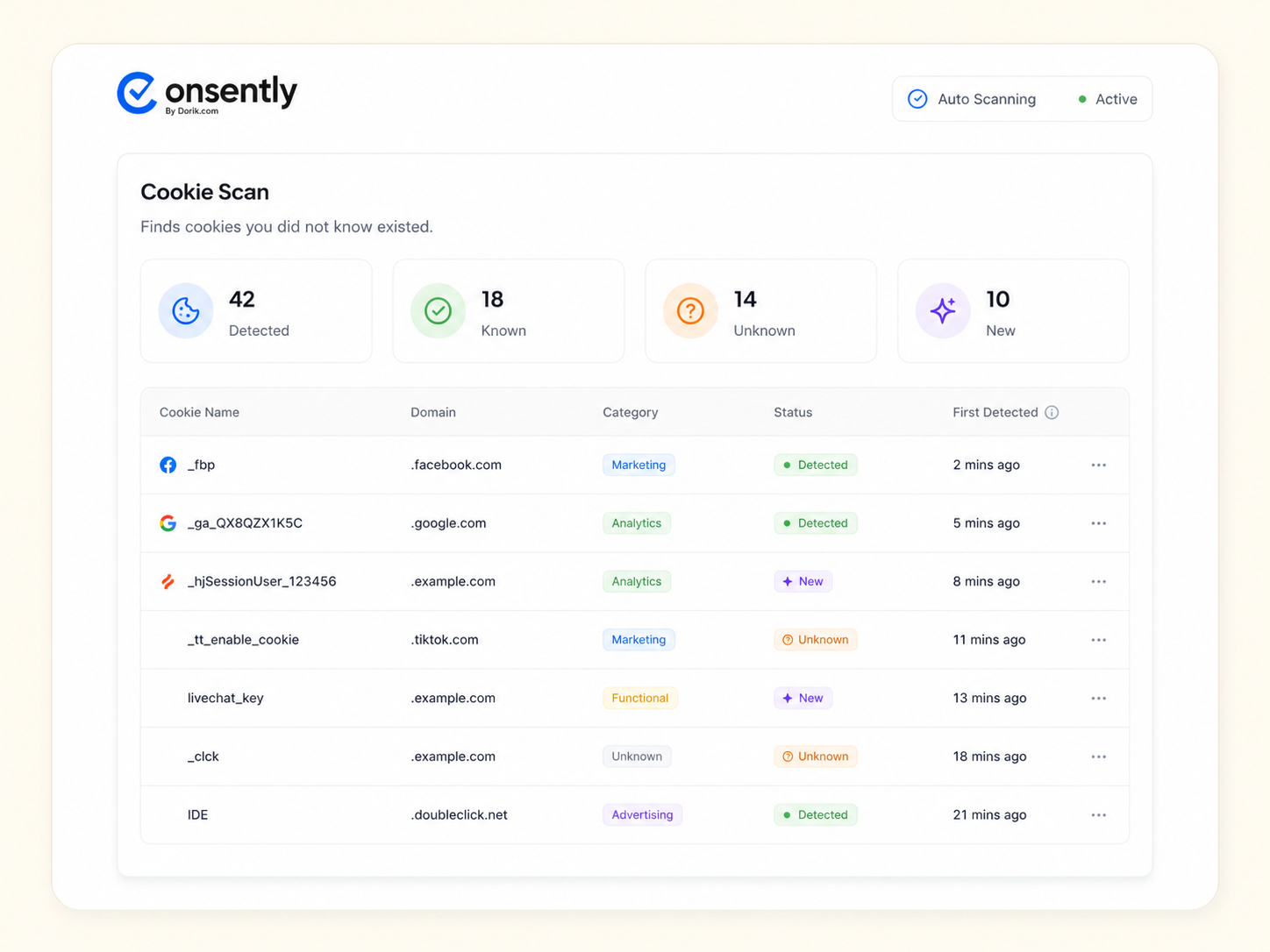
Finds cookies you did not know existed

The scanner crawls every page, not just the homepage. It detects first-party cookies, third-party trackers, embedded iframes, and pixel tags across your entire site.

Categorize

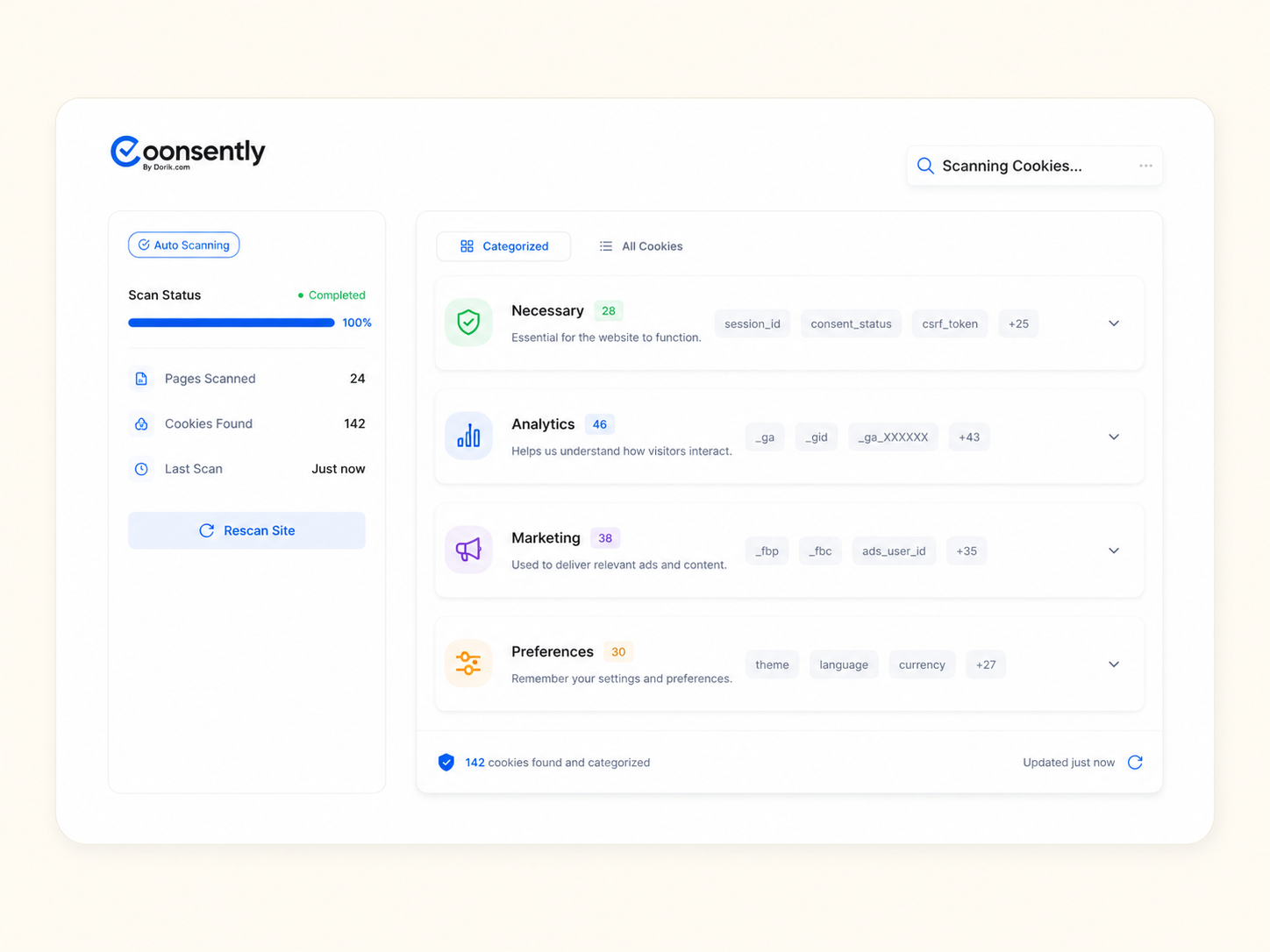
Categorizes them for you

Every cookie is automatically sorted into standard categories: necessary, analytics, marketing, and preferences. You can review and adjust, but the heavy lifting is done.

Rescans

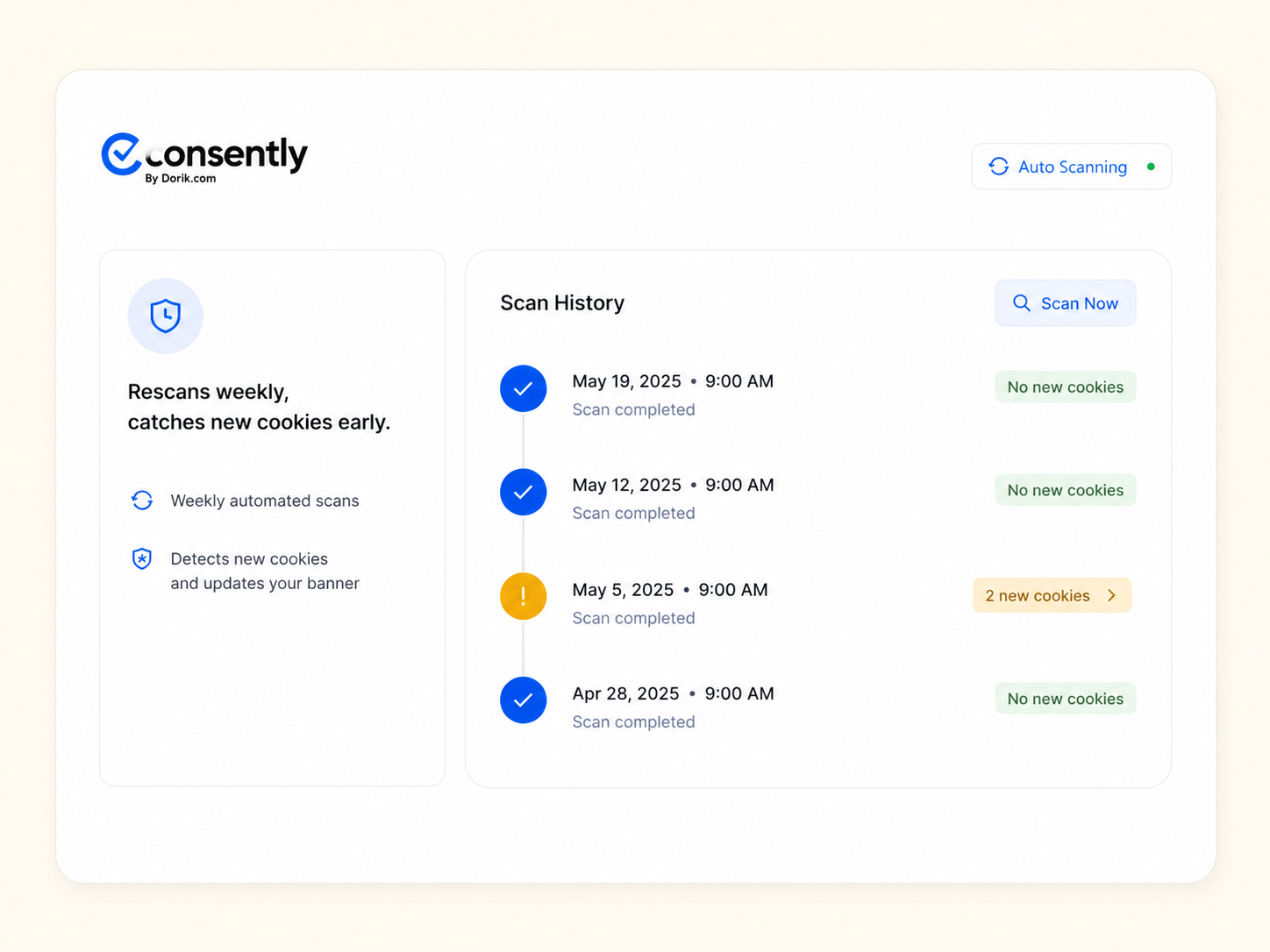
Rescans weekly, catches new cookies early

New plugin? Updated script? The weekly rescan finds any new cookies before they become a compliance gap. You get notified when something new appears.

Reporting

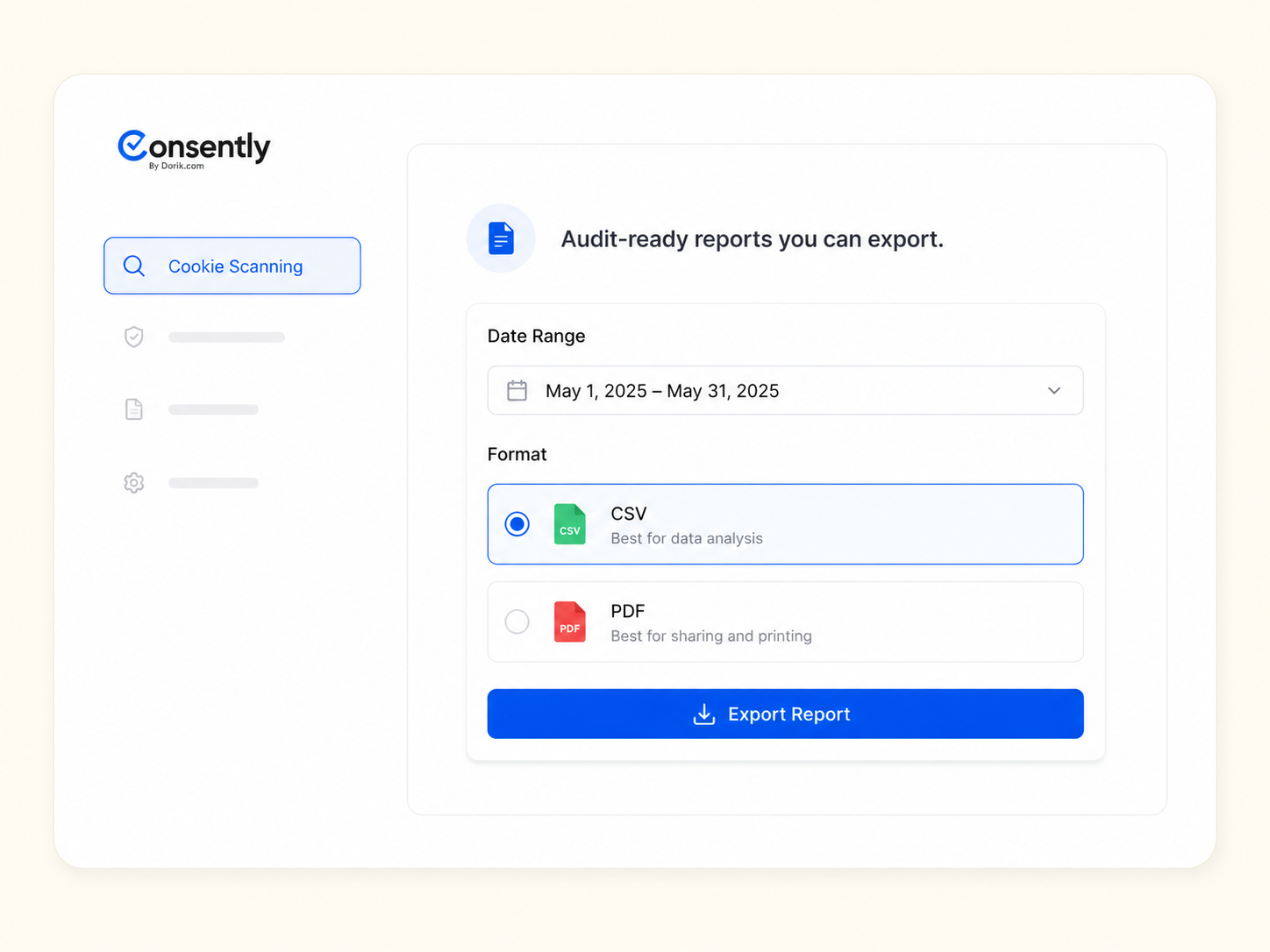
Audit-ready reports you can export

Every scan produces a timestamped report with cookie names, domains, durations, categories, and purposes. Export as CSV for your legal team or compliance audit.

HOW IT WORKS

Scanned in three steps

No browser extensions. No manual spreadsheets. Just add your domain and let Consently do the rest.

Add your domain

Enter your website URL in the Consently dashboard. The scanner begins crawling within seconds.

Review the results

See every cookie, tracker, and script listed by name, domain, category, and expiration. Adjust categories if needed.

Stay current, always

Weekly rescans run automatically. New cookies are flagged, categorized, and added to your banner and policy.

Frequently Asked Questions

How does the scanner find cookies?

Consently crawls your site page by page, loading each one in a headless browser. It detects first-party cookies, third-party tracking scripts, iframes, and pixel tags, just like a real visitor's browser would.

Does the scan slow down my site?

No. The scan runs on Consently's servers, not yours. Your visitors will not notice any difference in performance.

How often does it rescan?

Automatically every week. You can also trigger a manual scan anytime from the dashboard, for example after a new plugin install or site update.

What if the scanner miscategorizes a cookie?

You can adjust any category manually in the dashboard. Your change sticks across future scans, so you only need to correct it once.

Can I export scan results for a compliance audit?

Yes. Every scan generates a timestamped report with cookie names, domains, categories, durations, and descriptions. Export as CSV or PDF anytime.

Stop guessing which cookies your site is setting

Run your first scan in under 2 minutes. See every cookie, tracker, and
script, categorized and ready for compliance.

Built with ❤️ by the team @ Dorik.com 

GET IN TOUCH

Any questions? Feel free to chat with us or reach out to us at

For any queries:
support@consently.net

Follow us:


©2026 Dorik, Inc. All rights reserved.