
OneTrust is best for large, regulated enterprises that will use its full privacy, consent, and governance suite and need defensible compliance. Skip it if you only need a cookie banner. Pricing is quote-only, with a roughly $10,000-a-year floor and no free trial. Its cookie product also rates lower than its governance modules.
Verdict: the most capable consent platform money can buy, and overkill for most.
OneTrust Review Scorecard
| Dimension | Score |
|---|---|
| Compliance and framework coverage | 4.5/5 |
| Cookie scanning and auto-blocking | 4.5/5 |
| Banner and consent experience | 3.5/5 |
| Ease of setup and integrations | 3/5 |
| Pricing and value | 1.5/5 |
| Performance and reliability | 4/5 |
| Support and reputation | 3.5/5 |
| Overall | 3.6/5 |
Verdict: the most capable consent and governance platform you can buy, and overkill for anyone who just needs a cookie banner.
How we score: we rate every consent platform across seven weighted dimensions. Our evidence is documentation, pricing pages, hands-on use, and user reviews.
Disclosure: This review is by the team behind Consently, which competes with OneTrust. We independently scored OneTrust using the same method we follow to review other CMPs, including Consently.
What Is OneTrust?
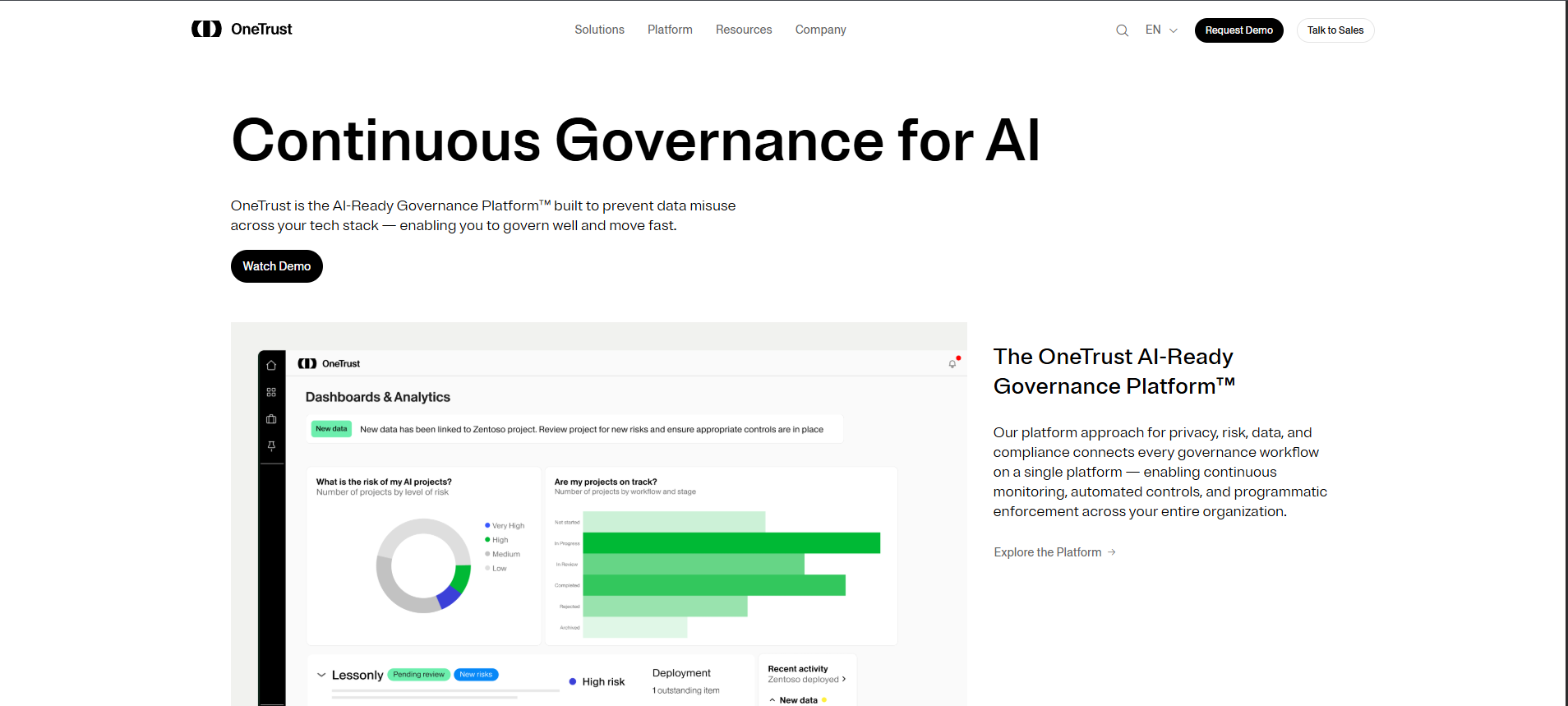
OneTrust is an enterprise platform for privacy, consent, data, risk, and AI governance. It is used by more than 14,000 organizations. Founded in 2016 in response to GDPR, it now spans six solution pillars. Cookie consent (its CMP) is only one product inside that suite, built for large, regulated companies.
OneTrust positions the platform it sells today as “the AI-Ready Governance Platform,” its umbrella pitch. Its six pillars are AI Governance, Consent and Preferences, Data Use Governance, Privacy Automation, Tech Risk and Compliance, and Third-Party Management. Its platform page cites “40+ in-house researchers and 500+ lawyers” behind that coverage.
For a cookie-consent buyer, the only directly relevant piece is the Consent Management Platform. That is the banner, scanning, and preference-center product. Everything else is why enterprises buy OneTrust and why it costs what it does. The extras are DSAR automation, data mapping, GRC frameworks, vendor risk scoring, and AI model governance.
OneTrust regularly tops any list of the best consent management platforms for large enterprises. Marquee customers include Samsung, Adobe, Aetna, Chewy, Carrefour, and Iberia. One detail reframes the whole review. OneTrust’s cookie-consent product rates just 3.5 out of 5 on G2, well below its governance modules at 4.1 to 4.4.
The platform is unquestionably capable. The real question is whether that capability fits your situation, or whether you are buying an enterprise governance suite to solve a cookie-banner problem.
OneTrust is also a stable institution to buy from, which matters for a multi-year contract. The company reports more than 550 million dollars in annual recurring revenue and says it is operationally profitable. It stays independent in 2026, but it entered private-equity sale talks rumored above 10 billion dollars, per Secure Privacy’s reporting.
The Information first surfaced those discussions. That rumored figure sits well above its last official valuation of 4.5 billion dollars from July 2023. It is not pursuing an IPO right now.
Who OneTrust Is For
OneTrust is the right choice for a specific kind of organization.
-
Large or regulated enterprises (roughly 1,000-plus employees) with a dedicated privacy, legal, or GRC function that owns compliance day to day.
-
Multinationals juggling many privacy laws and consent channels at once, including web, mobile, and connected TV.
-
Enterprise marketing and data teams that need consented first-party data at scale and want consent signals synced into a mature martech stack.
-
Organizations that must justify the choice to a board or auditor, where analyst recognition (Gartner Magic Quadrant, Forrester Wave Leader) and defensibility matter more than price or setup speed.
One dissenting Reddit voice calls OneTrust “good for a small to medium sized company,” so the line is not absolute. Still, the weight of evidence puts the fit firmly at the enterprise end.
Who OneTrust Is NOT For
OneTrust is a poor fit, and an expensive mistake, in several clear cases.
-
Small or single-country site owners who only need a cookie banner. The whole platform is built around problems you do not have.
-
Teams without a five-figure software budget. Independent data points to a minimum deal size of around $10,000 a year, with no SMB tier beneath it.
-
Buyers who want self-serve, transparent pricing, and a free trial. OneTrust offers none of these; every path runs through sales.
-
Anyone who needs to be live this week without a consultant. A full, correctly configured rollout is rarely a same-day, do-it-yourself job.
This is the most important section of any honest OneTrust review. If you recognize yourself in this list, the rest of the platform’s strengths are not strengths for you.
What Are the Key Features of OneTrust?
OneTrust’s CMP scans your site against a 45-million-cookie database, builds banners and a preference center in 250-plus languages, applies geolocation rules, and logs every choice. The wider platform then adds DSAR automation, data mapping, GRC, vendor risk, and AI governance. Those are capabilities most cookie tools never touch.
The fair way to assess OneTrust is to separate the cookie-consent product from the broader platform. The cookie product is what competes with mainstream CMPs; the platform is what justifies the price. Below, each feature is evaluated on what it does, how well it does it, and where its limits sit.
Cookie Consent and Banners (CMP)
OneTrust’s Cookie Consent product runs the full banner-to-preference-center workflow. That covers a site scan, geolocation-aware banners, a preference center, and consent logging. OneTrust’s Cookie Consent page says “more than 750,000 websites” use it, with support for more than 250 languages. Geolocation rules vary the banner by region, country, or state.
Blocking runs through no-code blocking, tag manager integrations, or script rewriting. That holds non-essential tags until consent without hand-editing every script.
Two capabilities stand out against budget CMPs. Built-in A/B testing lifts opt-in rates, and a 100% availability SLA is backed by a global CDN. The 250-language coverage and A/B testing are genuine depth that most SMB tools do not match. The tradeoff is that this depth is part of an enterprise contract, not a self-serve tier.
Cookie and Tracker Scanning
The scanner is one of OneTrust’s strongest individual features. It automatically discovers and categorizes cookies, trackers, SDKs, and third parties. OneTrust calls its backing dataset “the world’s largest database of over 45 million pre-categorized cookies,” and the scale shows.
Scheduled scans then auto-populate the updated cookie list into your cookie or privacy policy. That keeps your declared cookies in sync with what the site actually loads.
For a large site with thousands of cookies across many subdomains, that database and automation are a real advantage. The limit is not the scanner itself. You cannot meaningfully test it without entering OneTrust’s sales process, because there is no free tier to scan on.
Preference Management and Universal Consent (UCPM)
Universal Consent and Preference Management is a separate product from cookie consent. It targets marketing-grade first-party data rather than cookie compliance alone. It provides a single branded portal for consent and communication preferences, progressive profiling, consent receipts, and martech sync into systems like Salesforce, Marketo, and Adobe.
For an enterprise marketing team, this is the difference between a compliance checkbox and a consented-data engine. For a small site, it is a capability you will license, pay for, and never use. It is metered separately on total data subject profiles.
OTT, CTV, and Cross-Channel Consent
OneTrust captures consent beyond the browser. It ships native SDKs for Apple TV, Amazon Fire, Roku, Android, and Tizen, plus IAB TCF support for the advertising ecosystem. A media company running connected-TV apps alongside its website can unify consent across all of them, including multi-household device profiles.
This is a capability almost no SMB CMP offers, and it is a legitimate reason a streaming or publishing enterprise chooses OneTrust. It is also entirely irrelevant to a business that operates one website in one country.
The Wider Platform (Privacy, GRC, Third-Party Risk, AI Governance)
The rest of OneTrust explains both its credibility and its cost. Privacy Automation handles data mapping, privacy impact assessments, and DSAR fulfillment. Tech Risk and Compliance covers GRC across 100-plus frameworks. Third-Party Management scores vendor risk against a large pre-built vendor database. AI Governance manages AI models and vendors against frameworks like the EU AI Act.
All of it draws on OneTrust’s in-house regulatory intelligence, the 40-plus researchers and 500-plus lawyers cited on its platform page. None of this is a cookie-consent feature. It is why privacy and GRC teams buy OneTrust, and why it is more than a cookie tool for organizations that need all of it.
How Easy Is OneTrust to Use?
OneTrust’s CMP Wizard runs five phases, from a website scan to a deployed banner. The core flow is structured, but configuration is heavy and a full rollout is frequently consultant-assisted. OneTrust publishes no setup-time estimate, and its deepest configuration documentation sits behind a login.
Getting Started: From Signup to a Live Banner
Following OneTrust’s own CMP Wizard guide, standing up a cookie banner runs through five documented stages.
-
Scan Website: OneTrust detects “all first-and third-party cookies, tags, trackers, pixels, beacons and more,” per its CMP Wizard documentation.
-
Select Audience: define your target regions and visitor segments.
-
Choose Banner Layout: select from pre-built templates.
-
Choose Preference Center Layout: configure the opt-in and opt-out experience.
-
Review and Deploy: publish the banner script to your domain.
OneTrust says banners are “configured and assigned to a domain in just a few clicks,” and on that happy path, the wizard is well-organized.
The gap between that wizard and a real rollout is where the experience gets heavier. OneTrust publishes no setup-time estimate. Its deeper, per-toggle configuration docs live in an authentication-gated help center (my.onetrust.com). That gating signals an account-managed onboarding rather than open self-serve. Reviewers describe the same thing. One G2 reviewer calls the initial setup “moderately challenging and complex” without dedicated support.
Getting to a full, correctly configured deployment meant real ramp time. Like many teams, I would lean on professional services to finish it. As one independent reviewer puts it, you “basically need a consultant just to get it set up” for a full rollout. Recent walkthrough content exists if you want to see it in motion. One user video hosted on Capterra is even titled “OneTrust Review: Complicated, and not intuitive,” which tells its own story.
The core happy-path step counts are comparable. The real difference is configuration depth and access: OneTrust is heavier to configure and gated behind a sales process.
The honest learning-curve read comes down to your team. With privacy-literate staff and OneTrust’s training behind you, the platform is manageable. Some reviewers even praise how “intelligently the system was designed,” which tracks with a trained team. A small team without a consultant should expect the complexity behind the “too complex and expensive” complaints, and budget for help.
How Much Does OneTrust Cost?
OneTrust publishes no prices. Every buyer goes through a “Get Customized Pricing” sales process, with consent metered on average daily visitors. Independent data puts the median buyer near $11,500 a year. The floor is a roughly $10,000 minimum deal size, and there is no free trial.
I confirmed the model directly. OneTrust’s pricing page shows no dollar amounts at all. It describes “value-based usage meters” and routes every visitor to a “Get Customized Pricing” form. The form asks you to “schedule a quick call for a personalized quote.”
There is no self-serve checkout and no free trial. For the Consent and Preferences line, the page lists three quote-gated packages: CMP Base, CMP Suite, and UCPM. CMP Base and CMP Suite both meter on average daily visitors, while UCPM meters on total data subject profiles. CMP Suite adds privacy notices and DSAR automation on top of consent.
OneTrust publishes nothing, so the only dollar figures come from third-party pricing aggregators. Read every figure below as a third-party estimate, not OneTrust’s own number.
| Package | Metering basis | Public price | Third-party estimate |
|---|---|---|---|
| CMP Base | Average daily visitors | None (quote only) | Consent Essentials around $827/mo, single domain (Spendflo via SmartSuite) |
| CMP Suite | Average daily visitors | None (quote only) | GDPR bundle around $2,275/mo (Spendflo via SmartSuite) |
| UCPM | Total data subject profiles | None (quote only) | Included in overall median below |
| Overall buyer | Mixed | None (quote only) | Median around $11,500/yr; range about $1,620 to $42,534/yr (Vendr via SmartSuite) |
SmartSuite’s pricing breakdown cites Vendr data across 325 purchases. The median OneTrust buyer pays around $11,500 a year. Deals range from roughly $1,620 to $42,534 depending on usage and modules. Independent reviewers report a minimum deal size around $10,000 a year as of 2026.
Implementation fees commonly add another $10,000 to $50,000. The same reviews describe renewal increases of 275% and 468% “with as little as 21 days notice,” a sharp jump.
They also report module creep. One team “started with consent management and added TPRM,” reaching $80,000 a year within 18 months. As one reviewer put it, you cannot “get a price without sitting through a 3-call sales process,” which sets the tone.
The value read is straightforward. For an enterprise using the full platform, OneTrust’s pricing is defensible and roughly in line with enterprise-privacy peers.
For a buyer who needs only cookie consent, it is premium pricing for capability you will not use. Its five-figure floor simply rules it out for most small and mid-size sites.
What Are the Pros of OneTrust?
OneTrust’s strengths are breadth and credibility. It is the most complete privacy, consent, and governance suite on the market, with analyst-recognized leadership, a 45-million-cookie database, in-house regulatory research, and enterprise-grade reliability.
-
Unmatched breadth and depth: Across everything I evaluated, OneTrust covers more ground than any consent-only tool. Its six pillars span consent, privacy, GRC, vendor risk, and AI governance. One independent reviewer calls it the “most comprehensive privacy + GRC suite on the market,” and that matches its product surface.
-
Analyst-recognized leadership: OneTrust is a named leader in major analyst evaluations, including the Gartner Magic Quadrant for Third-Party Risk Management Tools and the Forrester Wave for Privacy Management Software. For a procurement team that needs external validation, this is a genuine, hard-to-replicate asset.
-
Category-leading CMP depth: The cookie product is backed by a 45-million-cookie database, 750,000-plus websites, 250-plus banner languages, OTT and CTV SDKs, and A/B testing. That is more raw consent capability than mainstream CMPs offer, all detailed on OneTrust’s Cookie Consent page cited above.
-
In-house regulatory intelligence: The 40-plus researchers and 500-plus lawyers across 300 jurisdictions mean regulatory updates are built into the platform, not chased manually by your team. That is a real advantage for a multinational tracking many changing laws.
-
Enterprise reliability and scale: With a 100% availability SLA, a global CDN, 14,000-plus customers, and marquee logos, OneTrust is a safe institutional bet. One G2 reviewer of a OneTrust module notes it is “reliable and stable; I have not experienced any outages.” A Capterra reviewer calls it “the industry standard for web privacy for a reason.”
What Are the Cons of OneTrust?
OneTrust’s drawbacks cluster around cost and complexity. The headline issues are a $10,000-a-year floor, opaque pricing, renewal shocks, a consultant-heavy setup, and far more platform than a cookie-banner buyer needs.
-
No SMB tier and a five-figure floor: Independent pricing data points to a minimum deal size around $10,000 a year, with nothing beneath it for small or mid-size buyers. If your budget for cookie compliance is in the tens or low hundreds of dollars a month, OneTrust is not an option.
-
Opaque, quote-gated pricing with renewal shocks: There is no price to look up, and reviewers describe a multi-call sales process just to get one. Independent reviews report renewal increases of 275% and 468%, and module creep reaching $80,000 a year. One Trustpilot reviewer puts it bluntly: “Their renewal tactics are completely shady and borderline extortion.”
-
Steep learning curve and consultant-dependent setup: The platform has, in reviewers’ words, “so many settings,” and a full rollout frequently requires professional services. The capability is real, but so is the time and expertise needed to deploy it correctly.
-
Overkill for simple needs, with lock-in risk: For a small or single-country site that only needs a cookie banner, most of OneTrust goes unused. The recurring complaint, “it feels too complex and expensive for what I actually need,” is the defining risk for a down-market buyer. Community reviewers also warn of vendor lock-in unless you use the platform to its full capacity.
-
Support reportedly scales with spend: This one is single-source, so treat it as a flag rather than a settled fact: some reviewers say “support quality depends entirely on how much you’re paying,” with lower-spend accounts feeling deprioritized.
What Do Users Say About OneTrust?
OneTrust earns strong ratings on its governance modules but a softer score on its consent product. The consent product is the part that matters most for a cookie review. Pricing and renewals draw the harshest feedback. Sentiment is broadly positive on capability and breadth, and most negative on cost.
The most revealing detail is the rating split across OneTrust’s own product lines. Its governance modules score well, but its Consent and Preferences product sits noticeably lower.
| Platform | Rating | Reviews |
|---|---|---|
| G2 (seller aggregate) | 4.4/5 | 283 |
| G2 Consent and Preferences | 3.5/5 | 16 |
| G2 Privacy Automation | 4.3/5 | 154 |
| Capterra | 4.3/5 | 57 |
| Gartner Peer Insights (Tech Risk and Compliance) | 4.1/5 | 109 |
| Trustpilot | 1.5/5 | 30 |
That 3.5 on Consent and Preferences, against 4.1 to 4.3 on the governance modules, is the most relevant number for a cookie buyer. The Trustpilot 1.5 out of 5 is renewal-driven and reads as a pricing signal, not a product-quality verdict. A separate Glassdoor 3.3 out of 5 is an employer rating, not a product rating, so it is excluded here.
A representative spread of voices:
-
“OneTrust is the industry standard for web privacy for a reason. Technical customization and scalability are the top pros.” (Capterra reviewer, positive)
-
“Intuitive and easy to configure. The platform is reliable and stable, I have not experienced any outages.” (G2 reviewer, positive)
-
“The initial setup, while manageable, is moderately challenging and complex without guidance and support.” (G2 reviewer, mixed)
-
“Their renewal tactics are completely shady and borderline extortion.” (Trustpilot reviewer, negative)
-
“OneTrust is good for a small to medium sized company.” (Reddit, a dissenting positive view on fit)
Is OneTrust Worth It? Our Verdict
OneTrust is worth it for large, regulated organizations that will use the full governance platform and need analyst-validated, defensible compliance. It is not worth it for a small business or single-site owner who only needs a cookie banner and transparent, self-serve pricing.
Choose OneTrust if:
-
You are an enterprise with a dedicated privacy or GRC team that will own the platform.
-
You need consent, DSAR, data mapping, vendor risk, and AI governance unified and defensible in one place.
-
Analyst validation (Gartner, Forrester) matters to your procurement or your board.
-
You have the budget and a realistic rollout timeline, including likely implementation help.
Look elsewhere if:
-
You only need a cookie banner and consent logging, not an enterprise governance suite.
-
You want transparent, self-serve pricing and a free trial instead of a sales process.
-
You run one or a few sites and do not need OTT, vendor risk, or AI governance.
-
You need to be compliant this week without hiring a consultant. In that case, it is worth weighing the best OneTrust alternatives before you commit.
For large, regulated organizations that can use the whole platform, OneTrust remains the strongest option. One independent reviewer notes the gap “between ‘great platform’ and ‘great for us’” is wider than most reviews admit. For the small or mid-size buyer who needs only cookie consent, that gap is the whole story.
Considering a Simpler Alternative to OneTrust?
Suppose OneTrust’s five-figure floor, quote-gated pricing, and configuration-heavy rollout are the sticking points. Consently covers the cookie-consent job with transparent, self-serve pricing, all features on every plan, and a one-script setup, while conceding OneTrust’s enterprise depth.
Consently is built for the buyer; OneTrust is not. That is the small business, agency, or single-site owner who needs solid cookie compliance without an enterprise contract. Mapped directly to OneTrust’s cons:
-
Against the roughly $10,000-a-year floor and quote-gated pricing: Consently publishes transparent, self-serve pricing from $99 to $499 a year, with a 14-day free trial and no sales call.
-
Against the consultant-led, configuration-heavy rollout: Consently documents a one-script setup with a published “live in under 10 minutes” estimate.
-
Against per-visitor enterprise metering: Consently bundles multiple domains flatly (5 domains for $199 a year, 10 for $499), which suits agencies managing several client sites. It also bundles a terms-and-conditions generator alongside cookie and privacy policies, which OneTrust’s CMP does not offer.
To be clear about the tradeoff: OneTrust genuinely beats Consently on enterprise depth. Its DSAR automation, data mapping, vendor risk, GRC frameworks, AI governance, OTT and CTV SDKs, and analyst recognition are all beyond Consently’s scope.
Consently is built for the price-and-simplicity buyer, not as a like-for-like enterprise replacement. For a feature-by-feature look, see our Consently vs OneTrust breakdown. If the fit sounds right, you can start a free 14-day Consently trial, with every feature on every plan on Consently’s published pricing.
FAQs
What is OneTrust used for?
OneTrust is used to govern privacy, consent, data, risk, and AI in one enterprise platform. Its six pillars cover cookie consent, DSAR automation, data mapping, vendor risk, GRC across 100-plus frameworks, and AI governance. For a cookie review, only its Consent and Preferences product is directly relevant.
Is OneTrust trustworthy?
Yes, as an enterprise vendor. OneTrust serves 14,000-plus customers including Samsung and Adobe, is a Gartner Magic Quadrant and Forrester Wave leader, and reports positive free cash flow. Its consent product rates 3.5 out of 5 on G2, so it is dependable but not its strongest module.
Is OneTrust good for small businesses?
Generally no. OneTrust is built for enterprises. Its roughly $10,000-a-year minimum and configuration-heavy setup make it overkill for most small sites that only need a cookie banner. A handful of smaller companies use it successfully, but cost and complexity rule it out for the majority.
Is OneTrust being sold or going public?
OneTrust is independent as of 2026 but entered private-equity sale talks rumored above $10 billion, against its last official $4.5 billion valuation from July 2023. It reports more than $550 million in annual recurring revenue and is operationally profitable. It is not pursuing an IPO right now.
Is OneTrust better than Cookiebot?
It depends on scale. OneTrust offers far more breadth and enterprise depth, including OTT and CTV consent, vendor risk, and AI governance. Cookiebot is a lighter, more affordable automated CMP aimed at SMB and mid-market sites. For a closer look, we break this down in our OneTrust vs Cookiebot comparison.
How much does OneTrust cost per year?
OneTrust does not publish prices. Independent data from Vendr (via SmartSuite) puts the median buyer near $11,500 a year, with a roughly $10,000 minimum. Enterprise deals reach into the tens of thousands, plus implementation fees. All of these are third-party estimates, not OneTrust’s own figures.
Is OneTrust hard to set up?
The CMP Wizard documents a clear five-phase flow, from website scan to deployed banner, so the basics are structured. But full rollouts are configuration-heavy and frequently need professional services, and OneTrust’s deeper configuration documentation sits behind a login. Expect a learning curve and, for a full deployment, likely outside help.
Does OneTrust have a free trial?
No. OneTrust is sales-led, with no self-serve signup and no free trial. Every path runs through a “Get Customized Pricing” sales process, confirmed on OneTrust’s own pricing page. You request a personalized quote rather than starting an account directly.
What are the best alternatives to OneTrust?
For enterprise needs, the strongest OneTrust alternatives are Osano, BigID, TrustArc, Ketch, and Transcend, which match its breadth. For smaller sites that only need cookie consent, lighter tools like Cookiebot, CookieYes, and Cookie Script fit better on both price and setup speed.

