
Usercentrics is best for mid-market and enterprise teams and ad-driven publishers that need certified, multi-surface consent and will invest in setup.
Skip it if you are a budget SMB or agency that wants a simple, flat-priced banner live in minutes. Pricing starts free and runs to $56 per month self-serve, metered by sessions that auto-upgrade your plan as traffic grows. The key caveat is exactly that: a powerful, Google Gold Tier platform whose bill and setup both scale faster than a small site expects.
Our verdict: the most certified CMP most buyers will never need all of.
This review covers Usercentrics’ features, live pricing, setup experience, genuine pros and cons, real user sentiment, and who it fits.
Usercentrics Review: Our Verdict and Scorecard
Usercentrics scores 3.7 out of 5 in our review. It is the most certified, multi-surface CMP an ad-driven enterprise can buy, and overkill for a small site that just needs a banner.
| Dimension | Score |
|---|---|
| Compliance and framework coverage | 4.5/5 |
| Cookie scanning and auto-blocking | 4.0/5 |
| Banner and consent experience | 3.5/5 |
| Ease of setup and integrations | 3.0/5 |
| Pricing and value | 2.5/5 |
| Performance and reliability | 4.0/5 |
| Support and reputation | 3.5/5 |
| Overall | 3.7/5 |
How we score: we rate every consent platform across seven weighted dimensions. The evidence is current documentation, the live pricing page, hands-on time in the product, a page-speed test of the live banner, and verified user reviews. See our full methodology for the rubric and weights.
Disclosure: this review comes from the team at Consently, which builds a consent management platform that competes with Usercentrics. We researched Usercentrics independently and scored it with the same method we apply to every product on this site. We do not score Consently here.
What Is Usercentrics?
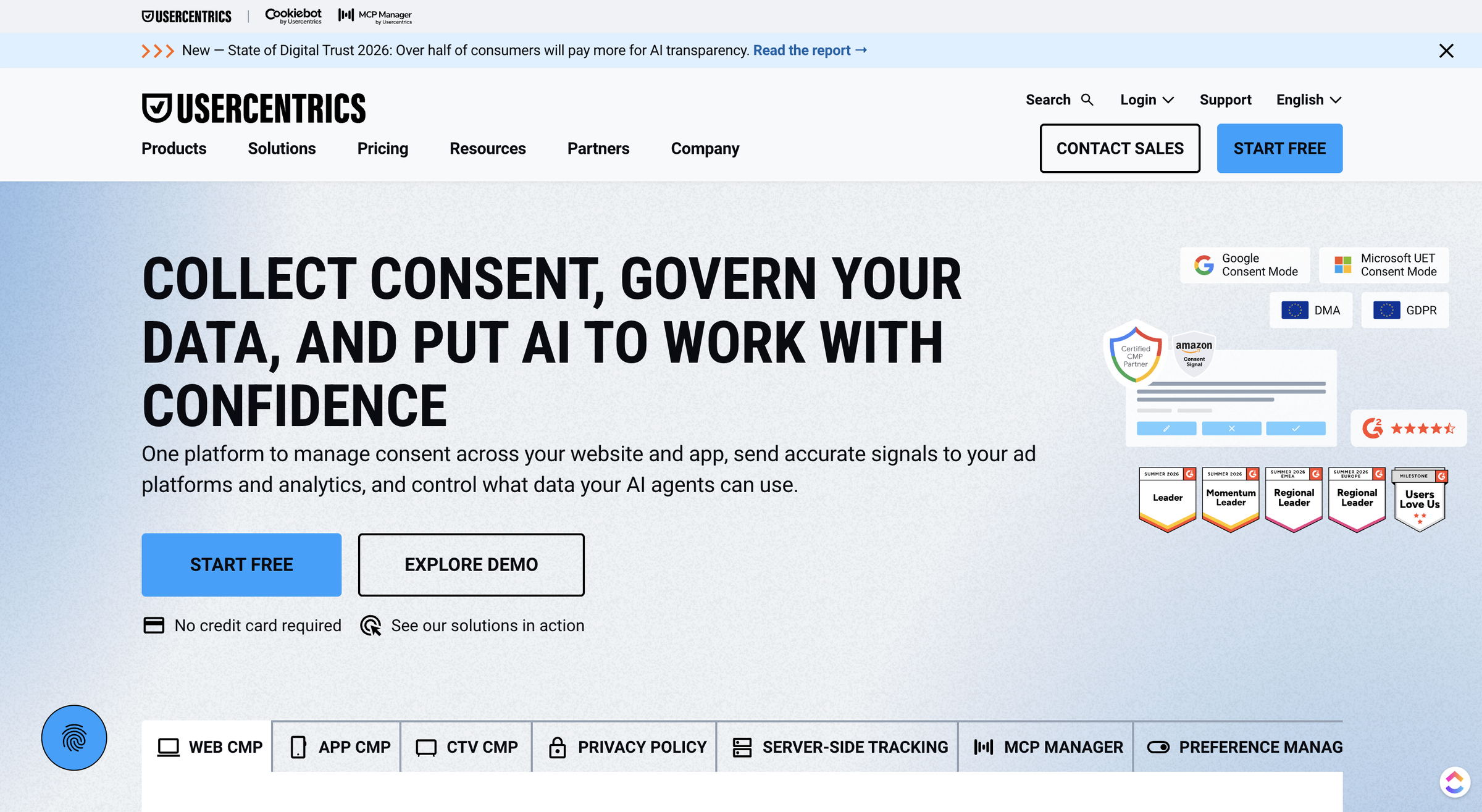
Usercentrics is a Google-certified consent management platform that collects, documents, and signals user consent for cookies and trackers. Its Web CMP is the core product, joined by an App CMP, a CTV CMP, and adjacent privacy-data tools. It serves SMBs through large enterprises across the GDPR and CCPA and IAB TCF requirements.
Founded in 2012 and headquartered in Munich, Usercentrics has grown into the scaled leader of the consent category. It is also the parent company of Cookiebot, which it sells as a separate product. The platform’s job is narrow but high-stakes: keep a site compliant with privacy law while keeping consented data flowing to analytics and ad platforms. It does that through a customizable banner, automated cookie scanning, Google Consent Mode v2 signaling, and IAB TCF v2.3 support for ad-serving publishers.
What separates Usercentrics from a single cookie-banner tool is reach. Beyond websites, it runs consent on mobile and game apps, on connected TV, and through server-side tracking. It also adds a Privacy Policy Generator, a Preference Manager, and an MCP Manager for governing AI access to data.
Most buyers who just need a website banner will use a fraction of that range. That is the question this review keeps returning to: do you need this much platform, or just a banner?
Who Usercentrics Is For
Usercentrics fits teams whose compliance needs are broad, certified, and ad-revenue-critical.
-
Mid-market and enterprise businesses in regulated, ad-driven industries (publishing, retail, finance, gaming) that run programmatic advertising and need certified consent to protect ad revenue.
-
Multi-domain, multi-region teams that need IAB TCF v2.3, governance, SLAs, and a Customer Success Manager across many sites.
-
App, game, and CTV publishers that want one vendor covering web, mobile, and connected-TV consent with a single SDK family.
-
Teams that value brand trust and certification over price, where a recognized, Google Gold Tier vendor carries weight in a compliance review.
Who Usercentrics Is NOT For
The same depth that helps enterprises works against a smaller buyer. Usercentrics is a poor fit for the four profiles below.
-
Cost-sensitive SMBs, startups, and NGOs on a tight budget, where reviewers repeatedly call it “too high for SMEs” (10 G2 mentions on price).
-
Non-technical solo owners who want a banner live with almost no configuration, where setup difficulty is the single most-cited complaint (20 G2 mentions).
-
Agencies that want flat, predictable multi-domain pricing, because billing is metered by sessions and upgrades automatically when limits are passed.
-
Anyone who needs heavy custom banner branding, including uploading a custom font, which reviewers flag as restrictive and which requires the top self-serve tier for custom CSS.
What Are the Key Features of Usercentrics?
Usercentrics’ core features are automated scanning with auto-blocking, a certified consent banner, Google Consent Mode v2 and IAB TCF v2.3 signaling, and interaction analytics. A/B testing sits on the top tier. Each feature is strong, with limits worth knowing.
Consent Banner and Customization
The banner is the part of Usercentrics most buyers touch first, and it is configurable across several screens. Design lets you choose a banner or a full “Wall” and set its position. Appearance handles templates and styling, and Content covers first-layer and second-layer text plus button labels.
The official setup walkthrough moves through each of these as separate steps, so the banner you ship is genuinely yours in layout, copy, and colors.
Customization has a real ceiling, though, and it is gated by price. Reviewers cite restrictive design as a recurring frustration (12 G2 “Limited Customization” mentions). One mid-market reviewer found “no possibility of uploading our font” to match the site.
Full brand customization and custom CSS only arrive on the Business tier at $56 per month. On the entry plans you get template-level styling, not pixel control. One community thread went further, describing a Usercentrics banner as “a UI optimized for mass consent via exhaustion. No reject all.”
That is a single thread, not a pattern. It still lines up with the broader signal that the banner’s defaults and design latitude are where this product draws criticism.
Cookie Scanning and Auto-Blocking (Data Processing Services)
Scanning is where Usercentrics is genuinely strong. The moment you add a domain, it kicks off an automated scan to find what it calls Data Processing Services. That is its term for each tracked third-party vendor or script on your site. It checks those against a maintained repository of well over 1,500 pre-built service templates. Common tools like analytics, ad pixels, and embeds are recognized and categorized without manual work.
Two limits matter. First, the scan sometimes finds a service that is not in the repository. You then create a custom Data Processing Service or map it to a known one by hand, which adds reconciliation work on unusual sites.
Second, the blocking has two modes with very different effort. Auto-blocking handles the heavy lifting and is what most users should choose. The manual route means editing every third-party script tag yourself. You change type="text/javascript"type="text/plain"data-usercentrics
One implementer reported that Usercentrics “started blocking every JavaScript” until the site became “absolutely unusable,” fixed only after they reconfigured the trigger. The capability is powerful, but it rewards careful setup.
Google Consent Mode, IAB TCF, and Certifications
This is Usercentrics’ strongest card, and it deserves full credit. It is a Google-certified CMP holding Gold Tier status in the Google CMP Partner Program. It supports Google Consent Mode v2, the signaling Google Ads and Analytics now expect, and adds Google Additional Consent.
For publishers, it supports IAB TCF v2.3, the current Transparency and Consent Framework version that programmatic ad partners require.
For an ad-driven business, this is not a checkbox, it is the whole point. Certified TCF signaling keeps consented ad revenue flowing under current Google and IAB requirements. Gold Tier is a third-party-validated credential that smaller tools rarely hold.
Usercentrics also holds ISO 27001 certification on every plan, including the free tier. The one caveat is tier-gating: IAB TCF v2.3 starts at the Pro plan, not the entry tiers. A publisher who needs it cannot stay on Free or Essential. On the certification itself, there is nothing to undercut here. This is where Usercentrics earns its place at the top of the category.
Interaction Analytics and A/B Testing
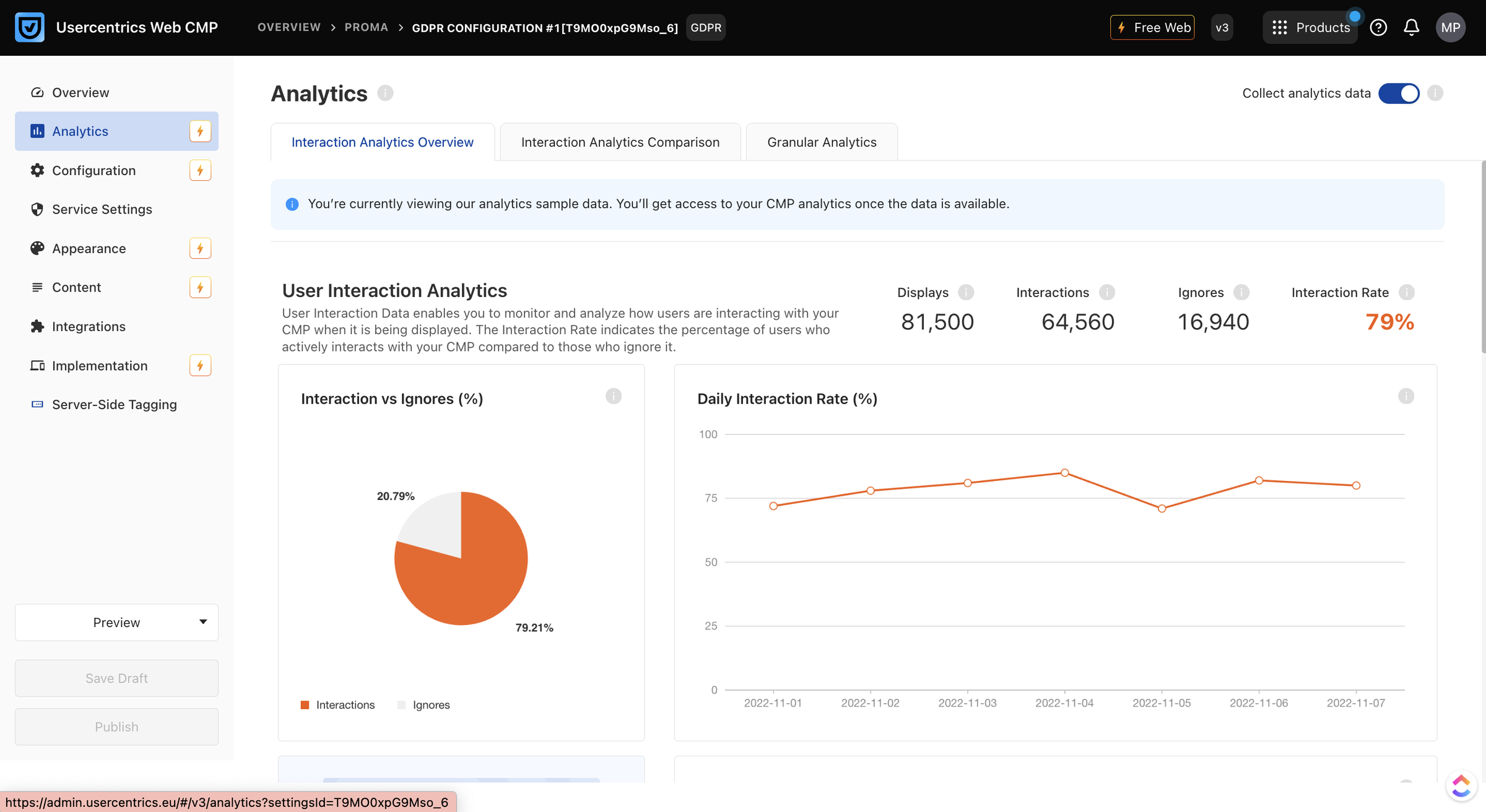
Usercentrics reports on consent performance, and the depth scales with the plan. Lower tiers show consent activity and banner interaction insights; Pro adds detailed Interaction Analytics; Business adds comparative analytics across periods.
You can see acceptance rates and how the banner performs. That matters, because consent rate directly affects how much measurable traffic and ad data you keep.
The optimization lever most teams want, A/B testing of banner variants, is locked to the quote-gated Corporate tier. So is cross-device consent sharing. Reviewers note that A/B testing options are limited below the top tier, and that is accurate.
If you want to test your way to a higher consent rate on a self-serve plan, you cannot. Analytics tell you how you are doing; the tool to systematically improve it sits behind an enterprise contract.
Beyond the Banner: App CMP, CTV, Server-Side Tracking, Policy Generator
Usercentrics’ real differentiator is breadth, and it is worth knowing even if you will not use it. The App CMP runs consent across roughly a dozen mobile, game, and console platforms with ATT, Google UMP, and TCF support. Those platforms include iOS, Android, Unity, React Native, Flutter, tvOS, AndroidTV, Samsung TV, LG webOS, Chromecast, PlayStation, and Xbox. The CTV CMP extends this to connected-TV and OTT apps.
Server-Side Tracking, including the Meta Signals Gateway, pushes consented first-party data to Google, Meta, and TikTok. A Preference Manager centralizes consent choices, and an MCP Manager governs how AI systems access data.
There is also a Privacy Policy Generator, though it is narrower than the rest. It produces documents in only four languages (English, German, Italian, and Dutch) and does not manage policies across multiple domains.
For a single website that needs a banner, almost all of this is range you will pay attention to but never switch on. It is genuine enterprise muscle. It is also exactly the kind of platform that is overkill for a small site, a tension that shapes the pricing and verdict below.
How Easy Is Usercentrics to Use?
Usercentrics documents a five-step setup from account to live banner across two interfaces, and a basic banner goes up quickly. Full configuration is harder: it spreads across roughly ten Admin tabs, asks you to reconcile each detected service, and carries a real learning curve.
Getting Started: From Signup to a Live Banner
Getting started followed a documented path from account to live banner:
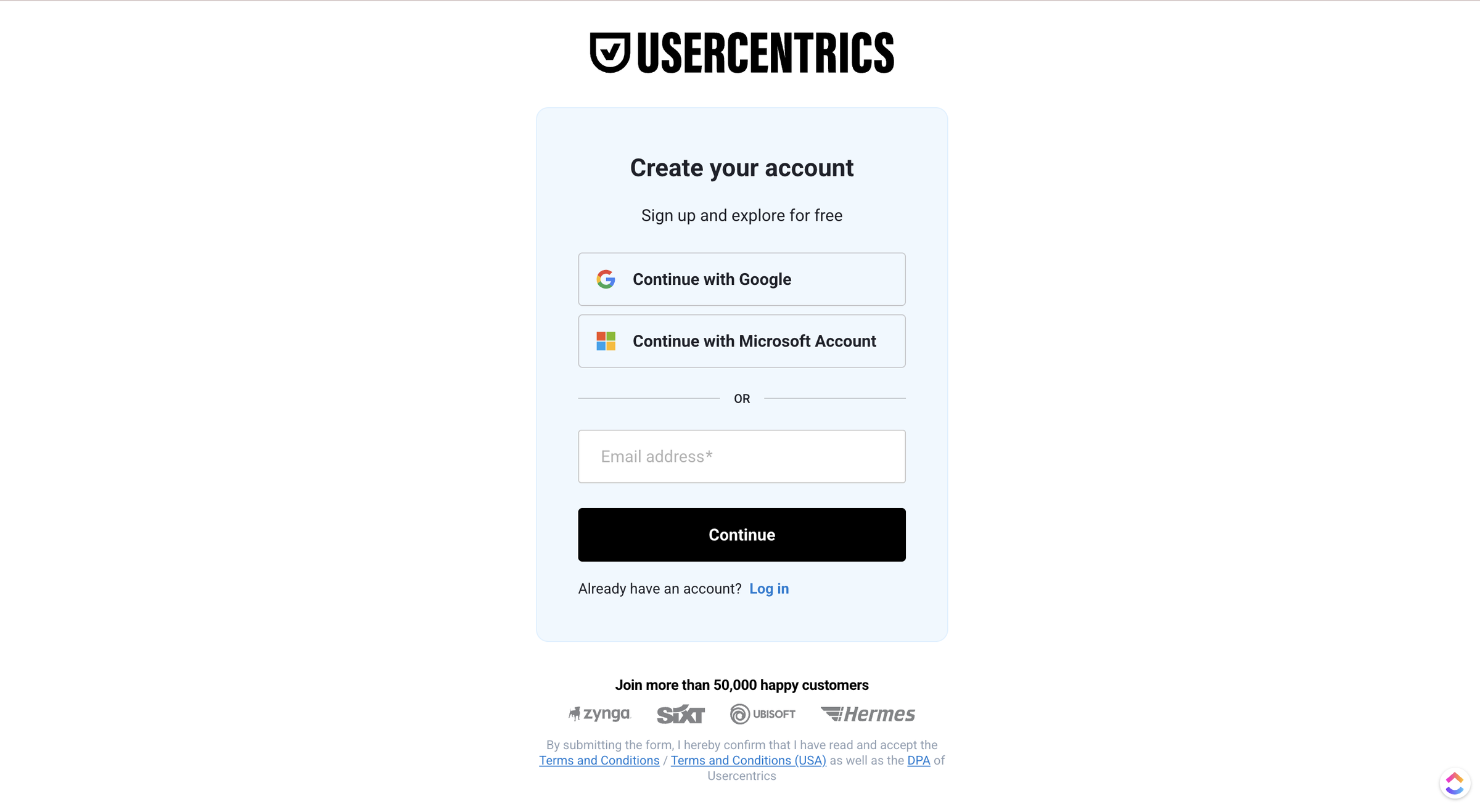
1. Create the account and verify your email, then answer onboarding questions about the domain and legal framework.
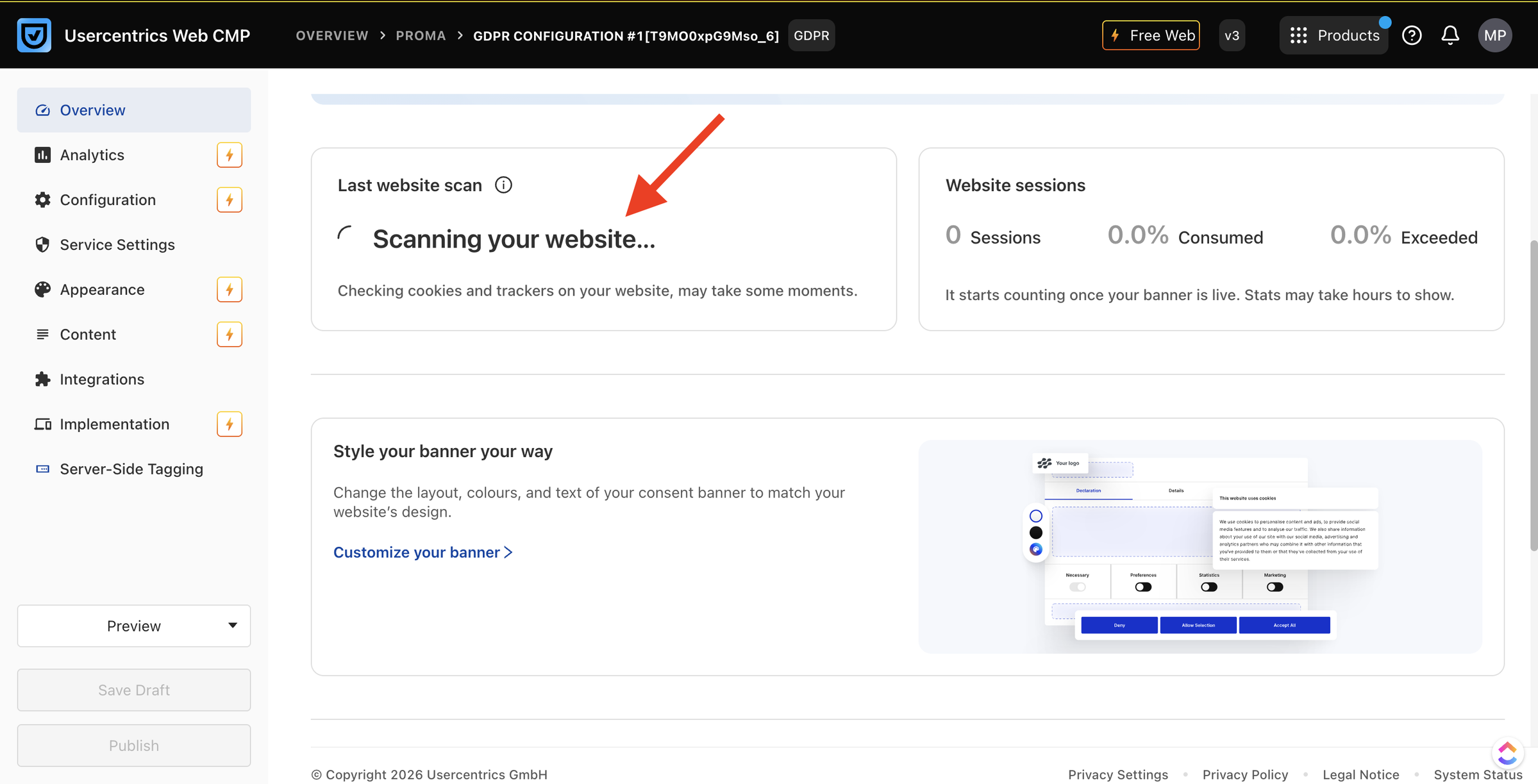
2. Let the automated scan run. As soon as the domain is added, it finds the Data Processing Services on the site.
3. Configure the banner in the Admin Interface. Pick a regulation preset, design the banner (banner or full “Wall,” plus position), then refine Appearance and Content.
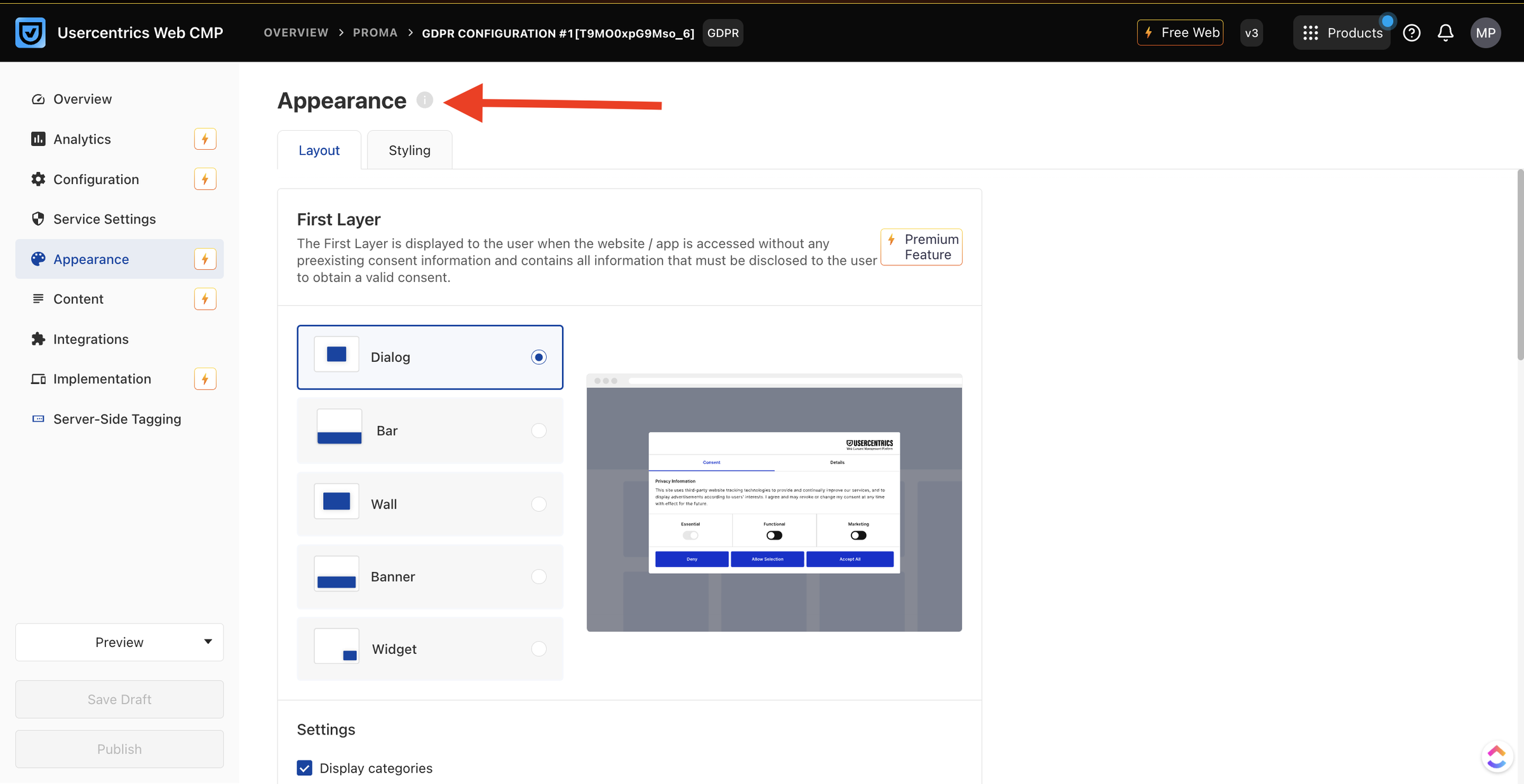
4. Reconcile the detected services. Review what the scan found and map anything it did not recognize to a custom or known Data Processing Service.
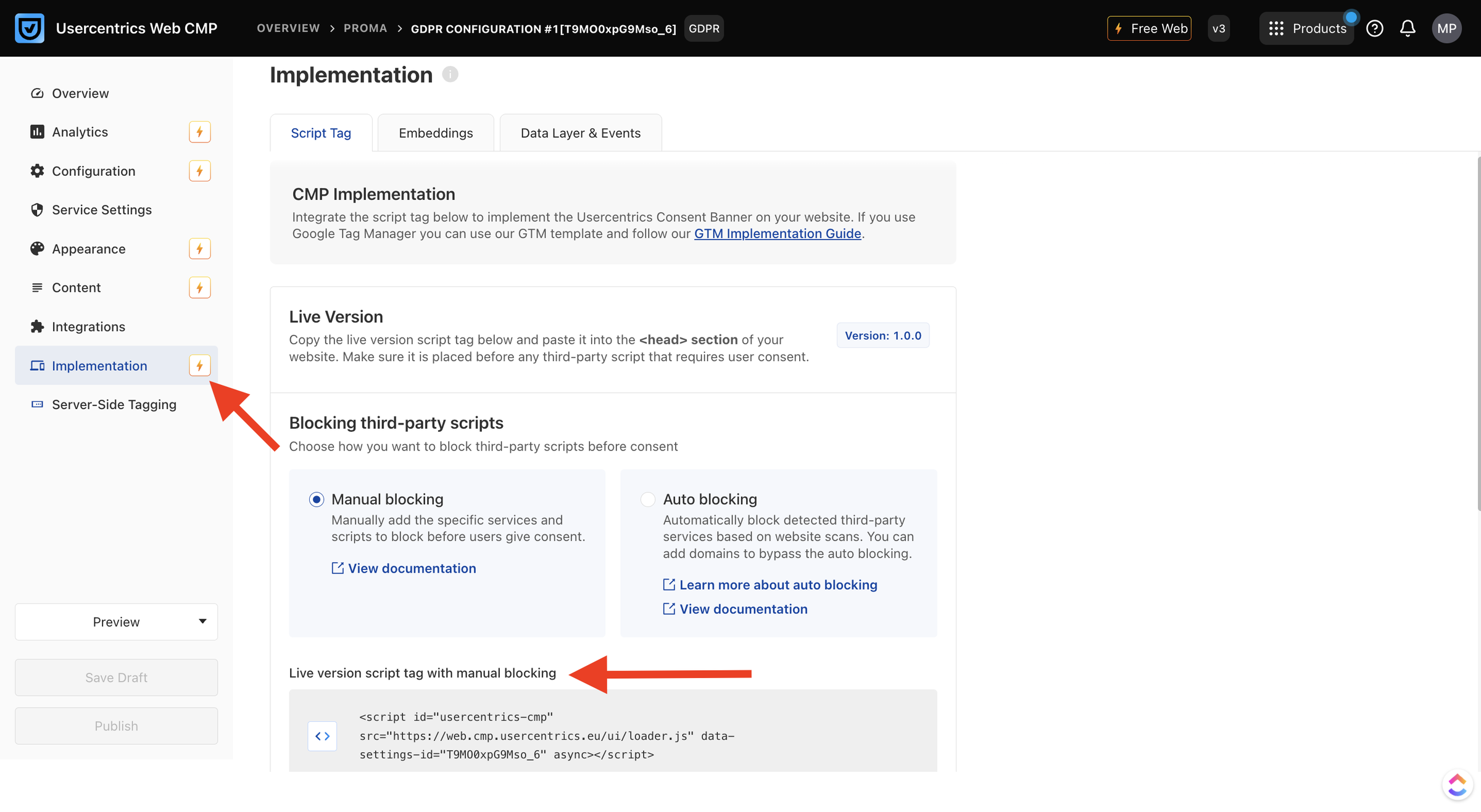
5. Install the script and publish. Drop a single tag carrying your data-settings-id<head>
Standing up a working banner from those five steps is quick. The friction lives in the configuration surface around it.
Two parts add real effort. The manual-blocking route means editing every third-party script tag by hand. That is slow and error-prone on a busy site, where auto-blocking avoids the work entirely. The configuration is also spread wide.
The official walkthrough moves through nine separate areas, from Configuration and CMP settings to Service Settings, Interaction Analytics, and User Management. As one reviewer put it, “every configuration opens in a different tab in the browser,” which captures the navigation friction.
Both approaches stand up a basic banner in minutes. The honest difference is configuration depth: Usercentrics exposes a larger, more powerful surface that takes longer to work through.
The learning curve splits the room, and the fair read is to report the split rather than pick a side. On one side, setup difficulty (20 mentions), learning difficulty (14), and complexity (13) dominate the G2 cons.
A recent Capterra reviewer called the post-acquisition “login system an absolute nightmare” as of October 2025.
On the other, a Head of Data found “the initial setup is quite easy and the interface self explaining,” a genuinely smooth start.
An insurance CTO praised a process that felt thought-out and well-documented. If you have configured a CMP or a tag manager before, you will likely be productive in a day. If you have not, expect the steeper ramp that a meaningful share of reviewers describe.
How Does Usercentrics Work?
Usercentrics scans your site to find cookies and third-party Data Processing Services. It then loads a consent banner that blocks non-essential services until the visitor makes a choice. It records each consent decision as proof. It signals those choices to Google Consent Mode and, for publishers, through the IAB TCF string to ad vendors.
In practice the flow is straightforward. You install one script in your site’s <head>
When a visitor accepts or rejects, Usercentrics allows or blocks the relevant scripts and stores a consent record for your audit trail. It then passes the consent state downstream so analytics and ad tags behave correctly. Geolocation rules, available from the Plus tier up, show the right model by location: opt-in for GDPR regions, opt-out for US state laws.
How Much Does Usercentrics Cost?
Usercentrics’ Web CMP runs from a free tier to $56 per month on self-serve, metered by monthly sessions. Higher volumes scale a published ladder to $795 per month, and a quote-gated Corporate tier starts at one million sessions. Prices display in your regional currency via a selector.
Here is the current self-serve pricing, verified live on the Usercentrics pricing page on June 23, 2026. Figures show in US dollars. The page also offers euros, GBP, and other currencies through a selector, so prices quoted elsewhere are the same plans in another currency.
| Plan | Price/mo | Monthly sessions | Domains | Languages | Notable inclusions |
|---|---|---|---|---|---|
| Free | $0 | 1,000 | 1 | 1 | GDPR only, core features, no credit card |
| Essential | $8 | 1,500 | 1 | 2 | Basic banner customization, consent activity insights, age gate |
| Plus | $16 | 3,000 | 1 | 5 | Unlimited regulations, advanced banner styling, geolocation rules |
| Pro (Best Choice) | $34 | 15,000 | 3 | 60 | Brand integration, detailed analytics, cross-domain consent sharing, IAB TCF v2.3 |
| Business | $56 | 50,000 | 10 | 60 | Full brand customization, custom CSS, comparative analytics, Premium SLA |
| Corporate | Contact sales | from 1,000,000 | Unlimited | 60 | A/B testing, cross-device consent sharing, onboarding, priority support, CSM, SSO |
Above 50,000 sessions, the Business plan scales on a published ladder. It runs $109 for 100,000 sessions and 10 domains, then $162, $215, $268, $425, $610, and $795 at one million sessions and 100 domains. Every plan includes a 14-day free trial with full premium features and no credit card. At trial end, your account stays intact, but the banner stops showing. You lose change and log access unless you pick the free tier or subscribe.
The pricing is honest and cheap at the low end, and that deserves credit. A real free tier and an $8 entry plan put a certified banner within reach for a tiny site. The value question lands above that, on three documented terms. First, billing is metered by sessions, which are harder to predict than a flat seat or domain count, so your real cost moves with traffic.
Second, the pricing page states plainly that “plans automatically upgrade when plan limits are exceeded,” and you cannot self-downgrade. A traffic spike can therefore move you up a tier without any action on your part.
Third, the same page states plainly that cancellations are irreversible. Independent reviewer TermsFeed flags the auto-upgrade behavior as a source of “unexpected cost increases,” and cost is a top-five G2 complaint. None of this makes Usercentrics expensive at face value. It makes the bill less predictable as you grow, which is the cost worth weighing for a multi-domain or fast-growing site.
The parent group shows where that risk leads. Cookiebot, also owned by Usercentrics, drew public billing complaints after a price change. One customer reported being charged “twice as much” even after deleting their account. That is a Cookiebot account, not a Web CMP fact. It still signals where this group draws heat on billing.
What Are the Pros of Usercentrics?
Usercentrics’ genuine strengths are its certification depth, its multi-surface breadth, and a strong review standing with a usable free tier. The proof points are Google Gold Tier, IAB TCF v2.3, web-app-CTV coverage plus data products, and a 4.4 on G2 across 219 reviews. These are real advantages, not marketing echoes.
-
Certification and standards leadership: Google Gold Tier status and IAB TCF v2.3 support are third-party-validated credentials that matter enormously to ad-driven and enterprise buyers, and that smaller CMPs rarely hold. For protecting programmatic ad revenue, this is the strongest reason to choose Usercentrics.
-
Multi-surface breadth: Web, App, and CTV CMPs plus server-side tracking, a Preference Manager, and an MCP Manager put consent across every digital surface under one vendor, far beyond a single cookie banner.
-
Genuinely quick to start, with a clean interface for many: Ease of use is the most-mentioned pro on G2 (41 mentions). Reviewers describe setup as “quite easy” with an interface that is “self explaining,” and a basic banner does go live fast.
-
Multi-site management and flexible plans, praised by users: One mid-market reviewer valued being able to “set up multiple websites for our account,” and called “the flexible pricing a big plus,” with Google Tag Manager integration working cleanly.
-
Brand trust, scale, and responsive support on curated platforms: With 219 G2 reviews at 4.4 and a 4.4 Capterra customer-service score, the platform carries credibility that newer tools cannot match, backed by marquee enterprise customers.
What Are the Cons of Usercentrics?
Usercentrics’ main limitations are configuration complexity past the defaults, restrictive banner design with no custom-font upload, and session-based pricing that auto-upgrades and cannot be self-downgraded. Each is evidenced, and each is stated at the severity the evidence supports, not inflated.
-
Configuration complexity at depth: Setup difficulty (20 mentions), learning difficulty (14), and complexity (13) together dominate the G2 cons. The configuration spreads across roughly ten Admin tabs, and as one reviewer put it, “every configuration opens in a different tab in the browser.” A basic banner is quick; full configuration is not.
-
Restrictive design customization:. Branding latitude is limited on lower tiers, with “no possibility of uploading our font,” and full custom CSS gated to the $56 Business plan. Teams that need pixel-perfect, on-brand banners will feel the ceiling.
-
Session-based pricing that auto-upgrades: Billing is metered by sessions, “plans automatically upgrade when plan limits are exceeded,” you cannot self-downgrade, and “cancellations are irreversible” (all verbatim from the live pricing page). TermsFeed flags unexpected cost increases, and price is a top-five G2 complaint. Cookiebot, the same group’s product, drew billing complaints after a price change, a parent-group signal of where the friction lives.
-
Auto-blocking can over-block, and the manual route is tedious: On the wrong trigger the auto-blocker can break a site (“blocking every JavaScript … absolutely unusable” until reconfigured), and the manual alternative requires tagging every third-party script by hand.
-
Support quality is reported inconsistently.: Independent coverage describes support as slow or generic at times, which sits against a 4.4 Capterra customer-service score and praise on curated platforms. The honest read is that experiences vary; do not assume either extreme.
-
Narrow scope beyond consent: Usercentrics does not handle DSARs, data mapping, or broader GRC, per independent reviewer TermsFeed, and its Privacy Policy Generator covers only four languages with no multi-domain management. If you need a full privacy suite, this is a consent tool, not that.
What Do Users Say About Usercentrics?
Usercentrics rates strongly on curated review sites but noticeably lower on Trustpilot, where billing complaints concentrate. It earns 4.4 on G2 (219 reviews), 4.5 on Capterra (21), and 3.6 on Trustpilot (47). Praise centers on ease of starting and compliance; criticism centers on cost and complexity.
The recurring positive is a smooth start, as a Head of Data noted on Capterra.
“The initial setup is quite easy and the interface self explaining.”
The most common reservation is cost relative to value. An NGO reviewer on G2 who otherwise rated the product highly put it plainly.
“The main drawbacks of Usercentrics stem not from its legal robustness, but from cost.”
The sharpest recent negative is operational, from a marketing CEO on Capterra in October 2025.
“The login system is an absolute nightmare at the moment.”
Ratings summary: G2 4.4/5 across 219 reviews, Capterra 4.5/5 across 21, Trustpilot 3.6/5 across 47. Most-praised: ease of use, compliance coverage, integrations. Most-criticized: setup complexity, pricing, and (recently) login after the product’s acquisitions. The gap between the curated 4.4 to 4.5 scores and the complaint-skewed 3.6 on Trustpilot is worth weighing honestly. Buyers who self-serve and configure carefully tend to rate it well, while billing and support frustrations surface most where unhappy customers go to vent.
Is Usercentrics Worth It? (Our Verdict)
Usercentrics is worth it for mid-market and enterprise teams and ad-driven publishers that need certified, multi-surface consent and will invest in setup. It is not worth it for cost-sensitive SMBs and agencies that want a simple, flat-priced banner live in minutes.
Choose Usercentrics if:
-
You need Google Gold Tier and IAB TCF v2.3 certification to protect programmatic ad revenue.
-
You manage consent across web, mobile apps, and connected TV and want one vendor for all of it.
-
You have multi-domain, multi-region governance needs and can absorb the setup and a session-based bill.
-
You value a recognized brand with SLAs, onboarding, and a Customer Success Manager at the top tier.
Look elsewhere if:
-
You are a budget SMB, startup, or NGO, where reviewers consistently call it “too high for SMEs.”
-
You want a banner live in minutes with minimal configuration rather than ten Admin tabs.
-
You need flat, predictable multi-domain pricing without session metering and automatic upgrades, in which case you may be better served by one of the simpler, flat-priced alternatives to Usercentrics.
-
You need heavy banner branding, including custom fonts, on an entry plan rather than only at the $56 tier.
Overall, Usercentrics is the strongest option for ad-driven and enterprise teams with certified, multi-surface needs. Smaller teams prioritizing speed, simplicity, design freedom, or predictable pricing should weigh a lighter alternative first.
Considering an Alternative to Usercentrics?
Usercentrics’ session-based billing, tier-gated features, or low per-plan domain caps may give you pause. Consently is built to remove those frictions for the SMB and agency end of the market. It uses flat capacity-based pricing, every feature on every plan, and multi-domain bundling from one account.
Three differences map directly to the limitations in this review:
-
Flat pricing instead of session auto-upgrades. Usercentrics meters by sessions, auto-upgrades on overage, and makes cancellations irreversible. Consently’s flat multi-domain pricing bundles five domains for $199 a year with no session metering and no silent upgrades. The banner keeps running near a limit instead of bumping you to a higher bill.
-
Every feature on every plan, not tier-gated. Usercentrics gates IAB TCF to Pro, custom CSS to Business, and A/B testing to Corporate. Consently includes IAB TCF, Google Consent Mode v2, weekly scanning, region-based consent, three policy generators, custom CSS, and live chat on every plan.
-
Multi-domain bundling for agencies. The Usercentrics self-serve domain caps run 1 to 10. Consently bundles 5 domains for $199 a year and 10 for $499 a year from one account, which suits agencies and multi-site owners.
In fairness, Usercentrics is genuinely ahead where it counts for larger buyers. Consently has no mobile or App SDK, no CTV support, and no A/B testing. It does not match Usercentrics’ IAB TCF v2.3 depth, Google Gold Tier status, or enterprise track record. Consently fits the SMB, agency, simplicity, and price end of the market, not the certified, multi-surface enterprise tier.
For the side-by-side detail, see the Consently vs Usercentrics breakdown. Consently is built for the SMB and agency segment of the best CMP market rather than the enterprise segment. If a simpler, flat-priced banner is what you need, go live in under an hour with Consently.
FAQs
Is Usercentrics free, or does it have a free plan?
Yes, Usercentrics has a free plan at $0 per month, covering 1,000 monthly sessions, one domain, one language, and GDPR only. It is genuinely usable for a tiny site. On paid plans, note that the banner stops showing at trial end unless you keep the free tier or subscribe.
Is Usercentrics the same as Cookiebot?
No. Usercentrics owns Cookiebot, but they are two distinct products sold and priced separately. Cookiebot (“Cookiebot by Usercentrics”) is its own scanning-led CMP with its own plans, while the Usercentrics Web CMP reviewed here is a different product. Same parent company, different tools and pricing.
Is Usercentrics better than OneTrust?
It depends on scope. Usercentrics is consent-focused, more accessible, and more transparent at the low end, with published self-serve pricing. OneTrust is a broader enterprise privacy and governance suite built for large organizations with needs beyond consent. For a certified cookie banner, Usercentrics is simpler; for full privacy program management, OneTrust is wider.
Is Usercentrics credible?
Yes. Usercentrics is a Google Gold Tier certified CMP rated 4.4 on G2 (219 reviews) and 4.5 on Capterra, used by enterprises like HelloFresh and Pinterest. Its credibility is strongest at the enterprise tier. Trustpilot sits lower at 3.6, where billing complaints concentrate, so weigh the certification against the pricing caveats.
Is Usercentrics good for beginners?
Partly. A basic banner goes up quickly from a documented five-step setup, so getting started is approachable. Going deeper is harder. Setup difficulty (20 G2 mentions) and a learning curve (14) are the top complaints, and full configuration spans roughly ten Admin tabs. Beginners can launch fast but should expect a ramp to master it.
Why did my plan upgrade automatically and cost more?
Usercentrics meters by monthly sessions. Its pricing page says plans “automatically upgrade” once you exceed your session limit. If your traffic passes that cap, you move up a tier automatically. You cannot self-downgrade afterward, and the page also states that cancellations are irreversible. Growth can therefore raise your bill without any action on your part.
What are the best alternatives to Usercentrics?
The strongest alternatives depend on what you are escaping. For budget and simplicity, CookieYes and Consently target SMBs with flat pricing. Osano offers a simpler mid-market platform, and Cookiebot (Usercentrics’ own sibling product) remains a scanning-led option. Teams needing enterprise governance often compare OneTrust. Match the pick to your priority: price, simplicity, or breadth.

