
Clym is best for multi-jurisdiction and regulated teams that need cookie consent, DSAR, accessibility, and governance in one platform. It is overkill for anyone who just wants a cookie banner. Pricing starts at $49/month per digital property, with no freemium tier. Both self-serve plans cap at one property, so multi-site owners jump to Enterprise fast. The key caveat is the headline accessibility overlay, which Clym’s own blog admits is not a safeguard.
Verdict: the most capable compliance bundle in its class, and the wrong, pricey tool for a single banner-only site.
This review covers what Clym does, its features, setup, live pricing, genuine pros and cons, real user sentiment, and who should use it.
Clym Review Scorecard
I scored Clym across the seven dimensions my team weighs for every consent platform. The evidence was its live documentation, the current pricing page, verified G2 reviews, and its own published data. The single most differentiated finding is the price-versus-breadth split.
Clym’s framework coverage (HIPAA, VPPA, wiretapping, and “150+ regulations”) genuinely outruns budget banners. Yet Start and Grow each cap at one digital property, so five client sites jump you to Enterprise at roughly $5,388/year.
| Dimension | Score |
|---|---|
| Compliance and framework coverage | 4.5/5 |
| Cookie scanning and auto-blocking | 4.0/5 |
| Banner and consent experience | 4.0/5 |
| Ease of setup and integrations | 3.5/5 |
| Pricing and value | 2.5/5 |
| Performance and reliability | 3.5/5 |
| Support and reputation | 4.5/5 |
| Overall | 3.8/5 |
Verdict: the most capable compliance bundle for multi-jurisdiction and regulated teams, and overkill (and over-priced) for a single banner-only site.
How we score: I rate every consent platform across seven weighted dimensions, with compliance coverage and scanning weighted heaviest. The evidence is hands-on use, the live pricing page, framework records, and verified user reviews. See our full methodology for the detail.
Disclosure: I write this as part of the team behind Consently, a cookie-consent-focused compliance platform that competes in the same category as Clym. I applied that same scoring method here, with no thumb on the scale. Consently appears only at the end as one alternative.
What Is Clym?
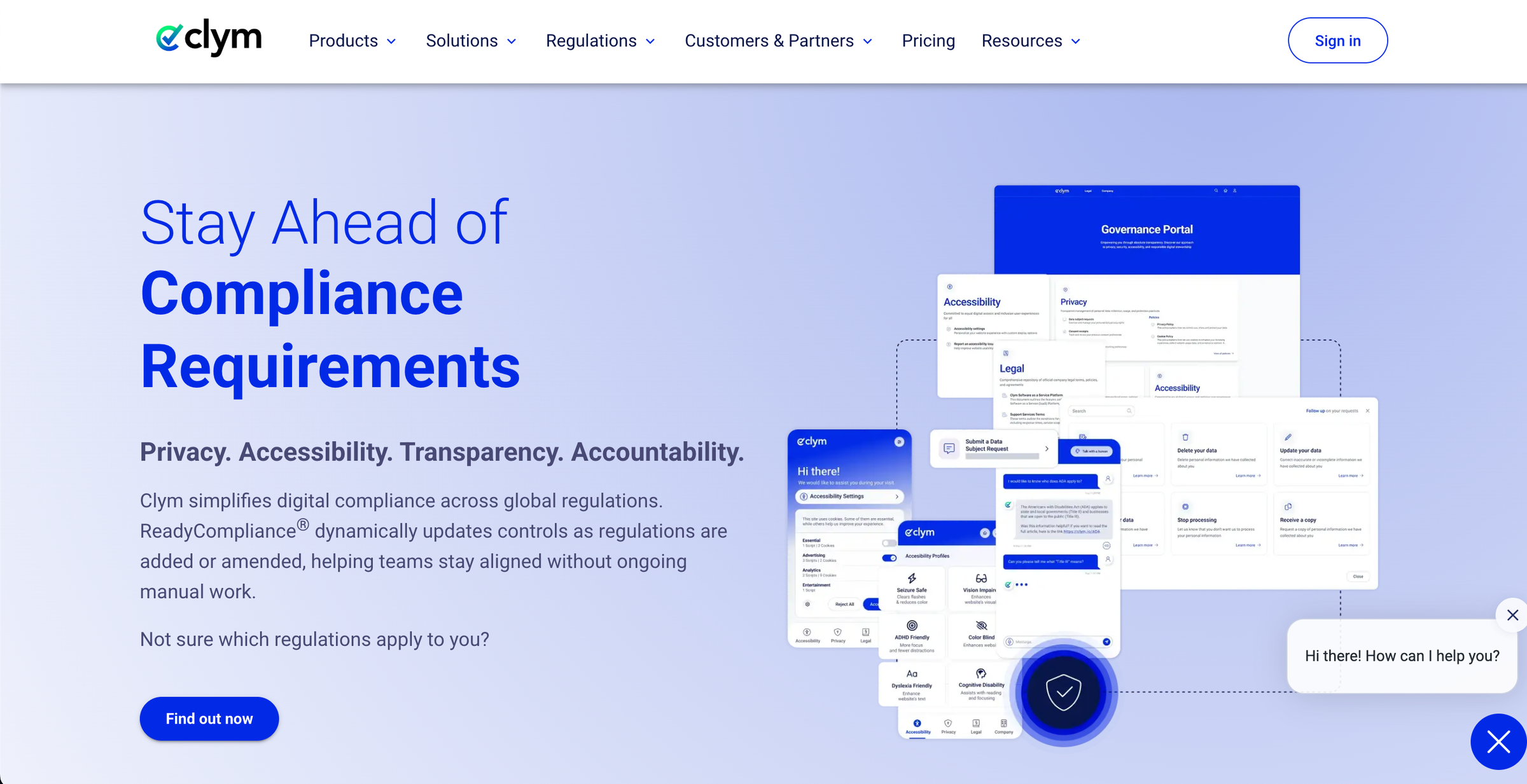
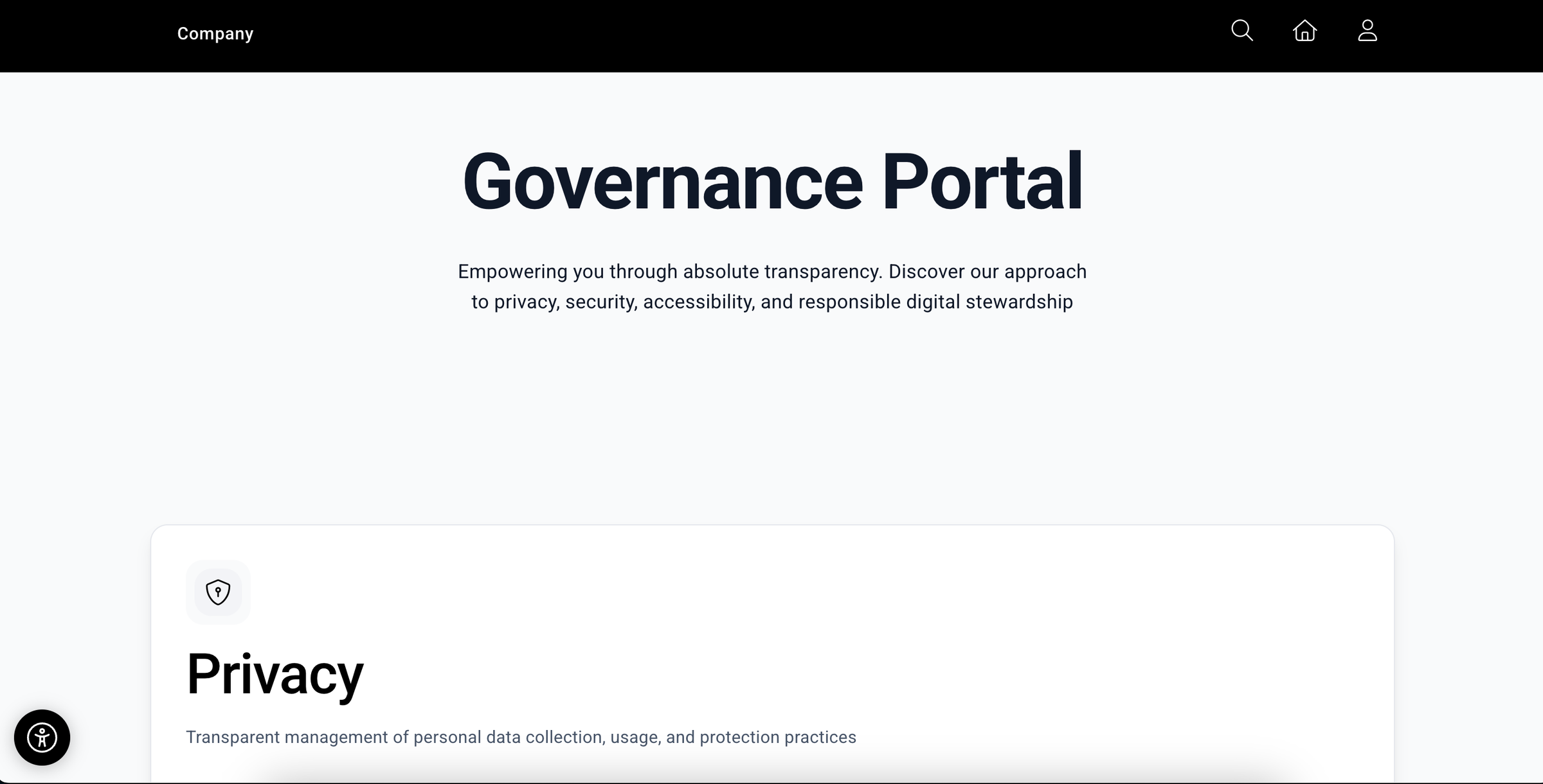
Clym is an all-in-one digital-compliance platform. It combines cookie consent, an accessibility overlay widget, cookie and privacy policy generation, and a governance portal for data-subject requests, consent logs, and whistleblowing.
All of it auto-configures for 150+ regulations across multiple jurisdictions. It targets SMB and mid-market teams that need more than a banner.
Clym launched in 2018 and positions itself around four pillars: privacy, accessibility, transparency, and accountability. Two automation engines do the heavy lifting. ReadyCompliance pre-selects the privacy rules for your jurisdictions from your business profile and visitor location.
RealtimeCompliance auto-detects third-party services and cookies, so you avoid manual tag editing. The product reaches you through three surfaces. A single embedded widget runs the banner. A hosted Governance Portal on a CNAME subdomain handles compliance oversight, and a Control Center dashboard covers multi-property administration.
That breadth is the whole pitch, and it is also the thing that decides who Clym suits.
Who Clym Is For
Clym fits buyers whose compliance need extends past cookie consent into several regulated domains at once.
-
Multi-jurisdiction teams that must satisfy GDPR, CCPA, HIPAA, and VPPA together and want one tool to auto-detect the right rules per visitor.
-
Regulated and higher-risk businesses (healthcare, media, finance, and call-recording operations) that need specialized frameworks like HIPAA authorization, VPPA, and wiretapping consent.
-
Mid-market organizations with a dedicated compliance owner who will actually use the Governance Portal for DSAR intake, consent receipts, and whistleblowing.
-
Companies consolidating vendors that want consent, accessibility, and governance under one subscription instead of three.
Who Clym Is Not For
Clym is a poor fit where the bundle outruns the need.
-
Solo operators and banner-only sites that need a compliant cookie banner and nothing else. Most of Clym pays for capabilities you would never open.
-
Agencies and freelancers managing many client sites. Per-property pricing compounds fast (detailed in the cons), and both self-serve tiers cap at one property.
-
Budget-constrained single-site SMBs, given a $49/month entry point against sub-$100/year focused tools.
-
Anyone who needs a Terms and Conditions generator in the same tool. Clym generates cookie and privacy policies only.
What Are Clym’s Key Features?
Clym’s core capabilities span regulatory automation, consent, policies, governance, and accessibility. ReadyCompliance auto-configures rules for 150+ regulations, and RealtimeCompliance auto-detects services and cookies. A Governance Portal handles DSAR and whistleblowing, and an accessibility widget plus broad framework support round it out. Several features are tier-gated.
The sections below evaluate each capability on what it does, how well it does it, and where its limits sit.
ReadyCompliance and RealtimeCompliance Automation
ReadyCompliance and RealtimeCompliance are the two engines behind Clym’s “set it and stay current” promise. ReadyCompliance analyzes your industry, location, size, and visitor distribution. It then pre-configures consent rules per jurisdiction, so you do not hand-write GDPR or CCPA logic.
RealtimeCompliance scans the live site, identifies third-party services and cookies, and applies the matching consent behavior with no manual tag editing. The automation is genuine and well-documented. It is the strongest reason a multi-jurisdiction team would pick Clym over a manual CMP.
The honest limit is verifiability. Clym publishes no detection-accuracy benchmark. One independent 2026 review notes that the scanner may miss dynamically loaded scripts. So how completely it catches every tracker is something you confirm in trial, not something an outside review can certify.
Cookie Consent Banner and Free Scanner
The consent banner offers multiple notification formats, visual customization, and geolocation-driven opt-in or opt-out presentation, plus a preference center for granular control. The standout is the free Scanner.
I ran a site through it without creating an account. It returns an inventory of scripts, services, and cookies, an automated WCAG check, a policy-presence check, jurisdiction-specific compliance scoring, and an exportable PDF.
Clym states the Scanner completes in under a minute per page. I am reporting that as a company-stated figure, not a timing I benchmarked. As a no-friction way to spot compliance gaps before buying, the Scanner is one of the most useful free tools in the category.
Policy Generators (Cookie and Privacy)
Clym’s policy module generates two document types: a cookie policy and a privacy policy. It supports translation across 23 languages, version control with historical records, and scheduled implementation dates.
Deployment options include Governance Portal publication, iFrame embed, JavaScript, or a direct link. The capability is solid for the two policies it covers. The plain limitation, confirmed on Clym’s own policies page, is that there is no Terms and Conditions generator.
A buyer who needs all three core legal documents will run Clym alongside a separate tool or a lawyer for terms.
Governance Portal: DSAR, Consent Logs, and Whistleblowing
The Governance Portal is the surface that separates Clym from cookie-only tools. It is hosted on a CNAME subdomain like compliance.yourcompany.com. It centralizes data-subject-request intake with identity verification and deadline tracking, a searchable consent-receipt repository, and policy and legal-document hosting.
It also carries an accessibility statement, a whistleblowing channel, content-takedown requests, and bounty reporting. A regulated organization must document DSARs and offer an EU Whistleblower Directive channel.
This is real, audit-oriented infrastructure that a banner tool simply does not have. Note the tier-gating. Whistleblowing, content takedown, and age gating sit on the Grow plan and above, so the entry tier excludes the full governance suite.
Accessibility Widget
Clym bundles an accessibility overlay widget with six pre-configured profiles. It adds granular controls for text size, spacing, contrast, and navigation, and is stated to align with ADA, Section 508, EAA, and WCAG guidelines.
As a user-side comfort layer it works, and it installs in the same script as the banner. The credibility-defining point is one Clym itself makes. Its own accessibility-lawsuits analysis says an overlay alone cannot make a site fully WCAG compliant.
In its exact words, “fewer than 2% of sued websites in 2025 used overlays, showing they are not a safeguard”. So treat this feature as UX polish, not legal protection. It does not deliver ADA conformance, and Clym’s content says as much.
Worth knowing: Clym also ships a separate free, open-source Accessibility Testing and Audit desktop app. It scans against WCAG 2.0, 2.1, and 2.2 at levels A through AAA and generates VPAT documentation. That tool, not the overlay, is the honest path to real conformance work, and it costs nothing.
Consent Framework and Regulatory Coverage
Framework breadth is where Clym genuinely outruns budget CMPs. Its consent layer supports eight frameworks and standards under an umbrella claim of 150+ regulations filtered by region. Those eight are IAB TCF 2.2, Google Consent Mode v2, Microsoft Consent Mode, Global Privacy Control, Global Privacy Platform, HIPAA authorization, VPPA, and wiretapping consent. For healthcare, media, financial, and call-recording use cases, HIPAA, VPPA, and wiretapping support are not box-checking, they are the job.
For an SMB e-commerce site running Google tags in one or two markets, most of this breadth never gets touched. On integrations, Clym installs through a single script plus a CNAME for the portal, with APIs, webhooks, and generic tag-manager support.
It claims universal CMS compatibility but names no specific platform connectors. No WordPress plugin or Shopify app is listed, so verify your stack before you commit.
How Easy Is Clym to Use?
Clym’s automation eases setup. ReadyCompliance pre-configures jurisdiction rules at signup, and Clym states the widget installs in under 30 minutes. That is a company-stated figure no independent walkthrough validates. Automation lowers the configuration burden, while the two-surface model and feature breadth add a learning curve, most of all for a banner-only buyer.
Getting Started: From Signup to a Live Banner
1. Sign up and complete the business profile: ReadyCompliance automatically selects jurisdiction-specific privacy rules.
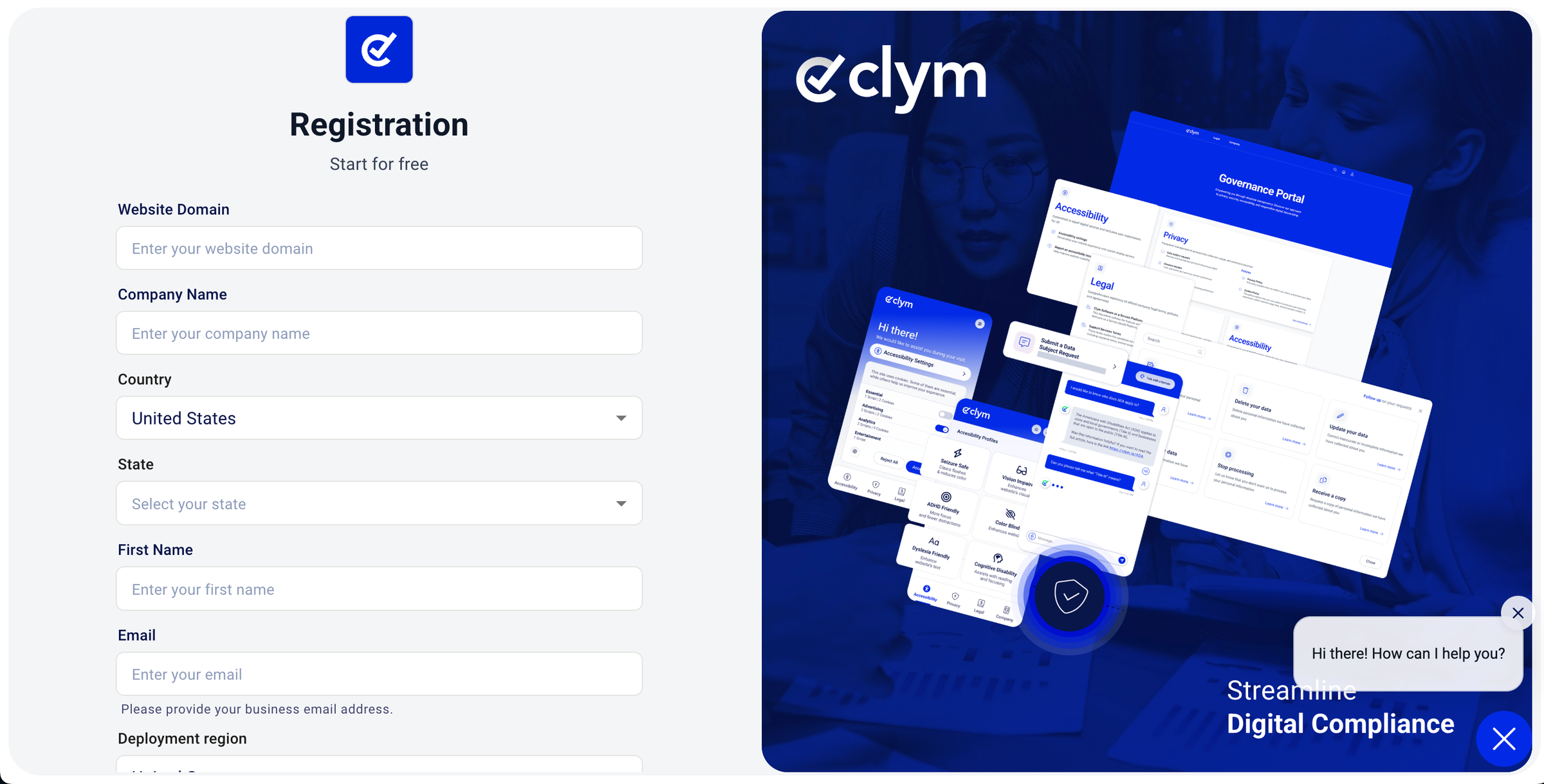
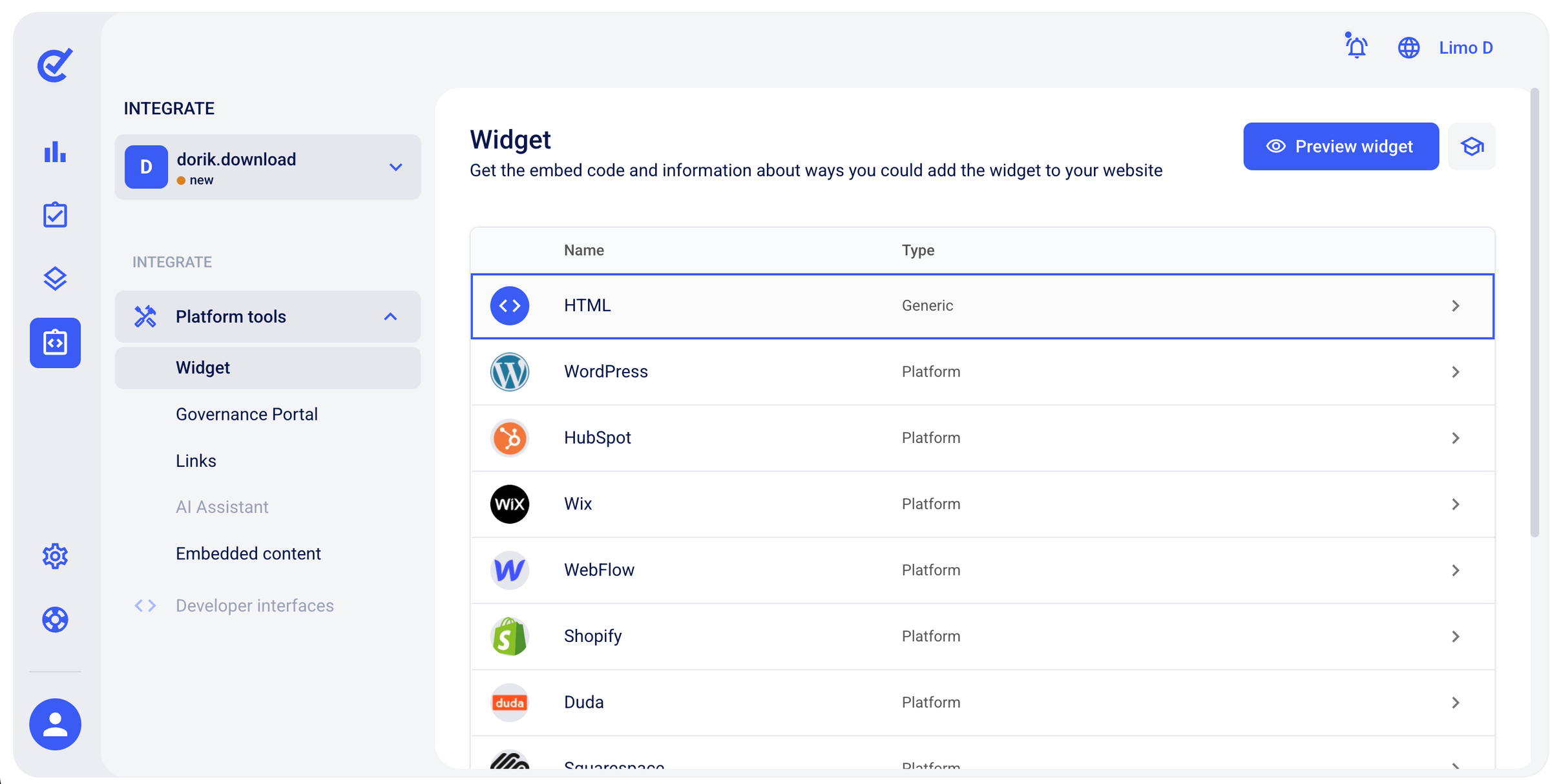
2. Configure and embed the banner through the Widget and Control Center. (Clym states under 30 minutes.)
3. Set up the Governance Portal on a CNAME subdomain for policies, consent logs, DSAR intake, and whistleblowing. (Clym states under an hour.)
Verified G2 reviewers describe setup as “incredibly easy” and credit a customer-service team that “made setup effortless”.
How Much Does Clym Cost?
Clym costs from $49/month on Start to $449/month and up on Enterprise, priced per digital property. There is no freemium tier, only a 14-day no-card trial. Multiple properties require Enterprise, and several features are tier-gated. HIPAA and whistleblowing become available on Grow, while API access and an SLA are Enterprise-only.
The table below reflects Clym’s live pricing page, verified for this review.
| Plan | Monthly price | Page views / month | Digital properties | Key inclusions and gating | Support |
|---|---|---|---|---|---|
| Start | $49 | Up to 50,000 | 1 (priced per website) | Banner, cookie/VPPA/wiretapping consent, DSAR, cookie and privacy policy, accessibility widget, Governance Portal, 100 AI credits | Chat, weekly webinars, knowledge base |
| Grow | $149 | Up to 1,500,000 | 1 (priced per website) | Everything in Start plus HIPAA authorization, age gating, restrictions/VPN detection, whistleblowing, content takedown, bounty hunting, 500 AI credits | Chat, weekly webinars, knowledge base |
| Enterprise | From $449 | Custom | Multiple / custom | Everything in Grow plus API integration, dedicated account manager, installation assistance, dedicated training, choice of data-server location, SLA | Email and phone, SLA, dedicated account manager |
Source: Clym pricing (verified June 2026). Add-ons include one-time installation assistance at $349 and extra AI credits at $5 per 100.
What the Free Scanner and Trial Include
Clym offers two no-cost entry points and no freemium plan. The free Scanner needs no account. It returns a cookie, script, accessibility, and policy audit with compliance scoring and a PDF export, at the under-a-minute speed Clym states.
The 14-day free trial on Start and Grow needs no credit card. It opens the paid feature set so you can test real configuration. After the trial there is no free tier to fall back to, so continued use starts at Start ($49/month).
Is Clym Pricing Worth It?
Whether Clym’s price is worth it depends entirely on how many properties you run and how much of the bundle you use. For a single high-traffic site that needs the breadth, Start at $49/month (about $490/year billed annually) is reasonable. That buys consent plus DSAR plus accessibility plus governance in one subscription.
Reviewers report savings of about $600/year versus stitching together separate vendors. The math turns against you at scale. Start and Grow each cap at one digital property and are priced per website, so five client sites cannot share a self-serve plan. Multiple properties require Enterprise from $449/month, roughly $5,388/year before customization.
It is also worth reading the feature grid rather than the headline. Clym’s marketing has described all features as included. Its own live pricing page tells a different story. HIPAA and whistleblowing are gated to Grow and above, and API access, an SLA, and multi-property support are reserved for Enterprise.
One genuine offset exists in the “Clym for Good” program. Qualifying startups (under $1M ARR) get a free Grow plan for 12 months, nonprofits get permanent Grow access, and schools get 50% off. So mission-driven and early-stage teams can sidestep the entry price entirely.
For everyone else, the price is fair for the regulated single-site buyer and expensive for the multi-site one.
What Are the Pros of Clym?
Clym’s genuine strengths are regulatory automation, strong customer support, and real framework breadth for regulated industries. Each strength below traces to documentation, the live pricing page, or verified user reviews.
-
Regulatory automation that removes manual rule-writing: ReadyCompliance pre-configures controls for 150+ regulations from your business profile and visitor location, and RealtimeCompliance auto-detects services and cookies, so a multi-jurisdiction team avoids hand-coding consent logic.
-
Customer support is the single most-praised attribute: Verified G2 reviewers repeatedly call the team “amazing” and say it “made setup effortless,” and chat support is included from the entry tier rather than gated to higher plans.
-
Framework breadth specialist tools lack: HIPAA authorization, VPPA, wiretapping consent, Microsoft Consent Mode, and GPP put Clym ahead of banner-only CMPs for healthcare, media, finance, and call-recording use cases.
-
Genuine vendor consolidation: Bundling consent, accessibility, and governance into one integration can replace three subscriptions, with reviewers citing roughly $600/year in savings versus separate vendors. The accessibility piece is a real convenience, though, per the cons, its legal weight is limited.
-
A low-friction free Scanner: The no-account Scanner produces a cookie, script, accessibility, and policy audit with a PDF export, making it easy to assess a site before committing (under-a-minute speed is Clym’s own figure).
What Are the Cons of Clym?
Clym’s main limitations are per-property pricing that compounds at scale and a missing Terms and Conditions generator. A two-dashboard model and an accessibility widget whose legal value is overstated round them out. Each con below is specific and evidenced, and several feed directly into who should look elsewhere.
-
Per-property pricing balloons for multi-site owners: Start and Grow each cap at one digital property and are priced per website, so five client sites force Enterprise (from $449/month, roughly $5,388/year). For an agency or freelancer, this is the sharpest limitation.
-
No Terms and Conditions generator: Clym generates cookie and privacy policies only. Buyers who need all three legal documents must add a second tool or a lawyer for terms.
-
A two-dashboard model adds context-switching: Banner configuration lives in the Widget and Control Center while compliance oversight lives in a separate Governance Portal. That can suit a role-separated team but adds a second surface for a solo operator. I am reporting this from the published architecture, not from a reported usability complaint.
-
The accessibility widget’s legal value is overstated: It is a paid overlay, yet Clym’s own blog states overlays cannot make a site WCAG compliant and that fewer than 2% of sued websites in 2025 used them. You are paying for UX comfort, not the legal safeguard the category often implies.
-
Feature breadth is cognitive load for banner-only buyers: A buyer who wants “just a banner” still navigates accessibility, DSAR, whistleblowing, and governance surfaces. One verified G2 theme is simply “lots of features,” which cuts both ways.
One honest caveat on setup: Clym markets a sub-30-minute install, but no independent walkthrough validates it. Treat it as a company-stated figure, not a measured one.
What Do Users Say About Clym?
Clym’s user sentiment is strongly positive across a small footprint. Support and ease of setup are the most-praised themes, with little community discussion outside review platforms. It holds 4.9/5 on G2 across 43 verified reviews, plus SoftwareFinder and a few editorial roundups. Sentiment skews around 81% positive and 19% mixed.
-
“The customer service team was amazing and made setup effortless.” (G2, verified user, on support)
-
“Setup was incredibly easy and the process was smooth, with no extra work required.” (G2, verified user, on onboarding)
-
“A great way to improve accessibility and compliance in one tool.” (G2, MSP reviewer, on the bundle)
-
“Disappointed by the discontinuation of the free tier, and I’d like better visibility and placement of the Clym icon on the site.” (G2 theme, mixed, on value and UI)
Treat this as signal rather than settled consensus. The independent footprint is small: 43 G2 reviews and zero on Capterra. Targeted Reddit searches surfaced no genuine organic discussion of Clym itself. That is partly because “CLYM” collides with an unrelated stock ticker (Climb Bio) that dominates its search results.
The nearest relevant thread is category-level. A March 2026 r/grc discussion is titled “‘All-in-one compliance platform’ is one of the most misleading phrases”. It captures the depth skepticism any bundle like Clym must overcome, without naming Clym. Thin community presence is itself a marker of an early-to-growth-stage product rather than a category default.
Is Clym Worth It?
Clym is worth it for multi-jurisdiction and regulated teams that need automation, governance, and framework breadth. It is not worth it for multi-site agencies, banner-only SMBs, or anyone needing a Terms generator or one simple dashboard. The deciding question: a whole compliance program, or just cookie consent done well?
Choose Clym if any of these apply.
-
You operate across regulated sectors such as healthcare (HIPAA), media (VPPA), or call recording (wiretapping) and need those specific frameworks.
-
You need consent, DSAR, accessibility, and governance in one platform rather than three subscriptions.
-
You have a compliance owner who will actively use the Governance Portal for DSARs, consent receipts, and whistleblowing.
-
You run one or a few high-traffic properties where the entry price is justified by the breadth.
Look elsewhere if any of these apply.
-
You manage many client sites and per-property pricing would compound; it may be worth weighing the best Clym alternatives before committing.
-
Your only real need is a compliant cookie banner.
-
You need a Terms and Conditions generator inside the same tool.
-
You prefer a single unified dashboard over two compliance surfaces.
For the bigger picture on where Clym sits among focused and all-in-one tools, see our roundup of the best consent management platforms compared. Clym leads its niche for consolidated, multi-jurisdiction compliance; teams that prioritize multi-site affordability or simplicity should evaluate alternatives.
Considering an Alternative to Clym?
If the cons above are your sticking points, Consently is built to address those exact gaps for the cookie-consent job. Those sticking points are per-property cost, the missing Terms generator, tier-gating, or two-dashboard complexity. It is a focused alternative, not a like-for-like replacement for Clym’s full compliance suite.
Where Clym’s per-property pricing pushes multi-site owners to Enterprise, Consently bundles domains flat. That is five domains for $199/year and ten for $499/year (see Consently’s flat multi-domain pricing). Adding the next client site does not trigger a tier jump. Where Clym omits Terms and Conditions, Consently ships three policy generators including a Terms generator.
Where Clym gates HIPAA, whistleblowing, and API access by tier, Consently includes every feature on every plan and prices only on capacity. And where Clym splits work across a widget and a Governance Portal, Consently runs the same banner, scanning, consent-log, and policy scope from one dashboard.
To be fair about the tradeoff: Clym genuinely beats Consently on breadth. Its DSAR workflows, whistleblowing, accessibility tooling, and HIPAA, VPPA, and 150+ regulation coverage are real. Consently does not try to match that governance depth. If you need a full compliance program across many regulated domains, Clym is the right tool.
If you need cookie consent done well and affordably across one or many sites, Consently fits better. See the full Consently vs Clym breakdown for a feature-by-feature view, and start your free Consently trial to test the single-dashboard setup yourself.
FAQs
Is Clym better than Consently?
It depends on the job. Clym is better for multi-jurisdiction automation, DSAR and governance, and framework breadth like HIPAA and VPPA. Consently is better for flat multi-domain affordability, a single dashboard, and a Terms and Conditions generator. See the head-to-head comparison for specifics.
Is Clym good for agencies and multiple websites?
Generally no at scale. Start and Grow each cap at one digital property, so multiple client sites require Enterprise from $449/month, and per-property costs compound quickly. Agencies running many domains usually find flat multi-domain pricing materially cheaper for the cookie-consent job.
Does Clym include a Terms and Conditions generator?
No. Clym generates cookie and privacy policies only. If you need terms and conditions, you will need a separate generator or a lawyer. Tools that bundle all three legal documents cover this gap in a single subscription.
Does Clym’s accessibility widget make my site WCAG compliant?
No. An overlay alone cannot achieve WCAG 2.1 AA or the ADA “effective communication” standard. Clym’s own blog states that fewer than 2% of sued websites used overlays and that they are not a safeguard. Treat the widget as UX polish paired with real code-level remediation.
How long does Clym take to set up?
Clym states the widget installs in under 30 minutes, helped by ReadyCompliance pre-configuration, with the Governance Portal under an hour. No independent walkthrough validates these figures, and real setup time depends on your compliance complexity and navigating the two-surface model.
Can I try Clym for free?
Yes. Clym offers a 14-day free trial with no credit card on its self-serve plans, plus a free no-account Scanner for an instant compliance check. There is no freemium tier, so after the trial a subscription starts at Start ($49/month).
What are the best alternatives to Clym?
The consent and compliance category includes CookieYes and Cookiebot (budget cookie consent), Osano and OneTrust (broader privacy platforms), and Consently (flat multi-domain cookie consent). The right pick depends on whether you need full compliance breadth or a focused, affordable banner across your sites.

